 EN
EN BR
BR DE
DE ES
ES FR
FR RU
RU ID
ID TR
TR IT
IT JP
JP SA
SA VN
VN TH
TH KR
KR
What Is VPN Passthrough? Meaning, How It Works, and When You Need It

 Key takeaways
- Understand what VPN passthrough actually means — and why it's a router feature, not a form of VPN protection.
- Learn how PPTP, L2TP, and IPSec passthrough each solve NAT compatibility problems differently.
- Find out whether you actually need VPN passthrough with the VPN protocols in use today.
- See the security trade-offs of leaving outdated passthrough settings switched on.
- Get clear steps for enabling or disabling VPN passthrough on your router if you ever need to.
If you've dug into your router's settings and spotted a toggle labeled "VPN Passthrough," you've probably wondered what it actually does — and whether you need to touch it. In short, VPN passthrough is a router feature, not a VPN service. It doesn't create a secure connection or encrypt anything on its own; it simply makes sure your router's firewall doesn't accidentally block VPN traffic that's already trying to get through.
Understanding vpn passthrough meaning starts with a much older piece of networking: NAT, the system your router uses to let multiple devices share one internet connection. NAT was never designed with encrypted VPN tunnels in mind, and older VPN protocols in particular tend to confuse it. That mismatch is exactly the problem passthrough was built to solve.
Modern VPN apps like Guru VPN mostly make this a non-issue, since they rely on protocols that work with NAT out of the box. But it's still worth understanding what VPN passthrough is, how it works, and the handful of situations where it still matters.
Key Takeaways
- Understand what VPN passthrough actually means — and why it's a router feature, not a form of VPN protection.
- Learn how PPTP, L2TP, and IPSec passthrough each solve NAT compatibility problems differently.
- Find out whether you actually need VPN passthrough with the VPN protocols in use today.
- See the security trade-offs of leaving outdated passthrough settings switched on.
- Get clear steps for enabling or disabling VPN passthrough on your router if you ever need to.
What Is VPN Passthrough?
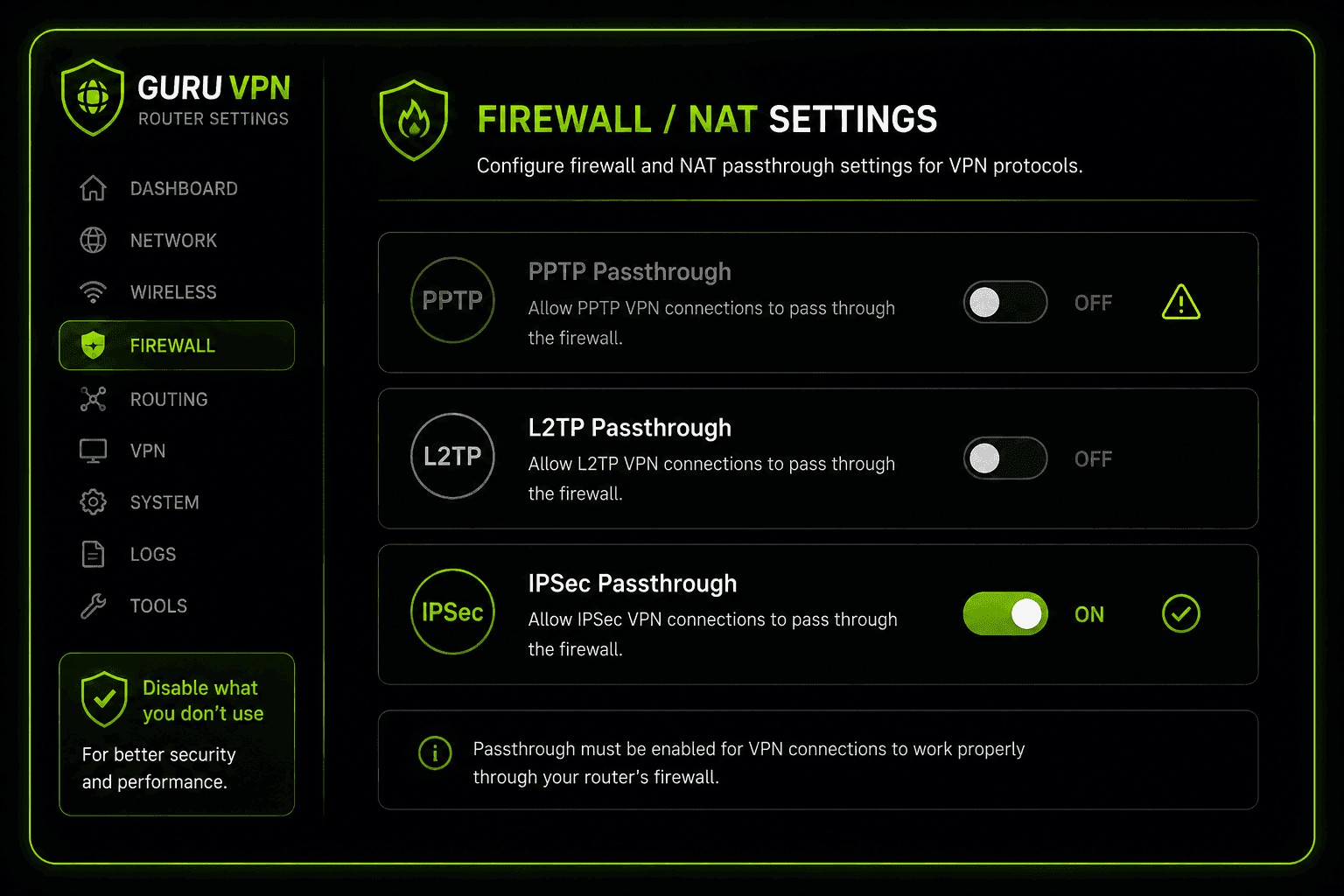
VPN passthrough is a setting on your router, not a VPN itself. Your router already runs Network Address Translation (NAT) — sometimes labeled NAPT, or Network Address and Port Translation, in router documentation that's being specific about tracking both the address and the port together to let every device on your network — laptop, phone, smart TV — share one public IP address. NAT does this by tracking connections through IP addresses and port numbers, then routing responses back to the right device.
The problem is that older VPN protocols don't play well with that system. Some encrypt the very packet headers NAT needs to read; others skip standard port numbers entirely. Without any help, a router's NAT can simply drop that traffic, and the VPN connection never completes. A passthrough VPN setting exists specifically to patch that gap — recognizing this traffic and letting it through instead of blocking it by default.
It's worth being precise about what this does and doesn't do: VPN passthrough doesn't encrypt anything, doesn't create a tunnel, and doesn't make your router a VPN server. It just gets out of the way so a VPN connection initiated elsewhere — by an app on your device, or by a router acting as a VPN client — can actually go through.
VPN Passthrough vs. a VPN Client
A VPN client, like the Guru VPN app, is what actually builds the encrypted tunnel and protects your traffic. VPN passthrough is just plumbing — it doesn't protect anything on its own, it only avoids blocking a connection that's already encrypted somewhere else. Confusing the two is common, but the distinction matters: enabling passthrough alone gives you zero privacy benefit if there's no VPN connection behind it in the first place.
How Does VPN Passthrough Work?
Each of the three legacy protocols that typically need passthrough runs into NAT problems in its own way, and routers handle each one a little differently:
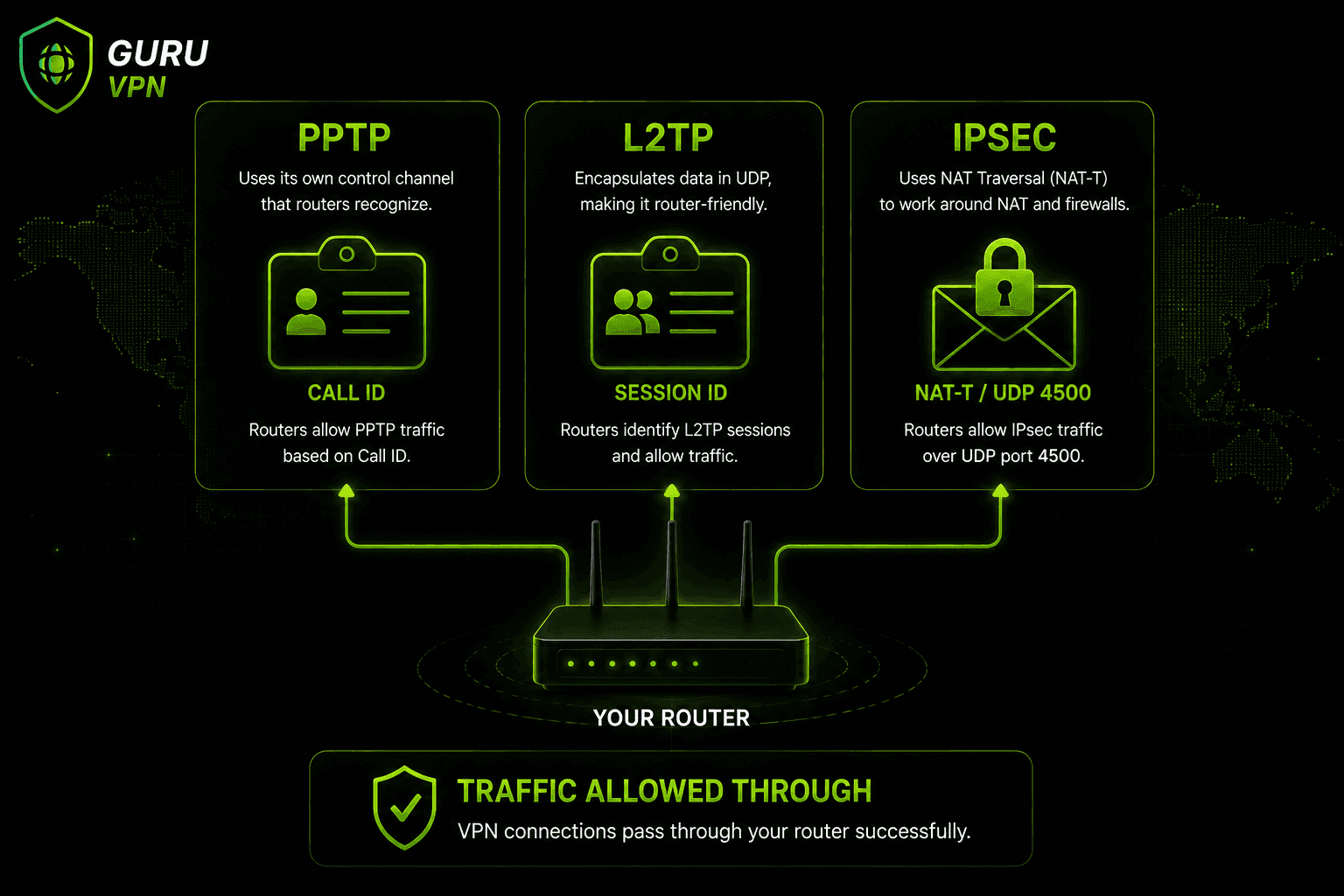
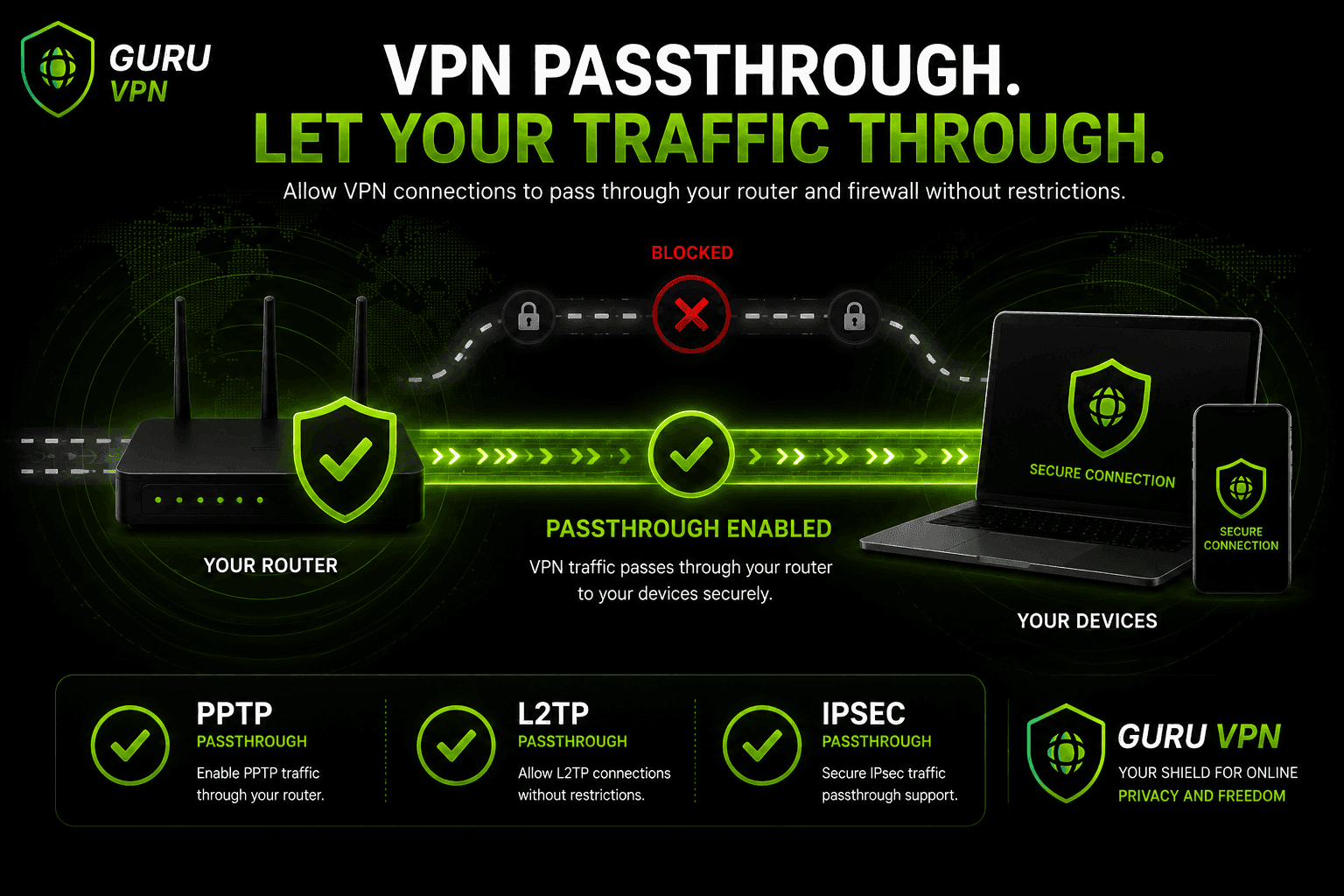
PPTP passthrough — PPTP tunnels use GRE (Generic Routing Encapsulation) instead of standard TCP/UDP ports, which NAT can't track the normal way. Passthrough compensates by assigning a Call ID to each session, standing in for the port number NAT would normally use.
L2TP passthrough — L2TP has a similar issue, so passthrough assigns a Session ID to incoming and outgoing packets, letting the router match traffic to the right device even without a conventional port number.
IPsec passthrough — IPsec encrypts packet headers NAT would normally read, so passthrough relies on NAT-T (NAT Traversal), which wraps IPsec traffic inside standard UDP packets, typically over port 4500, so it looks like ordinary traffic to NAT. This method can behave asymmetrically depending on the router, which is why IPsec connections sometimes need extra troubleshooting compared to PPTP or L2TP.
Types of VPN Passthrough at a Glance
| Protocol | NAT Problem | Passthrough Workaround | Still Common Today? |
|---|---|---|---|
PPTP | Uses GRE, no standard ports | Call ID substitution | Rare — outdated and insecure |
L2TP | Similar port-tracking issue | Session ID assignment | Occasional, mostly legacy systems |
IPSec | Encrypted headers block NAT | NAT-T (UDP encapsulation) | Still used in some corporate VPNs |
VPN Passthrough vs. Port Forwarding
These two settings live on the same router page and get mixed up constantly, but they solve different problems. Port forwarding is something you configure manually: you pick a specific port and tell the router to send any incoming traffic on that port to one particular device — useful for hosting a game server or accessing a home security camera remotely. It's protocol-agnostic and requires you to know exactly what you're forwarding and why.
VPN passthrough, by contrast, is protocol-aware and mostly automatic. It doesn't ask you to specify ports; it recognizes PPTP, L2TP, or IPSec traffic patterns and applies the right workaround so an outbound VPN connection can complete. You don't choose what to "forward" — the router either lets that recognized VPN traffic through or it doesn't. If you're troubleshooting a VPN connection and find both settings in your router, passthrough is almost always the relevant one; port forwarding rarely needs to be touched for a standard VPN app to work.
Do You Need VPN Passthrough?
For most people today, the honest answer is no. Modern VPN protocols — OpenVPN, WireGuard, and IKEv2 — were designed to work with NAT out of the box, so they never trigger the problem passthrough exists to fix. If your VPN app uses one of these (which most current services do), your router doesn't need any special passthrough setting enabled for it to work.
Passthrough still matters in a few narrower cases: businesses running legacy VPN routers that rely on IPsec for site-to-site connections, older hardware still limited to PPTP or L2TP, and troubleshooting on restrictive networks — hotel or public Wi-Fi routers sometimes block VPN traffic outright, and toggling passthrough settings is one of the first things worth checking.
One related issue worth knowing about: double NAT. If you have an ISP modem/router combo and your own router both performing NAT, VPN connections — even modern ones — can occasionally run into trouble simply because traffic is being translated twice. Putting the ISP device into bridge mode, so only your own router handles NAT, usually resolves this without touching passthrough settings at all.
Security Risks of Leaving VPN Passthrough Enabled
Passthrough settings aren't inherently dangerous, but leaving unused ones switched on adds unnecessary attack surface. PPTP in particular is a genuinely outdated protocol with known encryption weaknesses, so PPTP passthrough sitting enabled on a router that never uses PPTP is a setting doing nothing but adding risk. The general guidance from most router and security vendors is simple: disable whichever passthrough protocols you don't actually use, keep your router's firmware updated, and periodically review these settings the same way you'd review any other firewall rule.
How to Enable or Disable VPN Passthrough on Your Router
The exact menu names vary by manufacturer, but the general steps are consistent:
- Log into your router's admin panel, usually at an address like 192.168.1.1 or 192.168.0.1.
- Look for a section labeled Security, Firewall, VPN, or NAT Forwarding.
- Find the individual toggles for PPTP Passthrough, L2TP Passthrough, and IPSec Passthrough.
- Enable only the ones you actually need, and disable the rest.
- Save your settings and reboot the router if prompted.
Most consumer routers, including popular TP-Link models, ship with these settings enabled by default, so in many cases there's nothing to configure at all unless you're troubleshooting a specific connection issue.
Where to Find It on Common Router Brands
The menu labels above are generic — here's roughly where the same settings live on a few widely used brands:
TP-Link — Advanced → NAT Forwarding → VPN Passthrough, where the PPTP, L2TP, and IPsec toggles typically appear together on one page.
Netgear (Nighthawk and similar models) — Advanced → Setup → WAN Setup, where passthrough options sit alongside settings like Disable Port Scan and DoS Protection — worth checking too, since an overly aggressive DoS Protection setting can interfere with VPN traffic even when passthrough itself is configured correctly.
Asus — accessible either through the router's local admin page or asusrouter.com, under WAN → NAT Passthrough, with PPTP, L2TP, and IPsec listed as separate toggles.
Linksys — Security → VPN Passthrough, usually with all three protocol toggles bundled on a single screen.
Exact wording shifts between firmware versions, so if a menu doesn't match exactly, searching your specific router model plus "VPN passthrough" usually turns up the current path faster than clicking through every settings tab.
Common VPN Passthrough Problems and How to Fix Them
The VPN connects, then drops after a few minutes. This often points to IPSec passthrough and its NAT-T handling timing out. Check whether your router lets you adjust NAT keepalive intervals, and confirm UDP port 4500 isn't being blocked further upstream by your ISP.
The VPN won't connect at all on a hotel or airport network. Restrictive public networks sometimes block VPN traffic outright, passthrough or not. If your VPN app supports switching protocols, trying a modern option like WireGuard often gets past these restrictions better than legacy PPTP or IPSec connections do.
Everything looks fine, but the connection is unstable or slow. This is a classic symptom of double NAT — your ISP modem and your own router both translating addresses. Switching the ISP device into bridge mode, so only one router handles NAT, resolves most of these cases without touching passthrough settings at all.
The passthrough toggle is on, but the VPN still fails. Outdated router firmware is a common culprit, including known bugs in specific vendors' passthrough implementations. Checking for a firmware update is usually the fastest fix before assuming the VPN service itself is at fault.
The VPN connects, but there's no internet access afterward. This one is often caused by a different router feature entirely: the Application Layer Gateway, or ALG. Some routers ship with a VPN, PPTP, or IPsec ALG setting turned on by design to "help" VPN traffic, but it can actually interfere with the connection instead — particularly with IPsec. If passthrough is already correctly configured and the connection still hangs after establishing, look for an ALG setting in the same firewall or NAT menu and try disabling it.
Why Choose Guru VPN for Hassle-Free Connections
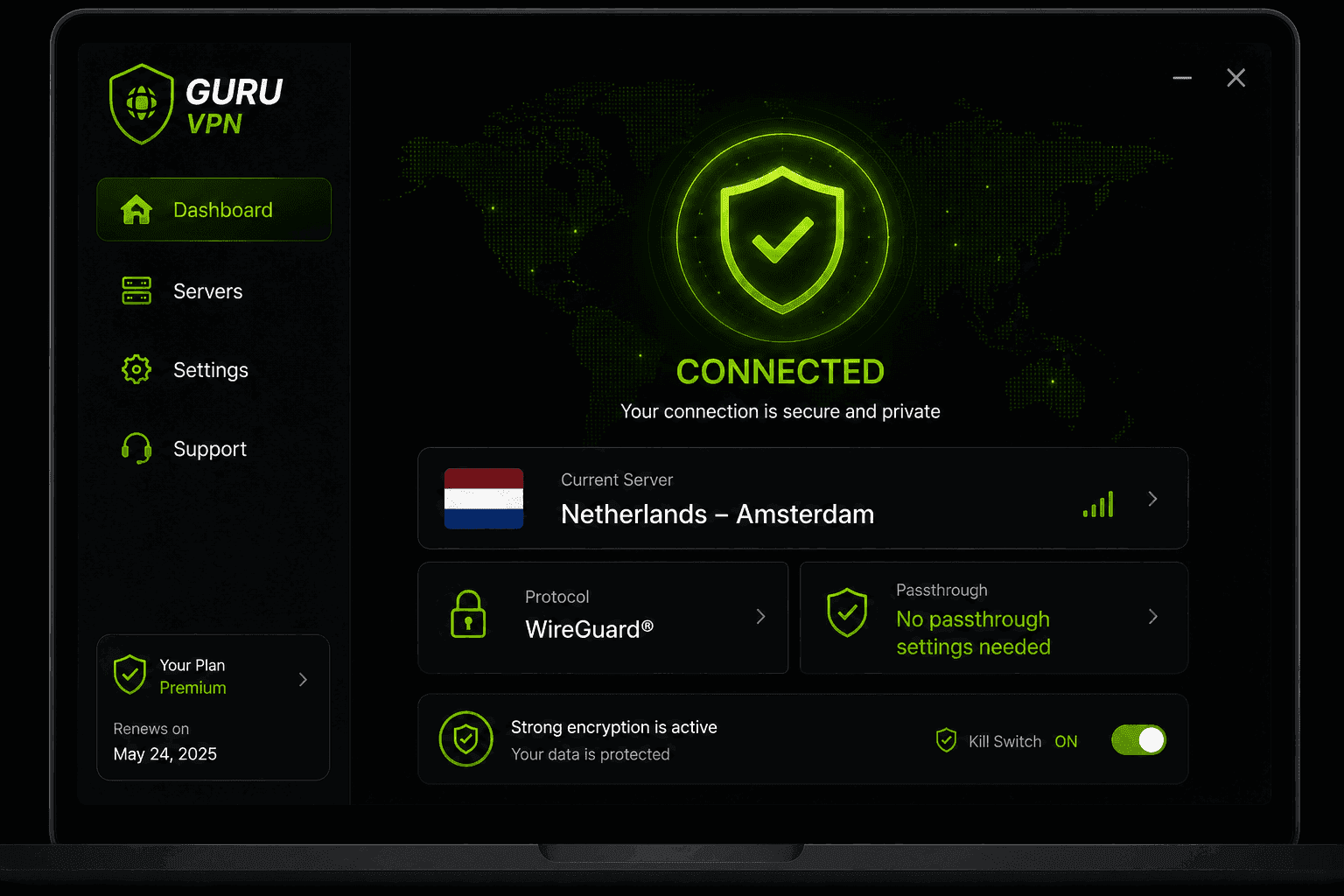
One of the simplest ways to avoid thinking about VPN passthrough at all is to use a VPN built on modern protocols in the first place. Guru VPN relies on WireGuard® and other current-generation protocols that traverse NAT automatically, so you're not stuck digging through router menus just to get a stable connection.
| Feature | Benefit |
|---|---|
Modern protocol support | Works through NAT without passthrough configuration |
Fast global servers | Stable connections regardless of router setup |
Strong encryption | Real protection, unlike passthrough alone |
Strict no-logs policy | Keeps your activity private |
Cross-platform apps | Consistent setup across devices, no router tweaks needed |
If you're setting up a new router or replacing an old one, it's worth comparing the current lineup of Guru VPN plans and checking the available server locations — a well-chosen nearby server does more for your connection quality than any router setting ever will.
Frequently Asked Questions
It's a router feature that allows VPN traffic — mainly from older protocols like PPTP, L2TP, and IPSec — to pass through the router's NAT and firewall without being blocked. It doesn't create or encrypt a VPN connection itself.
It means your router is getting out of the way of a VPN connection instead of accidentally blocking it. Think of it as a router setting that says "let this specific type of traffic through," not a VPN feature on its own.
Mainly for legacy setups: older corporate VPN routers, outdated hardware still using PPTP or L2TP, and troubleshooting VPN connections on restrictive networks like hotel Wi-Fi.
No. Guru VPN uses modern protocols that work with your router's NAT automatically, so there's nothing to enable or configure on the router side.
Leaving unused passthrough types enabled — especially PPTP — adds some unnecessary attack surface. It's generally safer to disable whichever protocols you don't actually use.
Log into your router's admin panel, find the Security, Firewall, or NAT settings, and toggle off the PPTP, L2TP, or IPSec passthrough options you don't need.
A VPN client, like an app on your phone or laptop, actually creates the encrypted tunnel. VPN passthrough is just a router setting that avoids blocking that tunnel — it provides no encryption or protection by itself.
Conclusion: A Small Setting Most People Never Need to Touch
VPN passthrough solves a very specific, increasingly rare problem: getting older VPN protocols past a router's NAT without the connection breaking. For most people running a modern VPN app, it's a setting that quietly does nothing, because the protocols in use today don't need it in the first place. Knowing what it means and when it actually matters is mostly useful for troubleshooting the occasional legacy setup — not something you need to worry about for everyday, modern VPN use.