 EN
EN BR
BR DE
DE ES
ES FR
FR RU
RU ID
ID TR
TR IT
IT JP
JP SA
SA VN
VN TH
TH KR
KR
Fake IP Address Explained: How It Works, How to Get One, and What to Watch Out For

 Key takeaways
- A fake IP is not a made-up number. It is a real address that belongs to another server, which relays your traffic so websites see that address instead of yours.
- A VPN is the only mainstream method that also encrypts your traffic. Proxies and public networks change the visible address but leave your data exposed.
- A fake IP is not IP spoofing. One is a privacy and access technique, the other is an attack method.
- You cannot create a valid address by typing one in or running a generator. Any tool promising that is either a test-string maker or a risk.
- Using a fake IP is legal in most countries, but it does not make illegal activity legal, and it can violate a website's terms.
Every time you open a website, your device introduces itself with a numeric address that your internet provider assigned. That address reveals roughly where you are, which network you use, and it can quietly link your visits together. A fake IP is the common name for the workaround: showing sites a different address than the one tied to your home or phone plan.
The name is misleading, though. Nothing about the replacement address is invented, and the tools sold under this label vary enormously in quality. This guide explains what is actually happening, the methods that work, the ones that do not, and the legal and practical limits you should know before you start.
What Is a Fake IP Address?
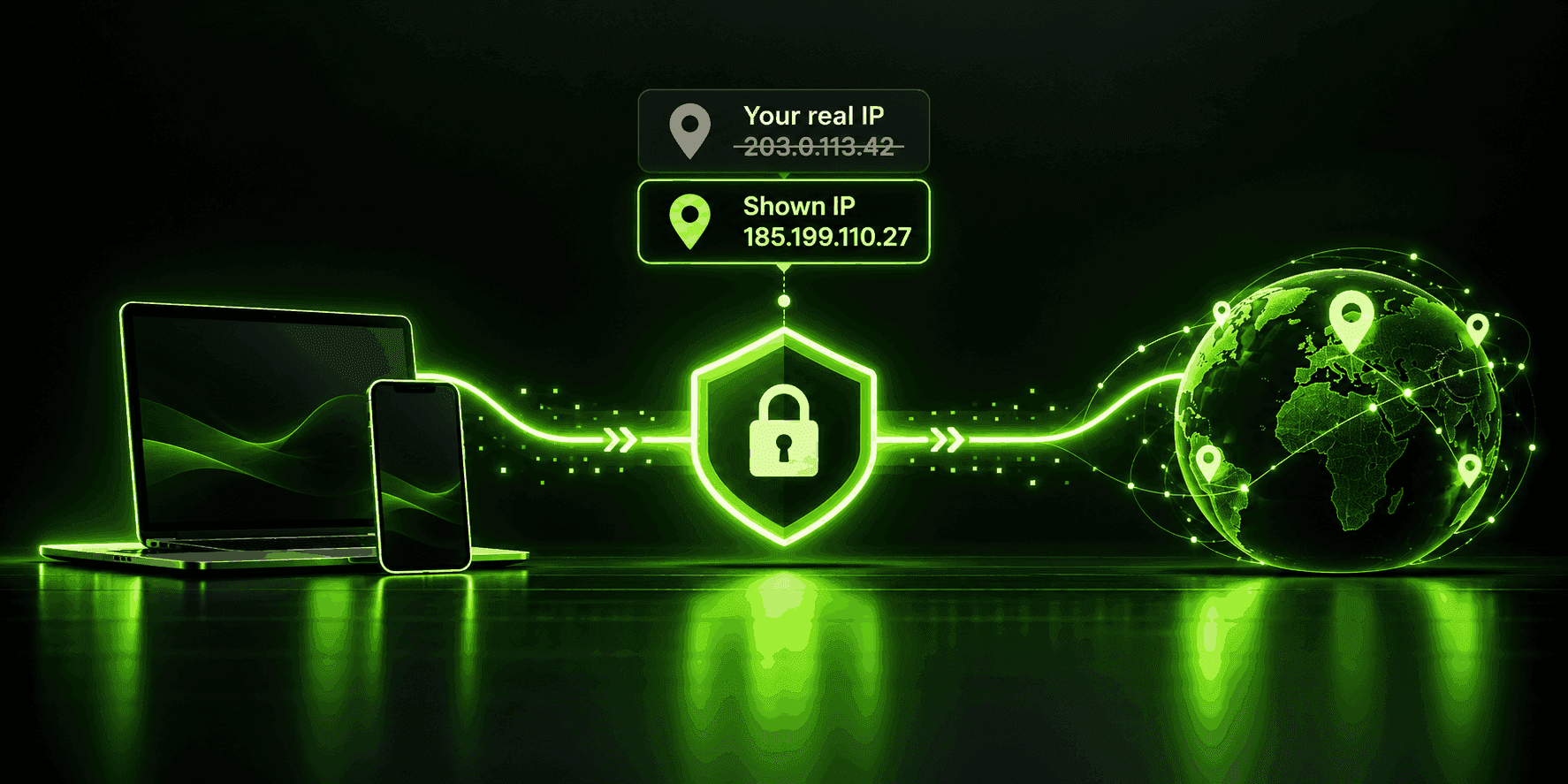
An IP address is the label that lets data find its way to your device and back. Your internet provider hands one out, and every site you visit can read it. A fake IP address is a different, fully valid address that a website sees in place of yours. The "fake" part only means it is not the one your provider issued to you.
The substitute belongs to something real: a VPN server, a proxy, an exit node on the Tor network, or another network you happen to be connected through. Your actual address does not disappear. It still exists and your provider still knows it. Websites simply never receive it, because your request reaches them through the middleman.
You will see the same idea described with other words. A dummy IP address, a false IP, a disguised IP, and a masked IP all point at roughly the same concept: showing an address that is not your own. One of these deserves a careful note. In networking documentation, "dummy" often means a placeholder address reserved for examples, such as the blocks starting with 192.0.2, 198.51.100, and 203.0.113. Those ranges are set aside so that tutorials do not accidentally point at a real machine. They are not usable for browsing, so a dummy IP address of that kind cannot hide you from anyone.
How a Fake IP Address Works
The mechanism is the same across every method, and it comes down to who sends the request.
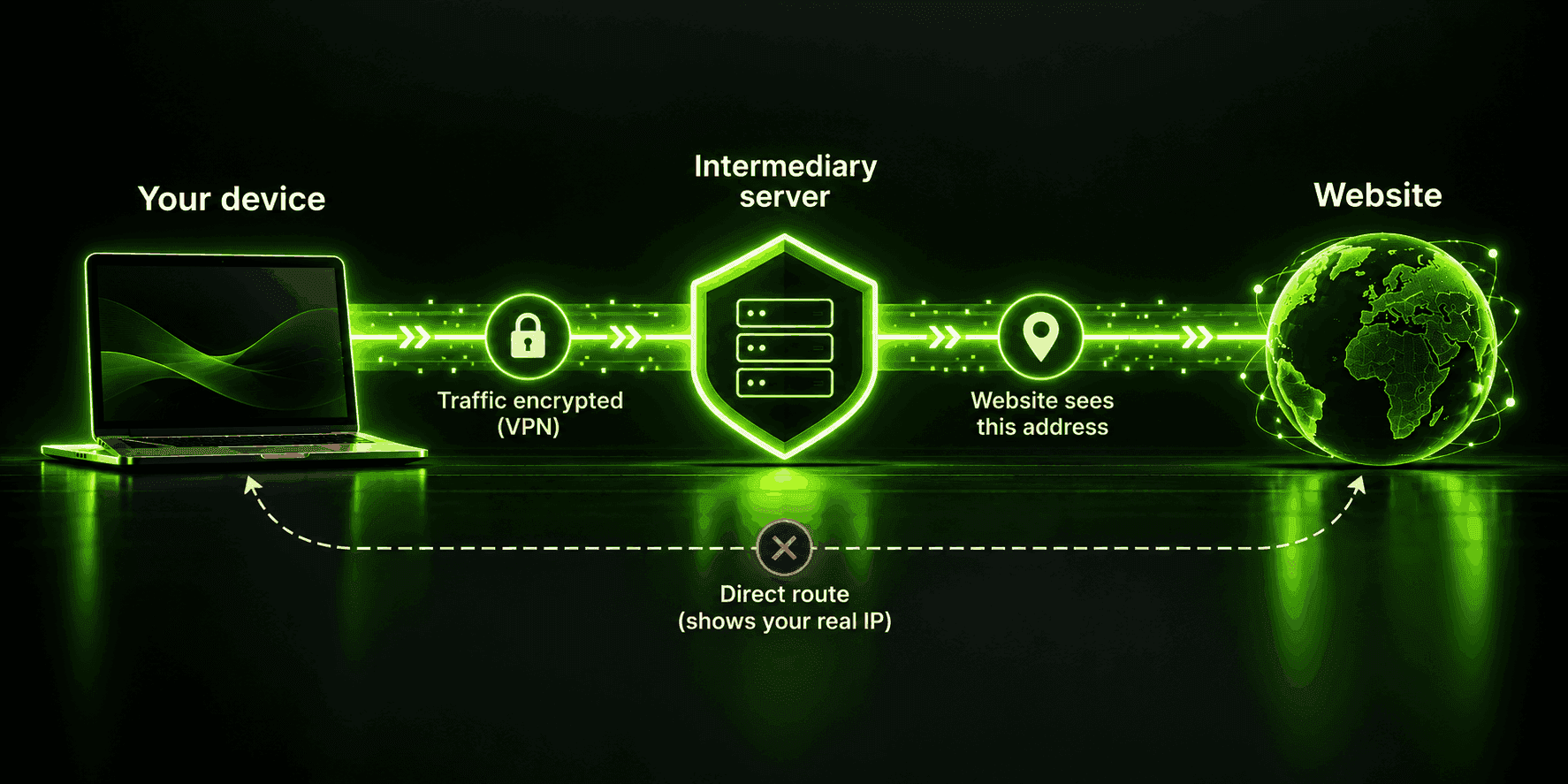
Normally, your device talks directly to a website, and the site sees your provider-assigned address. With a fake IP, you add one stop in the middle:
- Your device sends its request to an intermediary instead of the website.
- The intermediary forwards the request using its own address.
- The website replies to the intermediary, which passes the response back to you.
From the website's point of view, the visitor is whoever the intermediary is. If that server sits in another country, the site concludes you are in that country, because location databases map address ranges to regions.
What differs between methods is what the middleman does with your data on the way through. A VPN wraps your traffic in an encrypted tunnel before it leaves your device, so neither your Wi-Fi network nor your internet provider can read it. A basic proxy usually forwards your request as it is, with no encryption. Tor sends your traffic through several relays so that no single relay knows both who you are and what you are requesting. Those differences matter far more than the address itself.
Is a Fake IP the Same as IP Spoofing?
No, and confusing the two is the most common mistake in articles on this subject. The distinction between fake IP vs IP spoofing is about intent and mechanics.
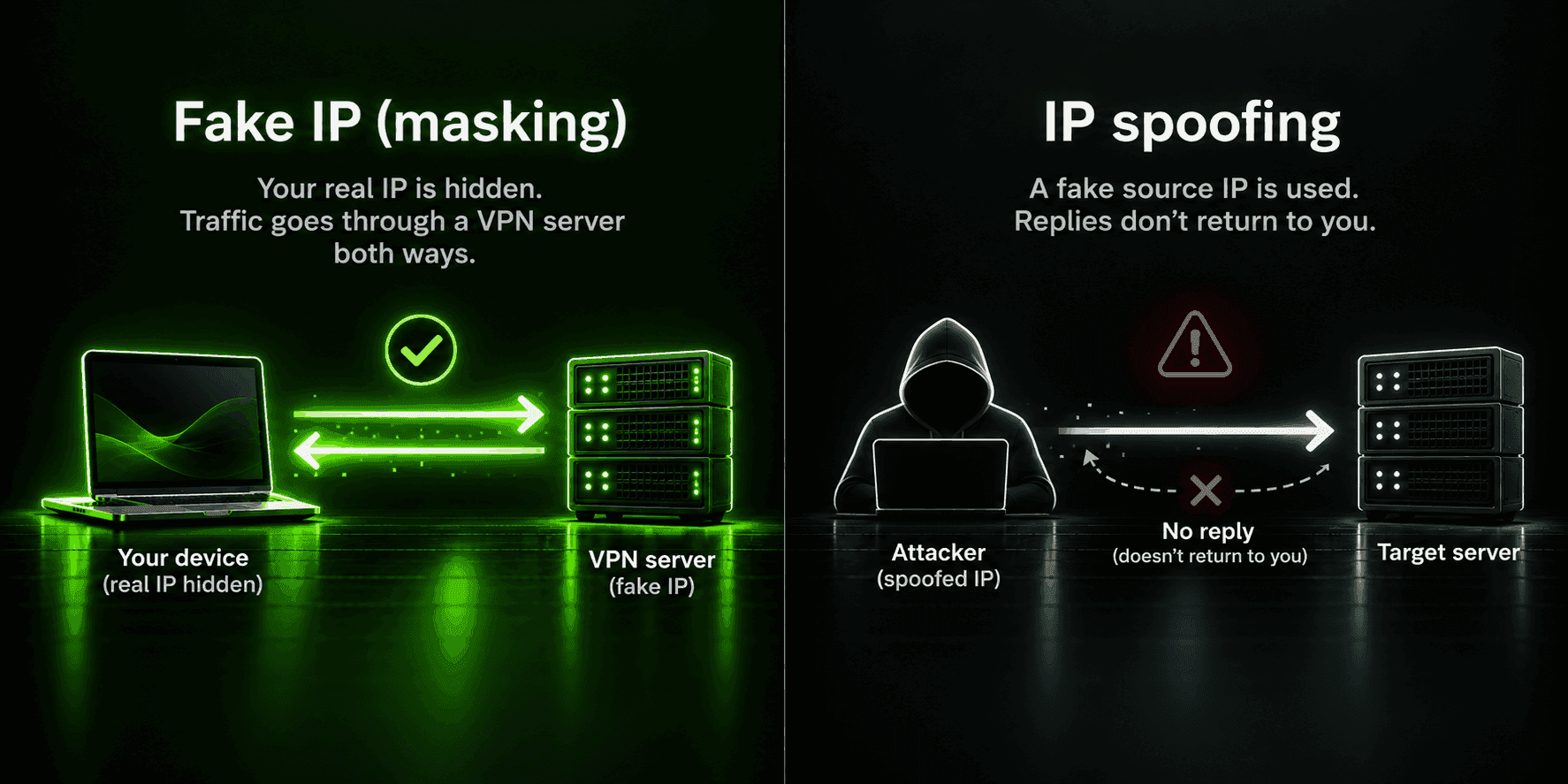
IP spoofing means forging the source address inside the data packets you send, so the receiving machine believes the traffic came from somewhere else. Because the forged address is not one you can receive replies at, spoofing is useful mainly for attacks, such as flooding a target with traffic or impersonating a trusted device. It is a technique for abusing networks.
Masking, in the sense of this article, is different. Your requests are legitimate, they are answered normally, and the address a website sees is a genuine one that is actually delivering your data. Nothing is forged. You borrowed a route.
| Criteria | Fake IP (masking) | IP spoofing |
|---|---|---|
What changes | The address websites see, via a middleman server | The source address inside forged packets |
Can you get replies? | Yes, through the intermediary | Generally no |
Typical purpose | Privacy, access, avoiding blocks | Attacks, impersonation, evasion |
Tools involved | VPN, proxy, Tor, another network | Specialized packet-crafting tools |
Everyday use | Common and widely legal | Associated with abuse |
A small number of sources blur the line and list spoofing as one way to "get" a fake IP. For everyday browsing, that is the wrong tool and the wrong goal.
Why Would Anyone Want a Fake IP Address?
People turn to a fake IP for several distinct reasons, and the right method depends on which one applies.
Privacy from trackers and profiling. Your address is a stable identifier that advertisers and data brokers use to connect your activity across sites. Swapping it makes that linking harder, though it does not stop other tracking methods.
Safer public networks. On shared Wi-Fi at an airport or cafe, other people on the same network can try to snoop. Pairing a changed address with encryption closes most of that exposure.
Avoiding blocklists and bans. Game servers, forums, and some services ban by address. If you were caught up in a shared range or banned unfairly, a different address gets you back in. Honest caveat: many services now ban VPN ranges too, so this cuts both ways.
Reaching content tied to a country. Streaming libraries, shops, and local versions of services often depend on the location your address suggests. Travelers use this to reach their home services, and others use it to see another region's catalog.
Getting through restrictive networks. Schools, workplaces, and some countries block categories of sites. A different address, plus encryption, can get around filtering that is done at the network level. Whether you are allowed to do so is a separate question, covered in the legality section below.
Testing and research. Developers check how a site looks from another country, marketers verify localized ads, and researchers compare search results across regions. This is one of the least discussed and most routine uses.
Six Methods for Getting a Fake IP
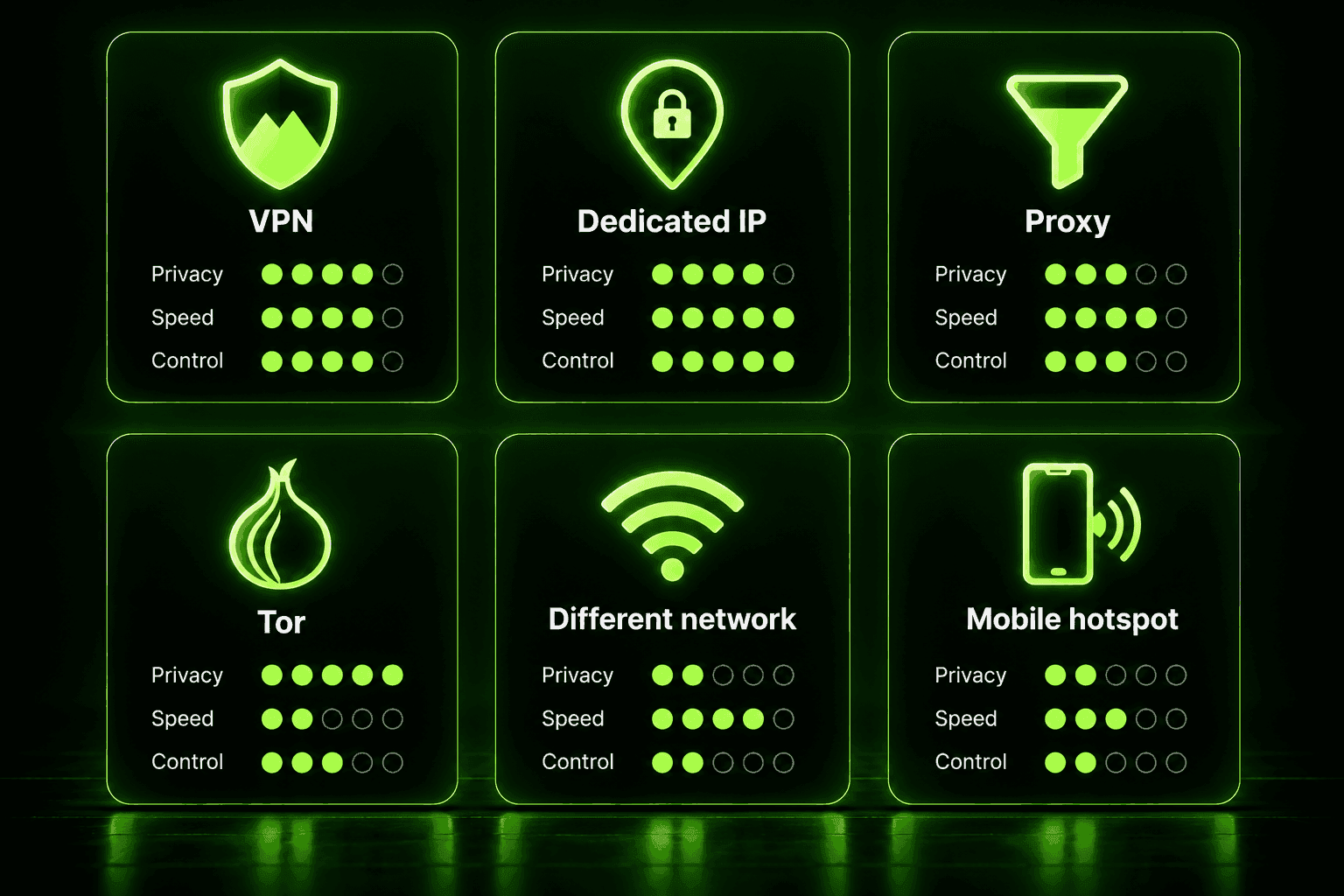
If you are wondering how to get a fake IP address, there are six realistic routes. They are not equal.
1. A VPN
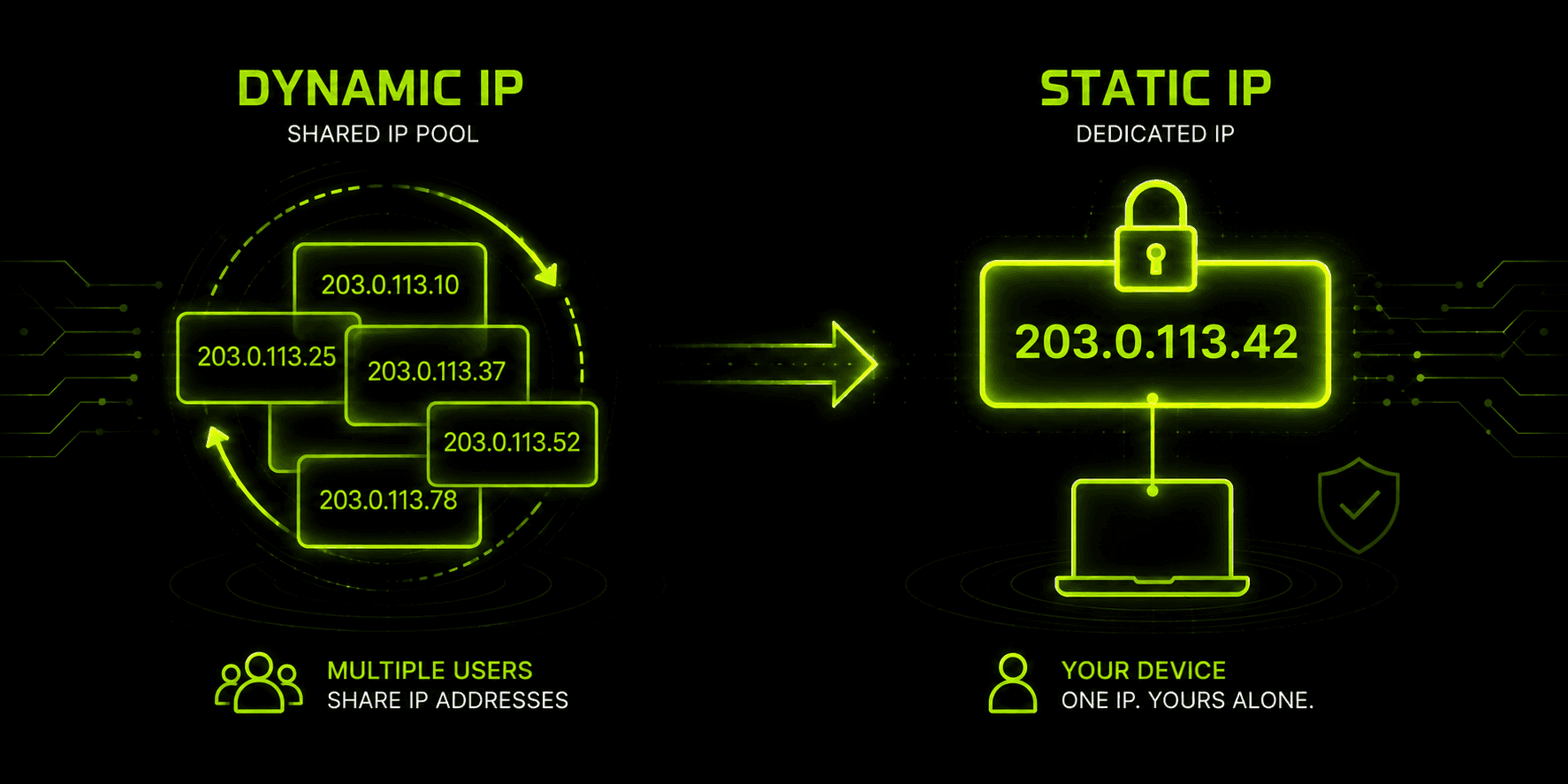
A VPN routes all of your device's traffic through an encrypted tunnel to a server run by the provider. The server's address is what websites see. It is the strongest option because it hides your address and protects your data in the same step, and a good provider lets you pick the country you appear in. Shared addresses are normal here: many users appear behind the same address, which helps blend in but can occasionally trigger a CAPTCHA.
2. A dedicated IP
Some VPN providers and internet providers offer an address that only you use. It avoids the "bad neighbor" problem of shared ranges and is less likely to be blocklisted because of someone else's behavior. The tradeoff is that a single static address is easier to recognize over time, so it favors reliability over blending in. Availability depends on the provider.
3. A proxy server
A proxy forwards your requests under its own address, usually at the level of one browser or application rather than your whole device. Common types include HTTP and SOCKS proxies. Most do not encrypt your traffic, so anyone watching the connection between you and the proxy can read it. Free proxies are the riskiest category: some inject ads, harvest logins, or sell browsing data.
4. The Tor network
Tor passes your traffic through a chain of volunteer-run relays, and the final relay's address is what websites see. It offers strong anonymity for sensitive browsing, but speeds are slow, you cannot choose the exit country in a reliable way, and many sites block or challenge Tor traffic. Because exit relays are run by volunteers, you should treat anything you send unencrypted over Tor as visible to whoever runs that exit.
5. A different network
Joining a different Wi-Fi network or switching to a phone's mobile data changes your visible address because you now borrow that network's. Restarting a home router can sometimes assign a new address if your provider uses dynamic assignment, though many providers hand you the same one back. The downside is control: you cannot pick the country, the network may be untrustworthy, and nothing is encrypted for you. Public Wi-Fi in particular should be treated as hostile territory without a VPN on top.
6. A mobile hotspot
A phone's hotspot gives your laptop the phone carrier's address, which is useful when a home or office network is blocked or blocklisted. Carriers often share one public address across many customers, which is convenient for blending in but occasionally produces blocks you did not cause. As with other networks, location and encryption are not in your hands.
| Method | Encrypts your traffic | Choose your location | Speed | Best for |
|---|---|---|---|---|
VPN | Yes | Yes | Fast to moderate | Everyday privacy, travel, access |
Dedicated IP | With a VPN, yes | Limited | Fast | Stable access, avoiding shared-range blocks |
Proxy | Usually no | Often | Fast | Single-app or browser tasks, testing |
Tor | Layered, inside Tor | No | Slow | High-sensitivity browsing |
Different network | No | No | Varies | A quick change of address |
Mobile hotspot | No | No | Varies | Working around a blocked network |
Two things people often mistake for methods are not. A smart DNS service changes how your device resolves certain streaming domains, so those services think you are elsewhere, but it never changes your address and it encrypts nothing. A DNS-changer app does the same kind of job on a smaller scale. Both can be handy for specific tasks, but neither gives you a fake IP.
Step-by-Step: Faking Your IP With a VPN
The exact screens depend on your device and provider, but the logic for how to fake IP address visibility with a VPN is the same everywhere.
- Install a VPN app from your device's official app store or the provider's website.
- Sign in and allow the app to add its connection profile if your device asks.
- Choose a server location. Pick the country you want websites to see. Closer servers are usually faster, so choose a distant one only when you need that region.
- Connect and wait for the status to show that the tunnel is active.
- Check the result with an IP lookup page (see the next section) before relying on it.
For a proxy, the process is manual: open your browser or operating system's network settings, enter the proxy's address and port, save, and restart the browser. Remember that this adds nothing in the way of encryption.
If you want to see what Guru VPN offers before committing, you can browse the Guru VPN server locations to see where you can appear.
Fake IP Address Generators and Free Software: Do They Work?
Search for a fake IP address generator and you will find dozens of sites that print a random-looking number on demand. They are popular, and they are largely pointless for the purpose most people have in mind.
You cannot create a working public address by hand. Public addresses are allocated in blocks, passed down through registries to internet providers, and routed to specific networks. A made-up number may look valid, but it either belongs to someone else or to nobody. If you typed it into your device's network settings, websites would not start seeing it. Replies would head to wherever that address really lives, and your connection would simply break.
So what do generators do? Mostly they produce test strings for developers, form-filling demos, and fake data for databases. That is a legitimate use, and it has nothing to do with hiding your address. A few sites do something else entirely: they combine a "generator" with a download, and the download is the product.
Which brings us to fake IP software, including the free fake IP apps heavily advertised in search results. Real tools exist in this category, and they are almost all VPNs, proxies, or browser extensions that act as proxies. The honest picture looks like this:
- Many free options earn money from you. Some cap your data, some show ads, and some collect and resell browsing data. If a free tool is not clearly funded some other way, you are likely the product.
- Weak or absent encryption is common in free proxies and extensions, which defeats half the point.
- Some downloads carry malware. "Free fake IP software" is a classic lure for unwanted programs, so stick to apps from official stores or a provider's own site.
- Listicles are not testing. A page titled "top free fake IP software" is often a sales page in disguise, written by a company that sells something else, such as hosting, a VPS, or its own VPN.
None of this means free is always bad. A reputable provider's limited free tier can be safe for light use. The point is to check who runs the service, how it pays for itself, and what its privacy policy says before installing anything, rather than trusting the name.
What a Fake IP Does Not Do
A changed address solves one problem. It does not make you invisible, and being clear about that protects you from false confidence.
- It does not hide you from the service you log in to. If you sign in to an account, the service knows who you are no matter which address you use.
- It does not stop cookies or fingerprinting. Sites can recognize your browser through cookies and device characteristics that have nothing to do with your address. Clearing cookies and using a privacy-minded browser matters as much as the address.
- It can leak. A browser feature called WebRTC, your DNS settings, and IPv6 connections can expose your real address even while a tunnel is active. Run a leak test after you connect.
- It can be detected. Sites keep lists of addresses that belong to VPNs, proxies, and data centers. A mismatch between your apparent location and your language, time zone, or payment details can also give you away, and some services respond with CAPTCHAs, extra verification, or blocks.
- The middleman sees your traffic. Whoever runs the VPN or proxy can in theory observe your activity, so the privacy you gain depends on trusting them. This is why a provider's logging approach matters.
- It can break things. Banks, remote databases, and corporate tools that allow only certain addresses may refuse a connection from an unfamiliar location.
So, can you track a fake IP address? Sometimes. The visible address points to the VPN or proxy, not to you, so a website cannot trace it straight back to your home. A request with legal authority can reach the provider, though. What they can hand over depends on what they keep, which is why a no-logs approach is worth looking for.
How to Check That Your Fake IP Is Working
Do not assume the tunnel is doing its job. A short check takes under a minute.
- Note your real address first. Before connecting, open an IP lookup page and write down the address and the location it reports.
- Connect, then reload. After connecting, refresh the same page. The address and location should both change to match the server you selected.
- Run a DNS and WebRTC leak test. If the test lists your real internet provider, something is leaking and you should reconnect or change your settings.
- Test the thing you actually need. If your goal is to reach a specific site, open it. A changed address does not guarantee the site will accept it.
If the address does not change, try another server, restart the app, or switch protocols in the settings.
Is Faking Your IP Address Legal?
Is faking your IP address legal? In most countries, yes. Masking your address with a VPN, a proxy, or a different network is a normal, lawful privacy practice, and companies, schools, and governments themselves use it daily. We are not lawyers, and this is general information rather than legal advice, so check the rules where you live.
A few things sit around that general answer:
- Illegal acts stay illegal. A fake IP does not make fraud, hacking, harassment, or piracy any more lawful. In some places, a falsified address that is used as part of carrying out or covering up a crime can be treated as a specific offense with heavier penalties.
- Some countries restrict VPNs. A small number of governments ban or tightly license VPN use, and the rules change. If you are traveling, check the local position before you connect.
- Terms of service are a separate issue. Streaming platforms, games, and some websites forbid VPN use or location-hopping in their terms. Breaking those terms is usually not a crime, but it can lead to a blocked account or a warning.
- Schools and workplaces have rules. Circumventing a managed network can breach a policy even where no law applies.
The safe pattern is simple: use a substitute address for privacy, security, and ordinary access, and do not use it for anything you would not be allowed to do under your real one.
Why Choose Guru VPN for a Different IP
If your goal is a different address that also protects your data, a VPN is the cleanest route, and Guru VPN is built for exactly that. Your traffic is encrypted before it leaves your device, so a changed address comes with real protection instead of just a different number. You can pick from a global network of servers to appear in the region you need, and Guru VPN follows a no-logs approach, which matters because the provider sits in the middle of your traffic.
If you are comparing options, the pricing page shows what each plan includes so you can match it to how often you will use it.
Frequently Asked Questions
A dummy IP address is a placeholder. In documentation and testing, it usually means an address from a reserved range that is not meant to reach any real device. People also use "dummy IP" loosely to mean a masked address, but a true placeholder will not help you browse or hide anything.
Not in any way that works for browsing. Public addresses are allocated, not invented, so a hand-typed number will not be what websites see and will likely cut off your connection. To appear under a different address, you have to route through a VPN, proxy, or another network.
Often, yes. Sites compare your address against lists of known VPN, proxy, and data-center ranges, and they look for mismatches such as an address in one country with a browser set to another. Good VPN providers rotate addresses and offer alternative servers to reduce this, but no method is undetectable.
No. A fake IP routes real traffic through an intermediary so you receive replies, while spoofing forges the source address in packets and is mostly used in attacks. They share a vague idea but not a purpose.
The visible address leads to the VPN, proxy, or exit node, not directly to you. Whether it can be traced further depends on what that service logs and whether it receives a valid legal request. Choosing a provider with a clear no-logs approach limits what exists to be found.
Almost never. Generators output strings useful for testing and demos, not working addresses for your connection. If you want a different address, use a VPN or another genuine routing method.
Conclusion
A fake IP is simply a borrowed address, and the method you use to borrow it decides whether you get privacy or only a new number. A VPN changes your visible address and encrypts your traffic. A proxy or a different network changes the address and little else. Generators and free tools promise a lot and often deliver risk. Understand the limits, check that your setup works, stay within the law and a site's terms, and a fake IP becomes a useful, ordinary part of staying private online. For a simple place to start, take a look at Guru VPN.