 EN
EN BR
BR DE
DE ES
ES FR
FR RU
RU ID
ID TR
TR IT
IT JP
JP SA
SA VN
VN TH
TH KR
KR
Remote Access VPN Explained: How It Works, VPN vs. Remote Desktop, and Modern Alternatives

 Key takeaways
- A remote access VPN lets an individual device create an encrypted tunnel into a private company network, so a remote employee's laptop can reach internal systems as if it were physically on-site.
- This is different from a site-to-site VPN, which connects entire office networks to each other rather than individual remote devices.
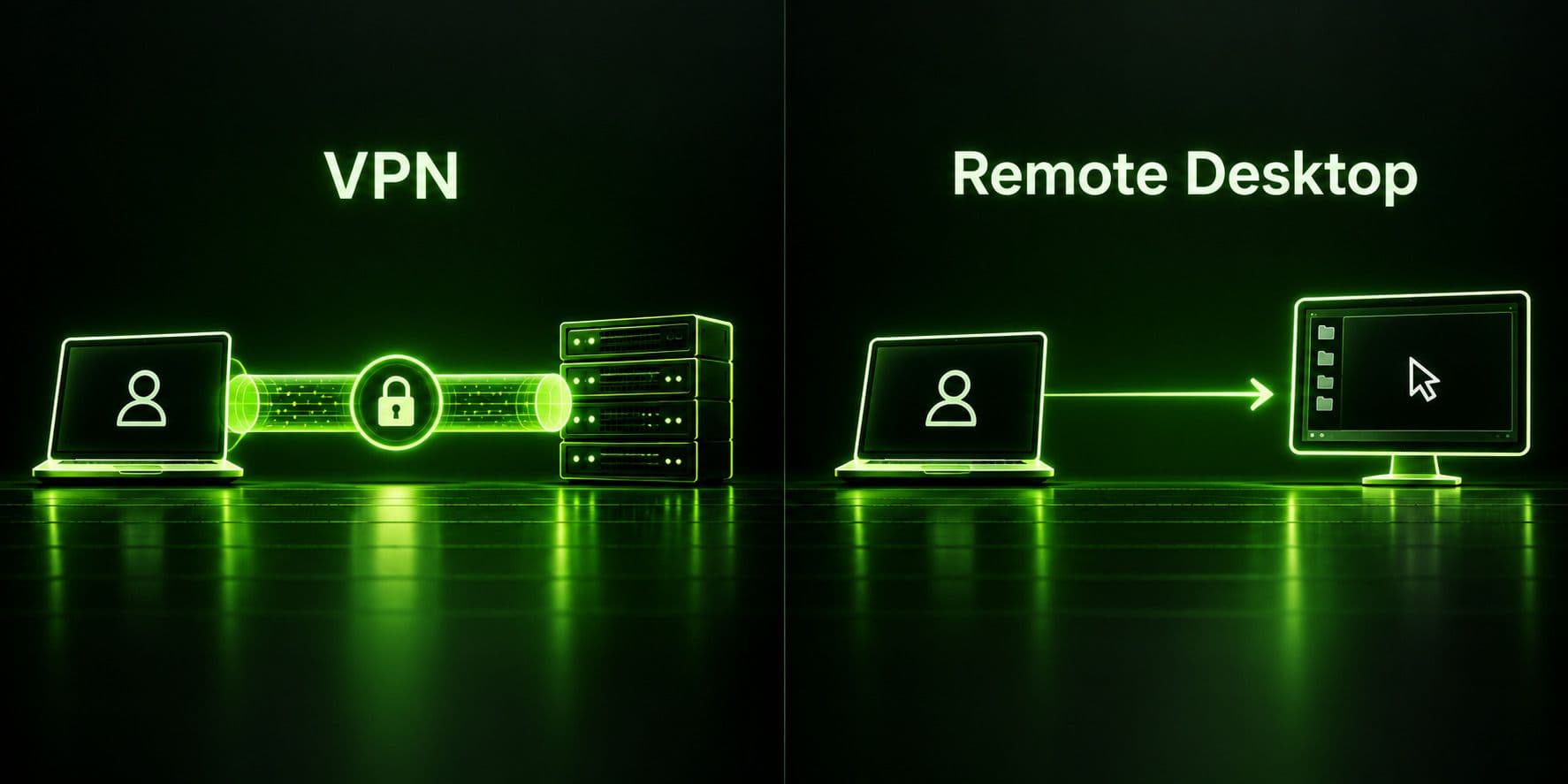
- A VPN and remote desktop software solve different problems: a VPN gives your device network-level access, while remote desktop software gives you visual control of a separate computer's screen — they're often used together, not interchangeably.
- Traditional remote access VPNs have real limitations (they don't check device security posture, and a compromised device can expose more of the network than intended), which is why many enterprises are shifting toward ZTNA or SASE architectures.
- A personal VPN like Guru VPN protects your own traffic and privacy while working remotely, but it isn't the same tool as the corporate remote access VPN your employer might issue for reaching internal systems — the two solve different problems and usually aren't interchangeable.
The term remote access vpn covers more ground than most explanations let on. In an IT department, it means a specific piece of infrastructure that lets employees' devices tunnel securely into the company network from anywhere. In everyday conversation, "vpn for remote work" often means something much simpler — using a personal VPN app to protect your traffic while you work from a coffee shop or a hotel. And a third group searching for vpn remote desktop tools is usually trying to solve a completely different problem: controlling one specific computer from another, not securing a network connection at all. This guide untangles all three, explains what is a remote access vpn technically, walks through how it works, compares it honestly against remote desktop software, and covers what's replacing traditional remote access VPNs in modern enterprise environments — plus where a personal VPN like Guru VPN actually fits into a remote worker's toolkit.
What Is a Remote Access VPN?
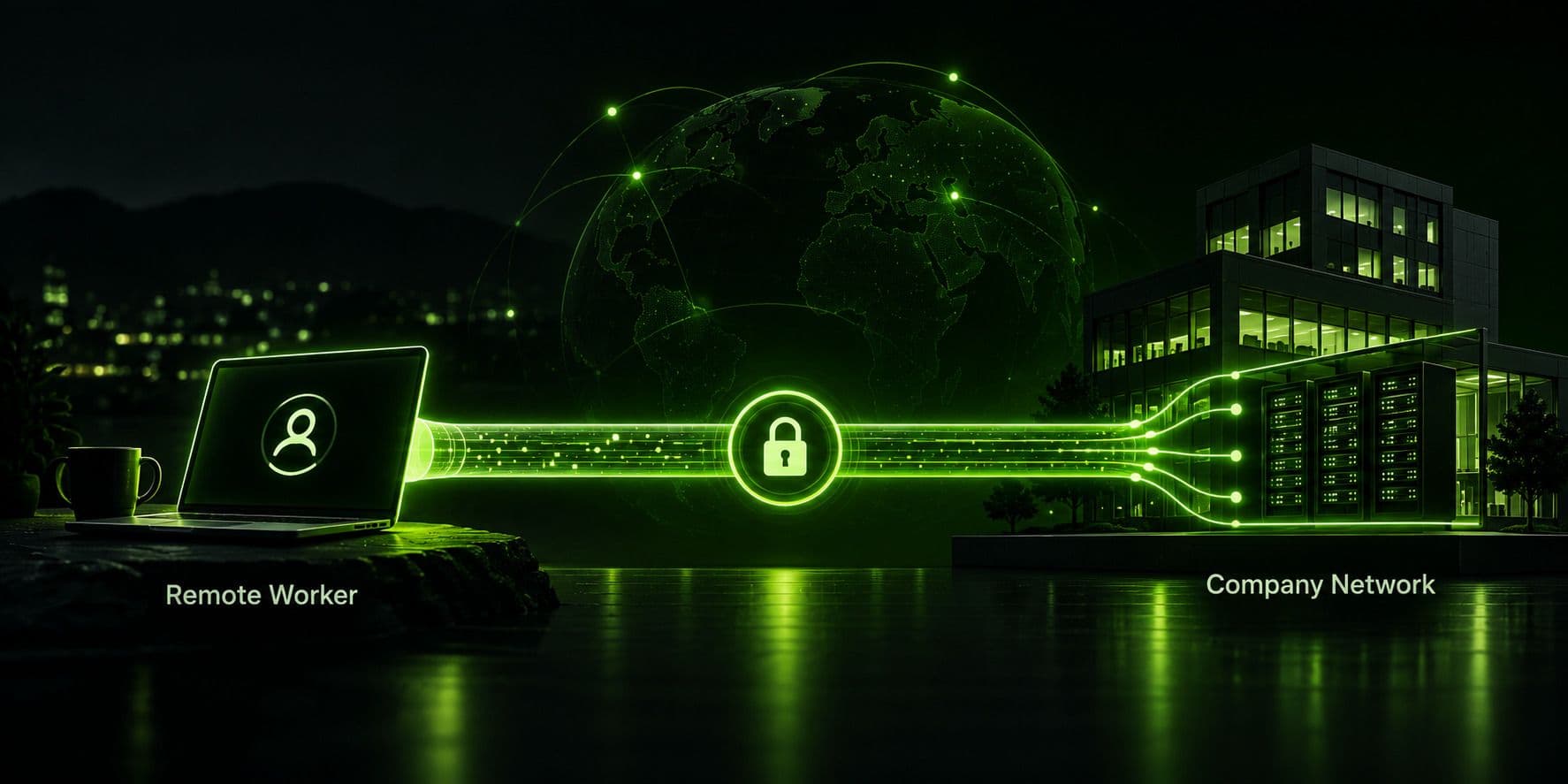
What is a remote access vpn, in concrete terms? It's client software installed on an employee's device that establishes an encrypted, authenticated connection to a company's network gateway, allowing that one device to reach internal resources — file servers, internal applications, printers — that aren't exposed to the public internet. Unlike a personal VPN, which mainly reroutes your traffic through a provider's server to hide your IP address, a corporate remote access VPN's entire purpose is letting an outside device act as though it's plugged directly into the office network.
Understanding vpn remote access options starts with knowing which type your company deploys, since the term covers several different underlying technologies that all accomplish the same basic goal in different ways. What is a remote vpn supposed to protect, specifically? Two things at once: the confidentiality of data moving between the remote device and the office (via encryption), and access control over who's allowed to reach internal systems at all (via authentication before the tunnel is even established). Both pieces matter — encryption without proper authentication would just mean unauthorized users could also connect securely.
How a Remote Access VPN Works
The mechanics follow a familiar pattern: the employee opens VPN client software and authenticates, typically with a username and password plus multi-factor authentication for anything security-conscious. Once verified, the client and the company's VPN gateway negotiate an encrypted tunnel — commonly using IPsec or SSL/TLS-based protocols — and the employee's device is assigned an internal IP address as though it had joined the office network directly. From that point on, traffic destined for internal resources gets encrypted, sent through the tunnel to the gateway, decrypted, and routed to whatever internal system it's addressed to, with the reverse happening on the way back.
Some organizations configure this as full-tunnel, routing all of an employee's internet traffic through the company network, while others use split tunneling so only traffic bound for internal resources goes through the VPN and everything else (general browsing) goes directly to the internet — a tradeoff between central oversight and bandwidth efficiency.
Remote Access VPN vs. Site-to-Site VPN
These two terms get confused constantly, but they solve different problems at different scales. A remote access VPN connects one device — a single remote employee's laptop or phone — to the company network, and it requires client software running on that specific device. A site-to-site VPN, by contrast, connects two entire networks to each other — say, a branch office and headquarters — through a gateway-to-gateway tunnel that doesn't require any software on individual employee devices at either location, since the encryption happens at the network edge itself.
In practice, most organizations with distributed teams use both: site-to-site VPNs to permanently link office locations together, and a remote access VPN — or its modern replacement — layered on top for individual employees working from home, traveling, or connecting from anywhere that isn't one of those fixed office locations.
Benefits of a Remote Access VPN
Companies evaluating vpn for remote access solutions are usually weighing the same handful of upsides. A properly configured remote access vpn setup gives IT teams centralized control over who can reach internal systems and from where, without needing to expose those systems directly to the public internet. For employees, it means being able to work from home, a hotel, or a client site while still reaching internal tools that were never designed to be internet-facing. It's also generally more cost-effective to deploy than building dedicated private network links to every remote worker's location, since it rides on the existing public internet rather than requiring dedicated infrastructure.
Security Risks and Limitations to Know About
A secure remote access vpn is still not a perfect solution, and the risks are worth understanding rather than assuming the encryption alone covers everything:
It doesn't vet the device, only the connection. A VPN encrypts traffic and verifies a login, but it generally doesn't check whether the connecting device itself is compromised, out of date, or running malware — a legitimate user on an infected laptop can still tunnel that infection's traffic straight into the network.
Shared access can mean over-broad permissions. Once connected, a user's tunnel often grants more network reach than that specific person's job actually requires, simply because segmenting access at a granular level is harder to configure than granting broad access to "anyone with a valid VPN login."
The VPN gateway itself is a single point of failure. IT teams that manage remote vpn access for a large workforce often find the appliance handling all remote connections becomes the bottleneck: an outage or a targeted attack on that one box takes every remote employee offline simultaneously, and an unpatched flaw in it becomes a single point of compromise for the entire remote workforce.
The VPN has no say over the home network itself. The encrypted tunnel protects data while it's moving, but it does nothing to secure the home Wi-Fi network, router, or other devices sharing that same connection with a remote worker's laptop.
Encrypted tunnels can hide malicious activity too. Ironically, the same encryption that protects legitimate traffic from outside observers also makes it harder for a company's own security monitoring to inspect traffic for signs of an insider threat or a compromised account being actively misused.
VPN vs Remote Desktop: What's Actually Different
This is one of the most common points of confusion, and it's worth resolving directly: a vpn vs remote desktop comparison isn't really an either/or choice, because the two tools do fundamentally different jobs.
| Feature | VPN | Remote Desktop |
|---|---|---|
What it gives you | Network-level access — your device joins the network | Visual control of one specific remote computer's screen and input |
What you see | Your own device's normal interface, now able to reach internal resources | The remote computer's actual desktop, displayed on your screen |
Typical use | Reaching internal file servers, internal web apps, printers | Operating a specific work computer you left running in the office |
Bandwidth need | Generally lighter | Higher — streaming a live screen image |
Often used together? | Yes — connect via VPN first, then remote desktop into a specific machine | Yes — same combination |
A remote desktop vpn setup — meaning a VPN used specifically to reach a remote desktop session securely — is actually one of the most common patterns in practice: an employee connects to the company VPN first, establishing network-level access, and then uses a remote desktop protocol on top of that tunnel to log into and control their actual office workstation, which might have specialized software or files only installed on that one machine. The VPN secures the connection; the remote desktop software provides the actual screen-sharing and control.
Where people run into trouble is assuming one replaces the other. A VPN alone won't let you see or control another computer's screen, and remote desktop software alone — without a VPN or equivalent secure tunnel in front of it — can expose that computer's remote-access port directly to the internet, which is a well-known target for attackers scanning for exposed remote desktop services.
Is There a VPN Alternative to Remote Desktop?
If what you actually need is to operate a specific machine remotely rather than to reach a whole network, a vpn alternative remote desktop software provides on its own — without a separate corporate VPN in front of it — can be reasonable for individual, personal use cases, as long as that remote desktop tool has its own strong encryption and authentication built in rather than relying on an exposed, unprotected port. Consumer-grade remote desktop tools designed for personal use (accessing your own home computer, for instance) typically handle this themselves. For reaching a company network's broader set of internal resources rather than just one machine, though, a vpn alternative remote access strategy at the organizational level usually means adopting a more modern architecture rather than swapping remote desktop software in as a substitute — which brings us to what's actually replacing traditional remote access VPNs.
Cloud-Based Remote Access VPN and What's Replacing It
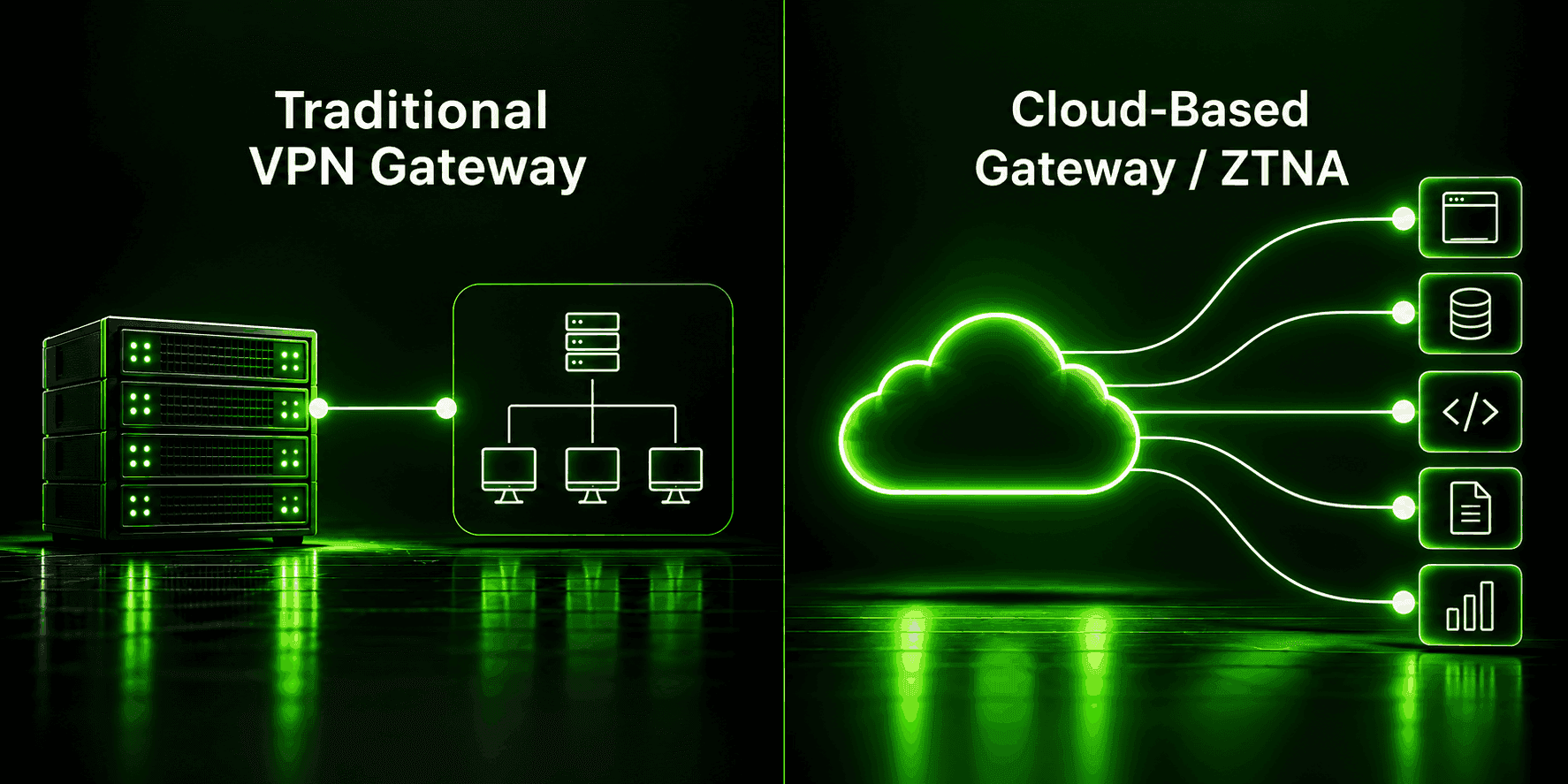
A growing share of new deployments use a cloud based remote access vpn architecture, where the gateway itself is a cloud-hosted service rather than a physical appliance sitting in an office server room. This removes the single-point-of-failure and hardware-scaling problems of an on-premises appliance, since the cloud provider handles capacity and redundancy, and it fits naturally with organizations whose actual applications have also moved to the cloud rather than living in an on-site data center.
Beyond simply moving the VPN gateway to the cloud, many organizations are moving away from VPN architecture altogether in favor of Zero Trust Network Access (ZTNA), which grants access on a per-application basis after continuously verifying both the user and the device, rather than handing a connected device broad access to the whole network the way a traditional VPN tunnel does. Some vendors bundle this into a broader Secure Access Service Edge (SASE) framework that combines networking and security into a single cloud-delivered service. Neither is a wholesale, overnight replacement — most organizations run VPN and ZTNA side by side during a gradual migration — but the direction is clear: newer architectures verify continuously and grant narrower access, rather than trusting a device fully once it's inside the tunnel.
Using a VPN for Remote Work as an Individual
Separate from all of the enterprise architecture above, vpn for remote work searches often come from freelancers, remote employees, and digital nomads asking a much simpler question: should I be using a VPN while I work from wherever I am? The honest answer depends on what you're protecting against.
If your employer provides a corporate remote access VPN client for reaching internal systems, that's the tool to use for that specific purpose — a personal VPN like Guru VPN isn't a substitute for it and generally won't grant access to your company's internal network, since that requires your employer's own gateway, credentials, and configuration. What a personal VPN does well in a remote work vpn context is different: encrypting your general internet traffic on public or unfamiliar networks — hotel Wi-Fi, co-working spaces, airport lounges — so that anyone else on that same network can't intercept your browsing, and masking your actual location if that matters for your work. Vpn remote work habits worth building, in other words, usually mean running a personal VPN for your own traffic and privacy alongside whatever your employer requires for reaching company systems, rather than expecting one tool to do both jobs.
Why Choose Guru VPN
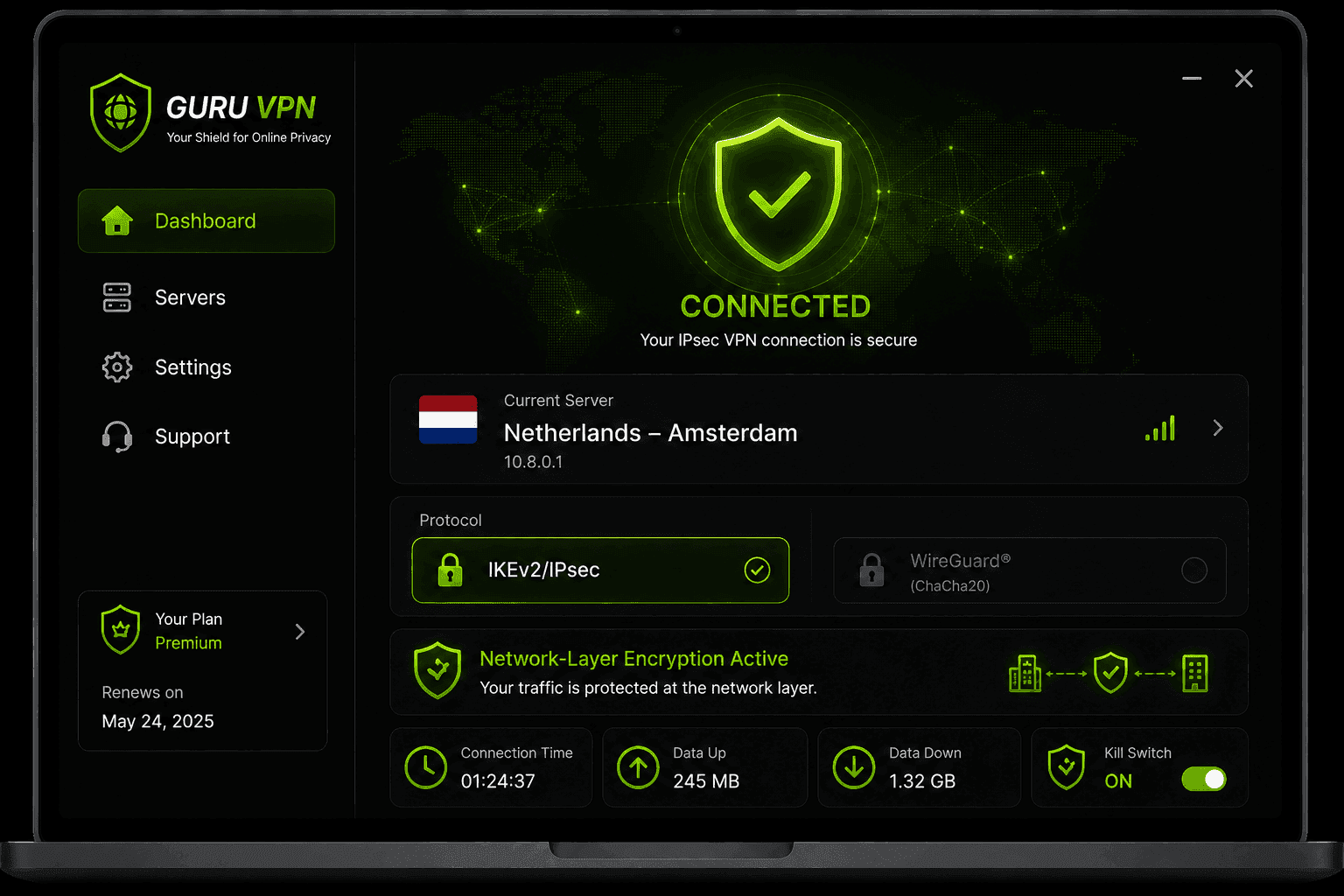
For the personal side of remote work — protecting your own traffic and privacy wherever you're working from — Guru VPN is built to be simple enough to leave running in the background without getting in the way of your actual work.
Checking the available server locations is worth doing if you regularly need to appear in a specific region for work-related reasons, and comparing what's included at each tier on the pricing page helps clarify which plan fits your setup.
Frequently Asked Questions
It lets an individual remote device — like an employee's laptop — connect securely to a private company network, reaching internal systems that aren't exposed to the public internet, as if the device were physically in the office.
No. A VPN gives your device network-level access to reach internal resources, while remote desktop software gives you visual control of a different computer's actual screen. They solve different problems and are frequently used together rather than as substitutes for each other.
It depends on what you're doing. If your job requires reaching internal company systems, you'll likely need whatever remote access VPN or equivalent tool your employer provides. Separately, using a personal VPN for your own traffic on public networks is a good general privacy habit regardless of your job.
Generally no — accessing a company's internal network requires that company's own VPN gateway, credentials, and configuration. A personal VPN like Guru VPN protects your own traffic but doesn't have the access or permissions needed to reach someone else's private network.
Many organizations are adopting Zero Trust Network Access (ZTNA), sometimes as part of a broader SASE framework, which grants access to specific applications after continuously verifying the user and device, rather than giving a connected device broad access to the entire network the way a traditional VPN does.
Conclusion
Remote access vpn access means something fairly specific — a way for an individual device to securely reach a private company network — but the phrase gets stretched to cover remote desktop tools and personal VPN use in everyday conversation, which is exactly why the confusion is so common. Knowing which of the three you actually need (network access, screen control, or personal traffic protection) makes the rest of the decision straightforward. For the personal-privacy piece of that equation, Guru VPN handles the traffic-protection side simply, while whatever your employer issues handles the corporate-network side — two different tools, each doing the job it was actually built for.