 EN
EN BR
BR DE
DE ES
ES FR
FR RU
RU ID
ID TR
TR IT
IT JP
JP SA
SA VN
VN TH
TH KR
KR
VPN with Static IP: What It Is, How It Works, and When You Need One

 Key takeaways
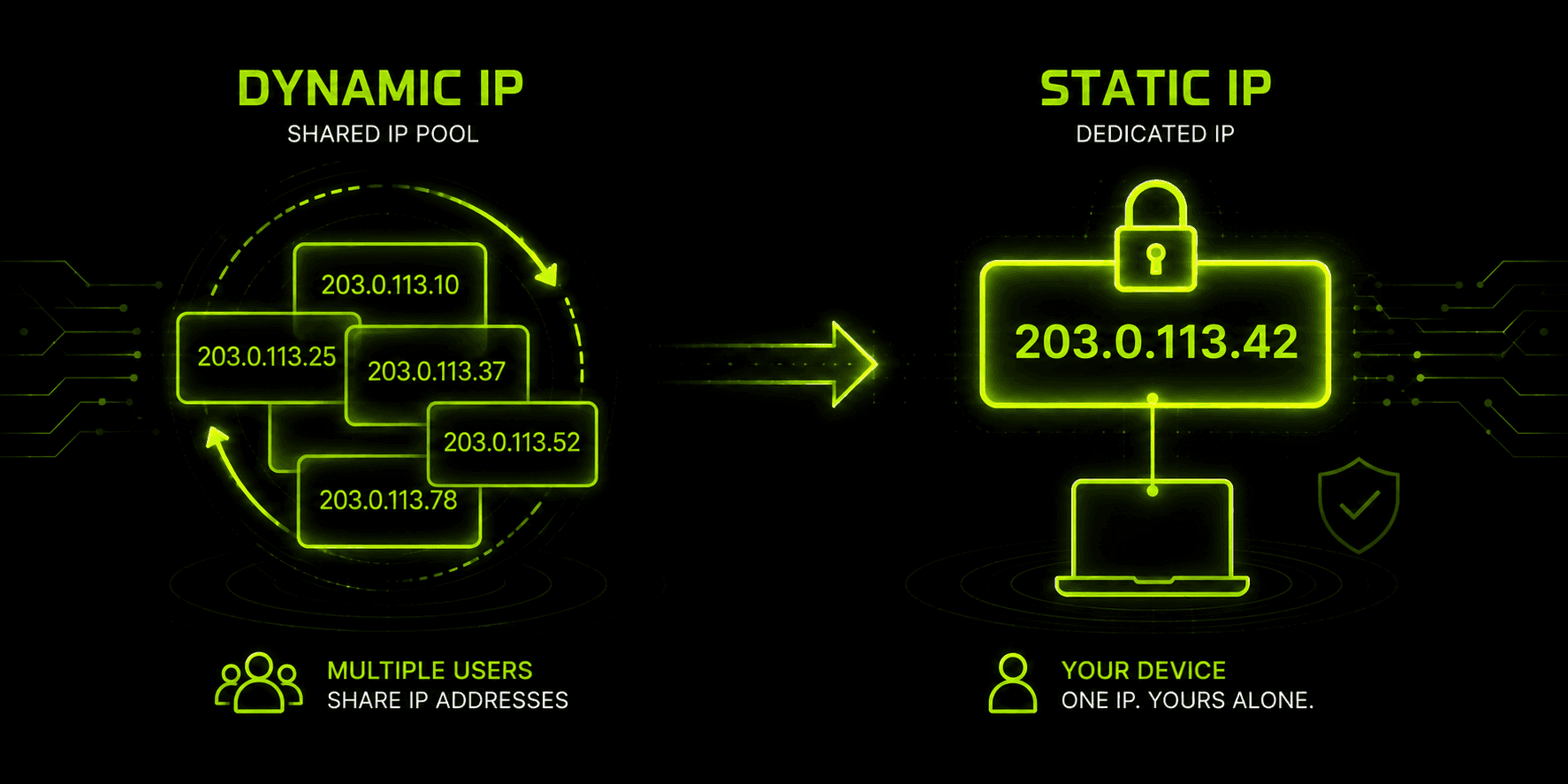
- A static IP stays the same every time you connect, while a standard VPN's dynamic IP is reassigned from a shared, rotating pool.
- A dedicated static IP is reserved exclusively for one account — a plain "static" IP can technically still be shared by more than one user.
- The main draw is consistency: fewer CAPTCHAs, smoother access to banking or work systems that flag unfamiliar IPs, and reliable remote access to a home server or camera system.
- The trade-off is reduced anonymity — a fixed address is easier to associate with one identity over time than a constantly changing shared one.
- Static or dedicated IP add-ons typically cost a few dollars extra per month on top of a standard VPN plan, and aren't available on free tiers.
- Whether Guru VPN or any other provider is the right fit depends on whether your specific use case actually needs a fixed address, or whether a standard rotating IP already covers what you're doing.
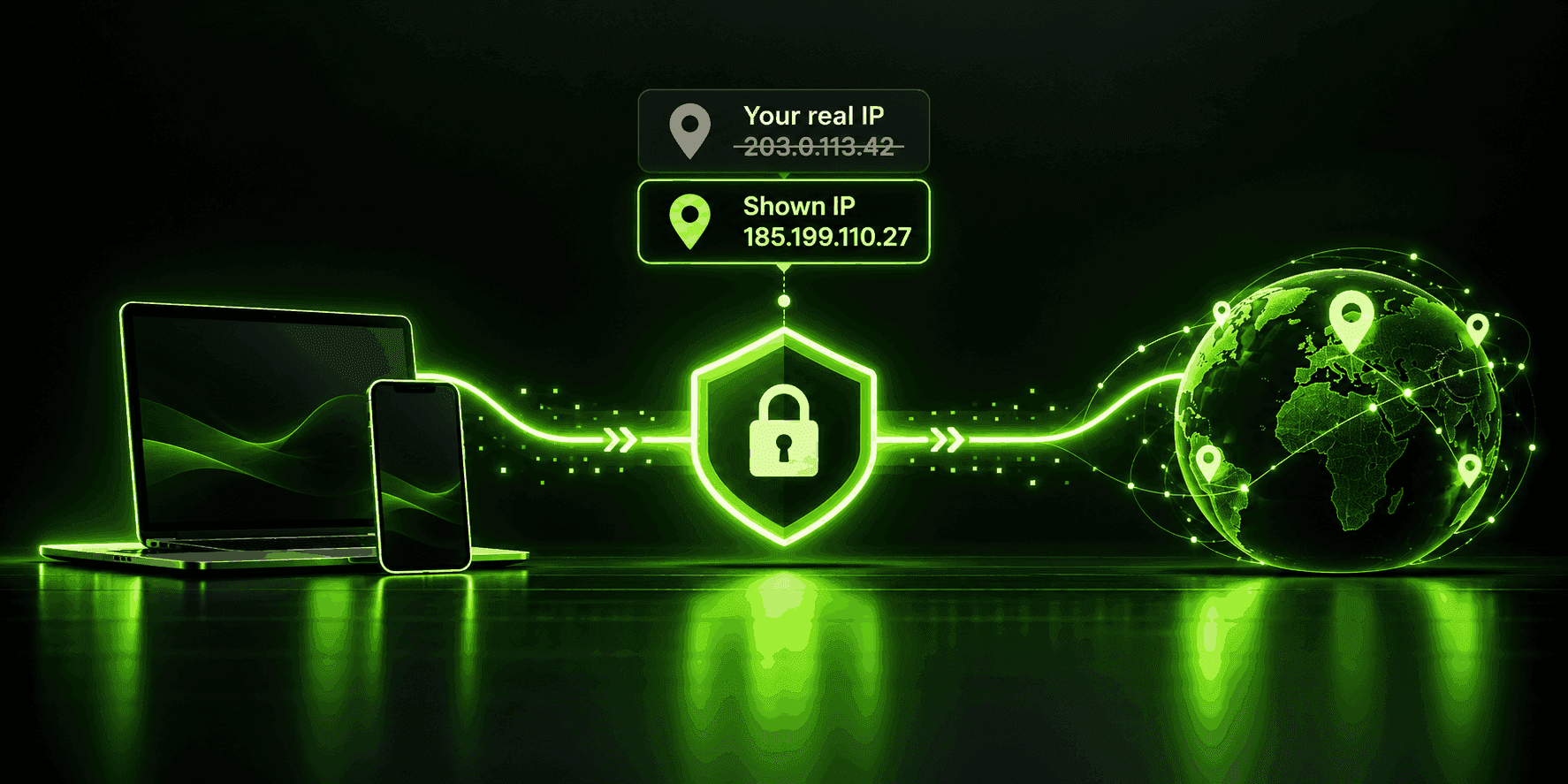
If you've searched vpn static ip and found yourself buried in comparison tables and add-on pricing pages, the confusion is understandable — this is one of the more misunderstood features in the VPN world. Most VPN connections assign your device an IP address pulled from a shared, constantly rotating pool, and that's exactly the point: it makes your traffic blend in with thousands of other users. A vpn with static ip does the opposite on purpose, reserving one specific address for your account alone so it stays the same every time you connect. Below, we'll cover what that actually changes technically, why some people are willing to pay extra for it, and where a provider like Guru VPN fits into that decision.
Key Takeaways
- A static IP stays the same every time you connect, while a standard VPN's dynamic IP is reassigned from a shared, rotating pool.
- A dedicated static IP is reserved exclusively for one account — a plain "static" IP can technically still be shared by more than one user.
- The main draw is consistency: fewer CAPTCHAs, smoother access to banking or work systems that flag unfamiliar IPs, and reliable remote access to a home server or camera system.
- The trade-off is reduced anonymity — a fixed address is easier to associate with one identity over time than a constantly changing shared one.
- Static or dedicated IP add-ons typically cost a few dollars extra per month on top of a standard VPN plan, and aren't available on free tiers.
- Whether Guru VPN or any other provider is the right fit depends on whether your specific use case actually needs a fixed address, or whether a standard rotating IP already covers what you're doing.
What Is a Static IP VPN?
To understand what a static IP VPN actually changes, it helps to start with what happens by default. Most VPN providers run large pools of IP addresses across their servers, and when you connect, you're handed whichever address is currently free — shared with an unknown number of other users passing through that same server before and after you. Disconnect and reconnect, and you'll often get a different address entirely.
A vpn with static ip address assigned to your account skips that rotation. Instead of pulling from the shared pool, the provider reserves one specific address that's tied to you, session after session, so reconnecting — even from a different device — puts you back on the exact same IP. In casual conversation, people often just call this a static vpn, though the more precise industry term distinguishes between "static" and "dedicated," which turns out to matter more than it sounds.
Static vs. Dedicated: What's the Difference?
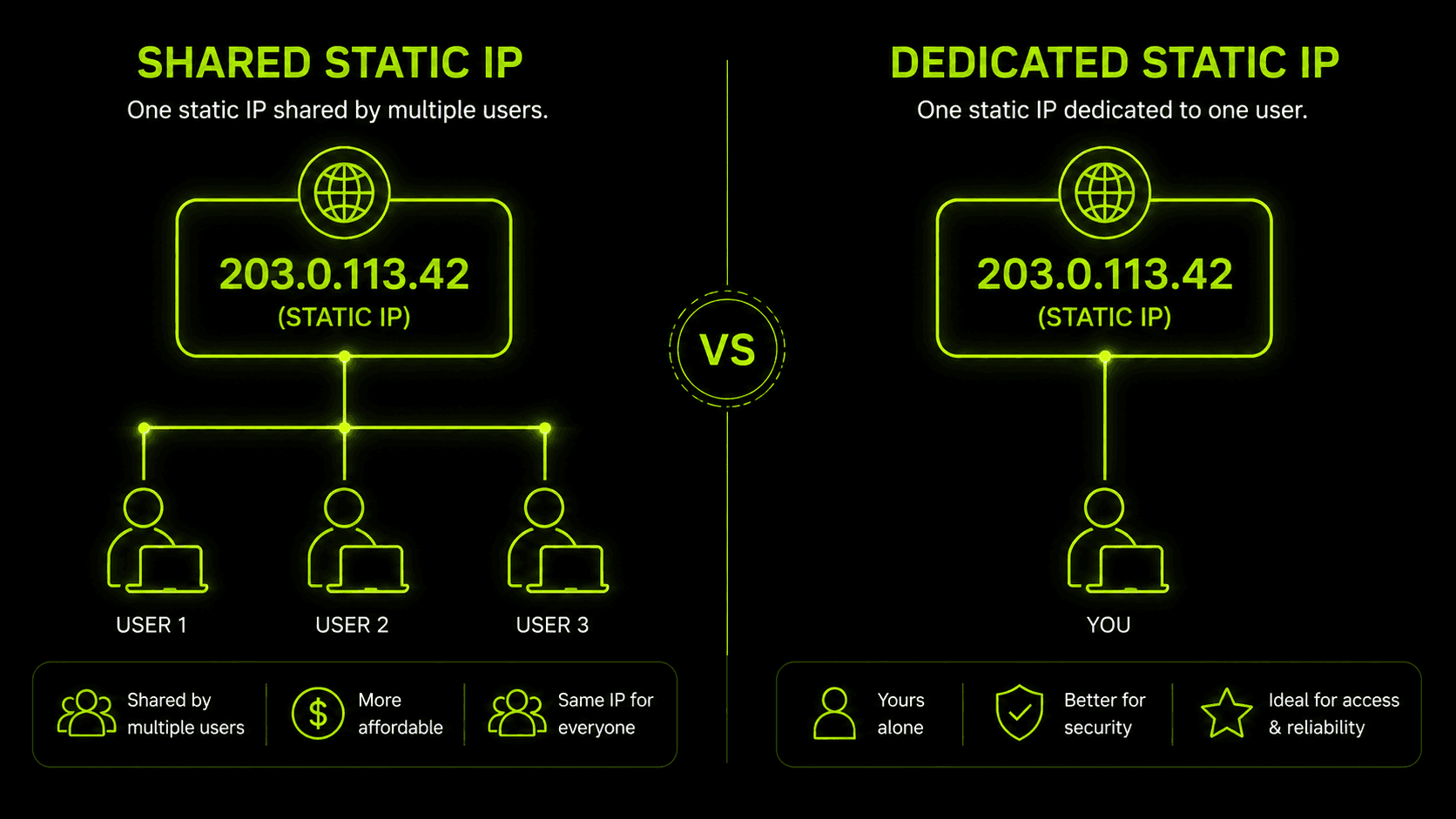
Here's the nuance that trips a lot of people up: a static IP is simply one that doesn't change. That alone doesn't guarantee it's exclusively yours — some providers sell "static" addresses that are technically fixed but still shared among a handful of customers. A dedicated static ip vpn address goes a step further, reserving that fixed IP for one account only, with nobody else's traffic ever routed through it.
In practice, most people asking about a static vpn ip actually want the dedicated version — the appeal usually isn't just "an address that doesn't change," it's "an address that's mine and mine alone," since that's what actually delivers the consistency and reduced blocklist risk this feature is known for. When comparing a vpn service with static ip options listed on its plans page, it's worth checking which of the two you're actually being offered before assuming you're getting exclusive use.
There's also a technical nuance underneath that static-vs-dedicated distinction worth knowing about. Not every "dedicated" IP is implemented as a true one-to-one assignment. Some providers use NAT-based dedicated IPs, where your account gets a unique address-and-port combination on a server that's still technically shared at the hardware level — functionally exclusive to you from the outside internet's perspective, but not quite the same as having sole access to that address end-to-end. Others assign the address as a genuinely exclusive 1-to-1 binding, with no other account's traffic touching it in any form. Both approaches deliver the same everyday benefit — a consistent address recognized session after session — but if you're relying on the address for something sensitive like hosting a service with inbound connections, it's worth asking a provider directly which implementation they actually use.
Why People Want a VPN with Static IP
The use cases for this feature tend to cluster around one theme: services and systems that treat a shared or constantly changing IP with suspicion.
Fewer CAPTCHAs and identity checks. Banks, payment processors, and cloud platforms like AWS often flag logins from IP addresses associated with VPN traffic or that change unpredictably, triggering extra verification steps. A consistent address that's recognized session after session tends to trigger far fewer of these checks. As a concrete example: allowlisting a static IP with a cloud platform like AWS typically means adding that one address to a security group's inbound rules a single time, rather than updating the rule every time your address changes — the same basic logic is what lets a bank's fraud-detection system learn to recognize a consistent login address instead of flagging a new one every session.
Remote access to home or office systems. If you're managing a home server, a NAS, or a security camera system remotely, a vpn with dedicated static ip access means you can set a firewall rule or allowlist entry once and never touch it again — no tracking down a new address every time something reconnects.
Avoiding shared-IP blocklists. When an IP address is shared across many VPN users, one person's abuse (spam, scraping, fraud) can get that address flagged or blocked for everyone using it afterward. A dedicated address means your access record is entirely your own.
Hosting and port forwarding. Running a small game server or self-hosted service is far simpler when the address people connect to doesn't change between sessions.
One caveat worth flagging before assuming a static IP is purely beneficial: some services explicitly prohibit it. Online poker platforms and other regulated gambling sites, in particular, treat a consistent VPN-associated address as a red flag for location-spoofing and can suspend accounts that connect through one — a static IP doesn't hide the fact that it's a VPN address, it just makes that address easier for the platform to specifically identify and flag across repeated logins. If you're using a VPN anywhere near a service with strict geographic or identity-verification requirements, it's worth checking that service's terms before assuming a static IP is automatically the safer choice.
If none of this describes what you're doing — everyday browsing, streaming, or general privacy on public Wi-Fi — a vpn for static ip use specifically probably isn't necessary, and a standard rotating connection covers the job just fine.
The Trade-Off: Static IP vs. Anonymity
A static or dedicated IP solves a real problem, but it introduces a real cost too: it makes your online activity easier to tie together into one identifiable pattern than a shared, rotating address would.
| Feature | Shared / Dynamic IP | Static / Dedicated IP |
|---|---|---|
Anonymity | Higher — activity blends with many users | Lower — all activity traces to one address |
Consistency | Address changes between sessions | Same address every time |
Blocklist risk | Vulnerable to other users' abuse | Isolated to your own usage |
CAPTCHA/verification friction | More frequent | Significantly reduced |
Cost | Included in standard plans | Usually a paid add-on |
Best for | Everyday browsing, general privacy | Remote access, hosting, banking/work logins |
Neither column is objectively "better" — it depends entirely on what problem you're solving. Someone using a VPN mainly to keep browsing private on public Wi-Fi is better served by staying on the shared, rotating pool. Someone who needs a bank or a remote system to recognize them reliably every time is often better served by giving up some of that anonymity for consistency.
How Much Does a Static IP VPN Service Cost?
Pricing for a vpn static ip address typically lands in a fairly narrow range: expect to pay somewhere between roughly two and five dollars a month on top of a standard subscription, depending on the provider and how many countries the option is offered in. That's still considerably cheaper than getting a static IP directly from an ISP, which commonly runs anywhere from fifteen to seventy-five dollars a month and often requires a business-tier account rather than a residential one.
A few practical details are worth checking before paying for it: free VPN tiers essentially never include a dedicated or static IP option, since it requires the provider to permanently set aside an address rather than reuse it across their user base. Money-back guarantees also frequently exclude dedicated-IP add-ons specifically, since the provider has already committed that address to your account the moment you activate it. And not all static IPs perform equally — an address with a "clean" history (never previously flagged by streaming services, banks, or spam filters) is generally worth more and may cost slightly more than a static IP with an unknown or mixed reputation.
There's also a structural reason this costs money at all, beyond simple provider convenience: the global pool of available IPv4 addresses has been effectively exhausted for years, which means every address a provider sets aside exclusively for one customer is an address it can no longer reuse across its broader user base. That scarcity is baked into the pricing — the add-on fee isn't just covering administrative overhead, it's covering the opportunity cost of tying up an increasingly limited resource for a single account.
How Major Providers Handle Static and Dedicated IPs
Availability, country selection, and pricing vary more between providers than the general cost range above suggests. Here's roughly how some commonly compared options stack up:
| Provider | Countries Offered | Approx. Add-On Cost |
|---|---|---|
NordVPN | 5+ countries | ~$3.69+/month |
Surfshark | 15 countries | Varies by plan |
Private Internet Access | 6 countries | ~$2.19+/month |
CyberGhost | 8 countries | ~$2.11+/month |
ExpressVPN | 22+ countries | ~$6.67+/month |
Ivacy | 7 countries | Lower-cost tier, varies |
Proton VPN | Business plans only | ~$2.99+/month |
Trust.Zone | Limited availability | ~$1.99+/month |
These figures shift over time and with promotions, so treat them as a sense of relative scale rather than exact current pricing — but the general pattern holds: broader country selection from larger, more established providers tends to sit at the higher end of the range, while smaller or more specialized providers can undercut on price with a narrower selection of locations. It's also worth noting that not every provider on a list like this treats the feature identically — some sell genuinely exclusive addresses, others use the NAT-based approach covered earlier, and it's rarely obvious from the pricing page alone which one you're getting.
What to Look for in a Static IP VPN Service
When you're sizing up a vpn service static ip option against the rest of a plan's features, a few questions matter more than the price tag alone:
- Is it actually dedicated, or just static? As covered earlier, these aren't the same guarantee — ask specifically whether the address is exclusive to your account.
- Which countries and cities is it available in? Static IP add-ons are usually limited to a handful of locations rather than the provider's full server list.
- Does it persist across devices? A static IP tied to your account, not a single device, is more useful if you connect from a phone, laptop, and desktop interchangeably.
- What's the provider's logging policy? Since a dedicated IP reduces your anonymity by design, the provider's own data retention practices matter more here than on a shared connection.
How to Verify Your Static IP Is Actually Static
Once you've paid for a static or dedicated IP, it's worth confirming the provider is actually delivering what you're paying for rather than taking the label at face value:
- Note your assigned IP address the first time you connect, using any "what's my IP" page.
- Disconnect completely and reconnect later — ideally after enough time has passed that a shared, rotating address would normally have changed (a few hours, or the next day, is enough of a gap).
- Check your IP address again. If it matches what you noted the first time, the static assignment is working as expected. If it's different, something is misconfigured on the provider's end, and it's worth contacting support before assuming the feature simply doesn't work as described.
- Repeat the check from a different device on the same account, if your plan is supposed to support multiple devices, to confirm the address follows your subscription rather than a single piece of hardware.
This takes a few minutes spread across a day or two, but for a feature you're specifically paying extra for, it's a reasonable way to confirm it's actually delivering the one thing it promises: an address that doesn't change.
Why Choose Guru VPN
Whether a dedicated static IP is worth adding to your setup comes down to whether your actual use case needs it — remote access to something specific, an account that keeps flagging your logins, or a service that treats a shared IP as suspicious. If none of that applies to you, a standard connection through Guru VPN already covers the everyday privacy case a static IP isn't designed for.
If a static or dedicated IP is something you specifically need, the right move is to check the current feature breakdown on the pricing page and see which locations are covered on the server list, since availability for this kind of add-on tends to be limited to specific countries rather than a provider's entire network. Comparing that against your actual use case — rather than assuming every plan includes it — is the difference between paying for a feature you'll use and one that just sits unused.
Frequently Asked Questions
Not always. A static IP simply doesn't change, but it can still be shared by more than one customer on some plans. A dedicated IP is a static address reserved exclusively for your account — the two terms get used interchangeably, but they're not technically identical.
Not less secure in the encryption sense — your traffic is still protected the same way. It does make you somewhat less anonymous, because a single, unchanging address builds up a longer trail linked to you specifically than a pool of addresses shared and rotated among many users.
Realistically, no. This is consistently an add-on reserved for paid plans, since providers have to permanently allocate an address rather than reuse it across their broader user base.
No — most everyday use (browsing, streaming, general privacy on public Wi-Fi) works fine on a standard, rotating connection. Static IPs solve specific problems like remote server access or repeated account verification, not general-purpose privacy.
It can, if that specific address was previously flagged as VPN infrastructure or misused by an earlier customer before it was reassigned to you. This is why providers sometimes charge more for a "clean" static IP with no prior flags — it's less likely to trigger blocks than one with an unknown history.
Yes, as long as they're connecting under the same account. The reservation is attached to your subscription rather than to one piece of hardware, so a laptop, phone, and desktop can all reconnect through the same static IP without losing that consistency.
Conclusion
A static or dedicated IP isn't an upgrade everyone needs, but for the specific problems it solves — repeated identity checks, remote access to your own systems, or avoiding blocklists caused by other users on a shared address — it's a targeted fix rather than a general privacy feature. The trade-off is real: a fixed address is inherently easier to trace back to one identity than a shared, rotating one, which is exactly why it's worth deciding based on your actual use case rather than defaulting to it. For everything else, a standard connection through a provider like Guru VPN already does the job a static IP was never meant to solve.