 EN
EN BR
BR DE
DE ES
ES FR
FR RU
RU ID
ID TR
TR IT
IT JP
JP SA
SA VN
VN TH
TH KR
KR
How to Get a US IP Address

 Key takeaways
- A US IP address makes your connection appear to websites as though it originates from the United States.
- A VPN is generally the easiest method because it can assign a US IP while encrypting your internet traffic.
- Proxies can also provide a US IP but typically offer less comprehensive protection.
- Switching networks or restarting a router may change your IP, although the result depends on your ISP and network configuration.
- A US IP can be useful for accessing location-specific services, testing websites, or browsing while traveling.
- For privacy and reliability, a reputable VPN with multiple US server locations is usually the most convenient choice.
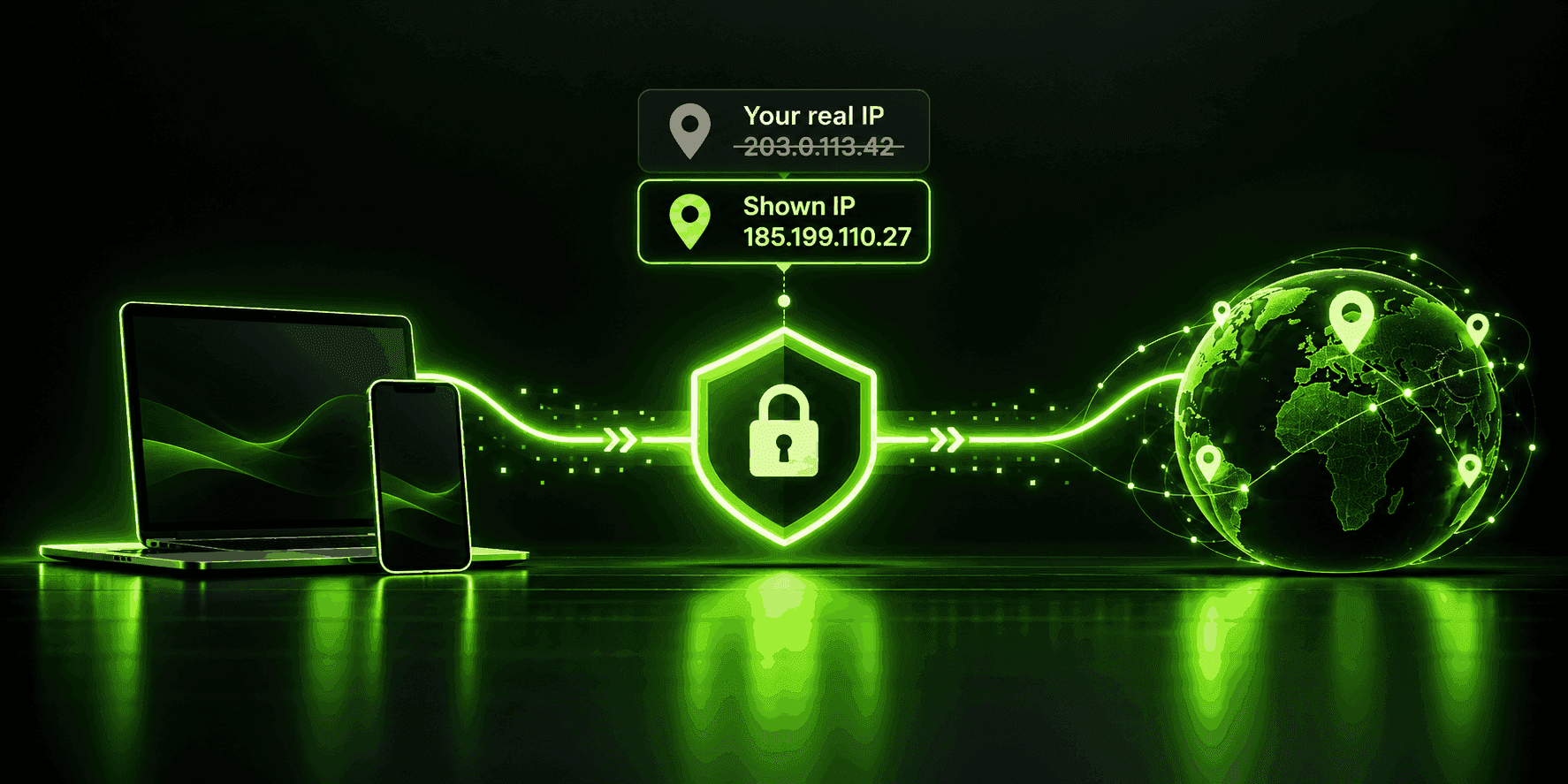
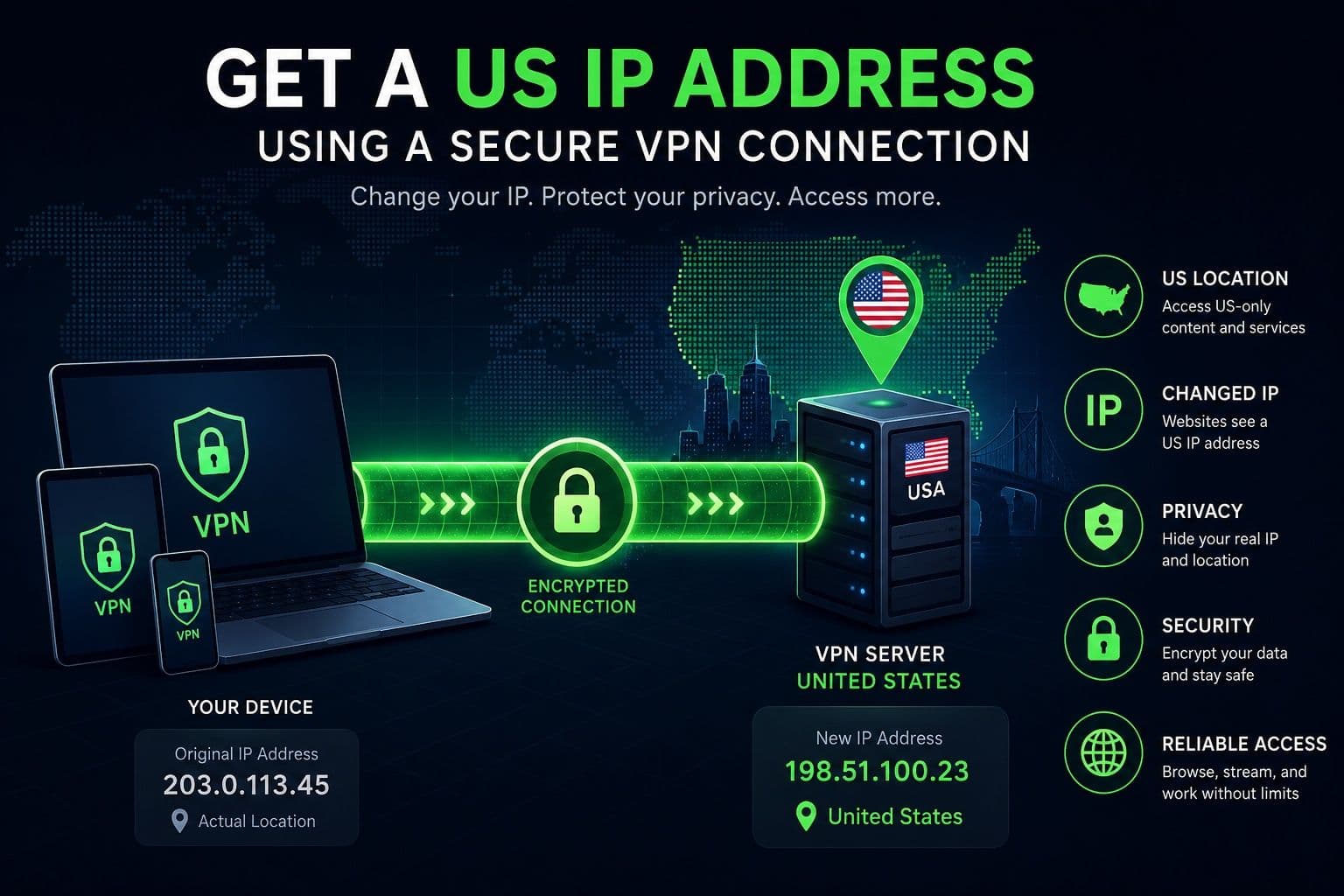
A US IP address can be useful when you need to access websites and online services that are designed for users in the United States, test location-specific content, or maintain greater control over your online privacy while traveling. If you're searching for How to Get a US IP Address, one of the simplest solutions is to connect to a VPN server located in the US. Instead of exposing your regular IP address, the VPN routes your internet traffic through its US server, making websites see a US-based IP.
There are several ways to obtain a US IP address, including using a proxy, switching networks, or restarting your router. However, these methods don't always provide the same level of privacy or security. A reputable VPN combines an IP address change with encryption, helping protect your internet traffic while you browse.
Guru VPN provides a straightforward way to connect to a US server without requiring complicated network configuration. You can select a suitable location and establish a secure connection in just a few steps.
In this guide, you'll learn how US IP addresses work, why you might need one, which methods are available, and how to choose the safest option for your device and online activities.
Key Takeaways
- A US IP address makes your connection appear to websites as though it originates from the United States.
- A VPN is generally the easiest method because it can assign a US IP while encrypting your internet traffic.
- Proxies can also provide a US IP but typically offer less comprehensive protection.
- Switching networks or restarting a router may change your IP, although the result depends on your ISP and network configuration.
- A US IP can be useful for accessing location-specific services, testing websites, or browsing while traveling.
- For privacy and reliability, a reputable VPN with multiple US server locations is usually the most convenient choice.
What Is a US IP Address?
An IP address, short for Internet Protocol address, is a numerical identifier assigned to a device or network connected to the internet. It allows devices, websites, and online services to communicate with each other. When you visit a website, the service can typically see your public IP address and use it to determine information such as your approximate geographic location and internet service provider.
There are two main types of IP addresses. A public IP address identifies your internet connection to the outside world and is the address that websites generally see. A private IP address is used within your local network to identify individual devices, such as your laptop, smartphone, or smart TV. Your private IP is normally not visible to websites on the public internet.
What Is a US IP Address?
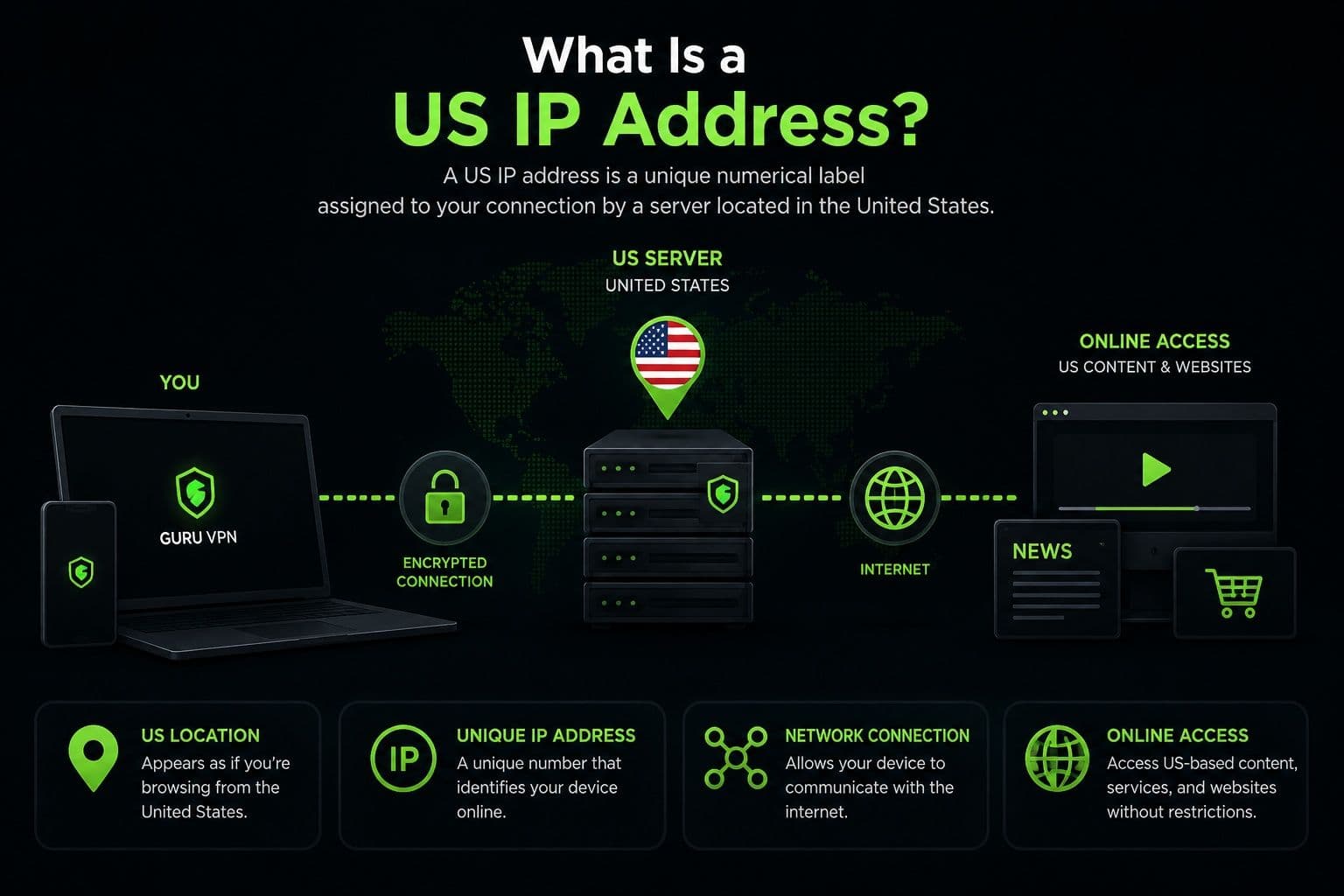
A US IP address is a public IP address assigned to an internet connection associated with a location in the United States. Websites and online services can use IP geolocation databases to estimate where a connection originates. When you connect through a VPN server in the US, websites typically see the server's US IP rather than the public IP assigned to your regular connection.
This can make your internet connection appear to originate from the United States. The exact location associated with an IP can vary because IP geolocation is an estimate rather than a precise GPS measurement.
US IP addresses have several practical uses. Travelers may need to access services intended for US users, businesses can test location-specific websites, and users may want a US connection for privacy or network troubleshooting.
| Local IP Address | US IP Address |
|---|---|
Usually refers to a private IP within your local network | A public IP associated with a US-based internet connection |
Used for communication between devices on the same network | Used to communicate with websites and online services |
Usually invisible to public websites | Typically visible to websites you visit |
Assigned by your router or local network | Usually assigned by an ISP or VPN server |
Doesn't determine your public online location | Can indicate an approximate US location |
Why Would You Need a US IP Address?
There are several legitimate reasons someone might want their internet connection to appear as though it originates in the United States. The right use case depends on whether you're traveling, working remotely, testing online services, or looking for additional privacy.
Access US Websites and Services
Some websites, applications, and online services provide different content or functionality depending on the user's location. A US IP address can help you access services intended for connections from the United States, provided that doing so complies with the service's terms and applicable laws.
Traveling Abroad
A US IP address can be useful when you're temporarily outside the United States but need to access services that normally recognize your home region. Connecting to a US VPN server can provide a consistent US-based connection without requiring you to change your device's network configuration.
Protect Privacy While Browsing
A VPN can also provide privacy benefits. When you connect through a US VPN server, websites see the server's IP address rather than your regular public IP. The VPN also encrypts your internet traffic, which can be particularly useful when connecting through public Wi-Fi.
Remote Work
Remote employees and business travelers may need to access company systems or location-specific services while abroad. A US IP address can make a connection appear to originate from a familiar region, although workplace policies and access requirements should always be followed.
Testing Websites and Applications
Developers, marketers, and website owners often need to see how a website behaves for visitors in different countries. A US IP can help test location-based content, regional redirects, pricing displays, and other geographic variations without physically traveling to the United States.
Is It Legal to Get a US IP Address?
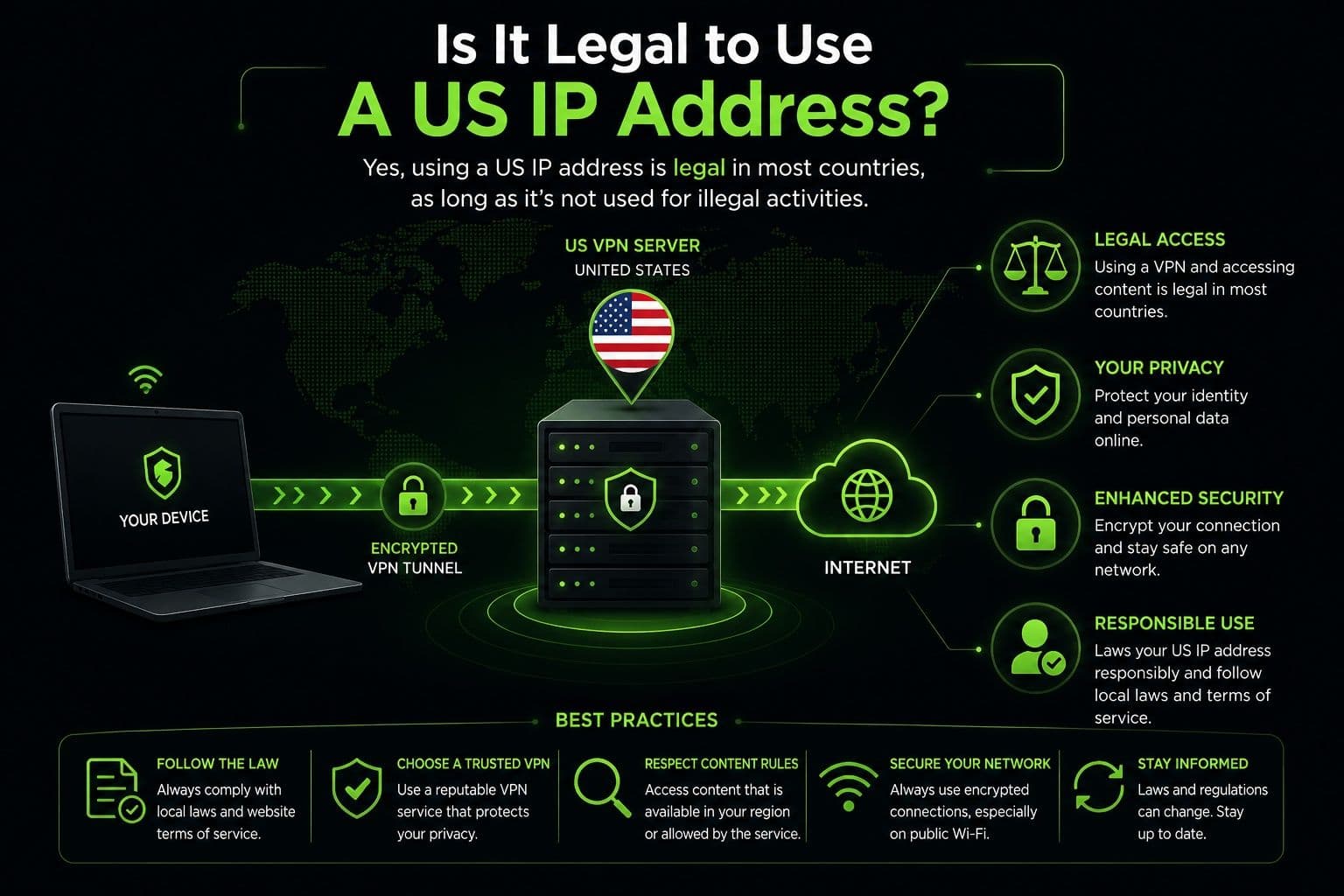
In general, using a VPN or another legitimate technology to obtain a US IP address is legal in many jurisdictions. However, legality can vary by country, and changing your apparent location doesn't override the rules of a website or online service.
Responsible use is therefore important. A US IP address should be used for legitimate purposes such as privacy, travel, remote work, or testing. Users should also comply with applicable laws and the terms of the services they access. A VPN changes how your connection appears online, but it doesn't provide permission to bypass contractual, legal, or account restrictions.
How to Get a US IP Address
There are several ways to get a US IP address, but they differ considerably in security, privacy, convenience, and technical complexity. For most people, a VPN is the simplest option because it combines a US IP address with encrypted internet traffic. Other methods can be useful for specific situations, but they may provide fewer privacy benefits.
Use a VPN
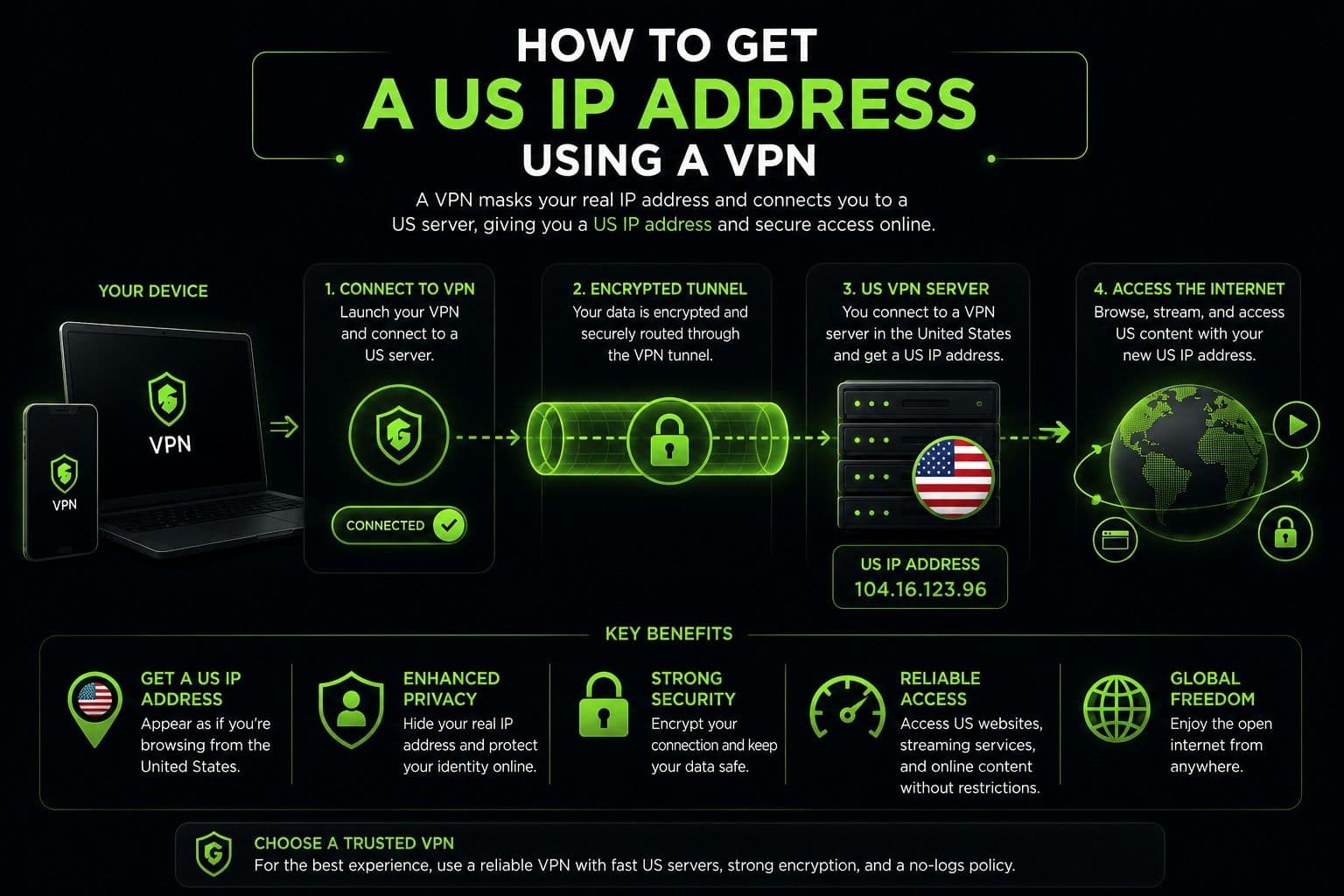
A VPN is generally the fastest and safest way to get a US IP address. Instead of connecting directly to a website through your regular internet connection, the VPN routes your traffic through a server in the United States. Websites then see the VPN server's US IP address rather than the public IP assigned by your ISP.
Getting started usually takes only a few steps:
- Install a reputable VPN application on your device.
- Sign in to your account.
- Open the server list and select a location in the United States.
- Connect to the server.
- Verify that your public IP now shows a US location.
The process doesn't require changes to your router or operating system settings. A VPN also encrypts your internet traffic between your device and the VPN server, adding protection when browsing on public or unsecured networks.
For users who want a straightforward solution, Guru VPN makes it easy to connect to a US server and obtain a US IP without complicated configuration. Its server network provides multiple locations, allowing users to switch between connections when necessary.
Use a Proxy Server
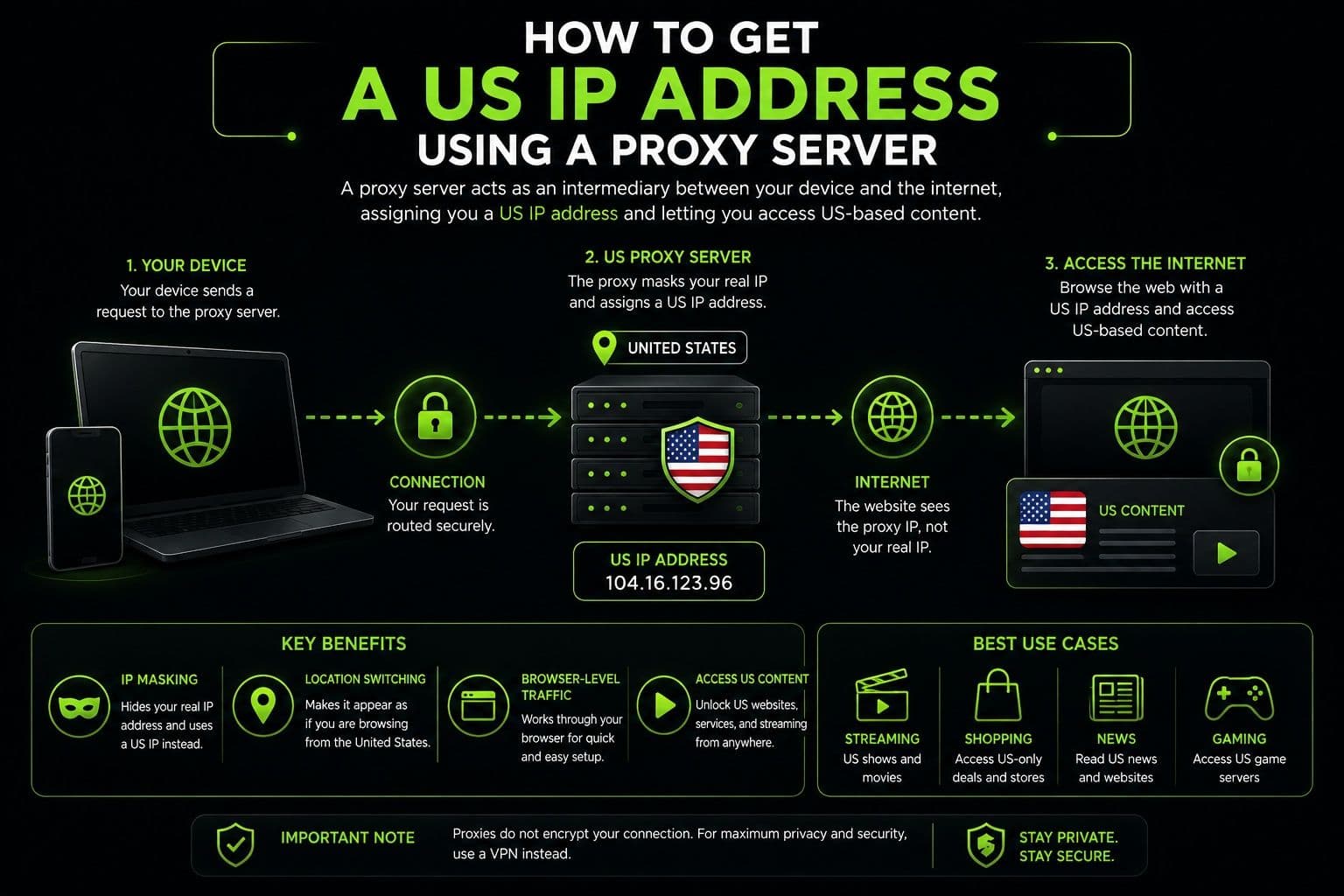
A proxy can also make websites see a US IP address. Instead of connecting directly to an online service, your browser or application sends requests through the proxy server. The website receives the proxy's US IP rather than your original address.
Proxies can be useful when you only need to route traffic from a particular browser or application. They are often simple to configure and can provide a quick way to change your apparent location.
However, a proxy is not equivalent to a VPN. Most proxies don't encrypt all internet traffic, and many work only with the application they're configured for. Other applications on the same device may continue using your normal connection. Free proxies can also have uncertain privacy practices or unreliable performance.
For this reason, a proxy may be suitable for basic IP changes, while a VPN is generally a better choice when privacy and security are important.
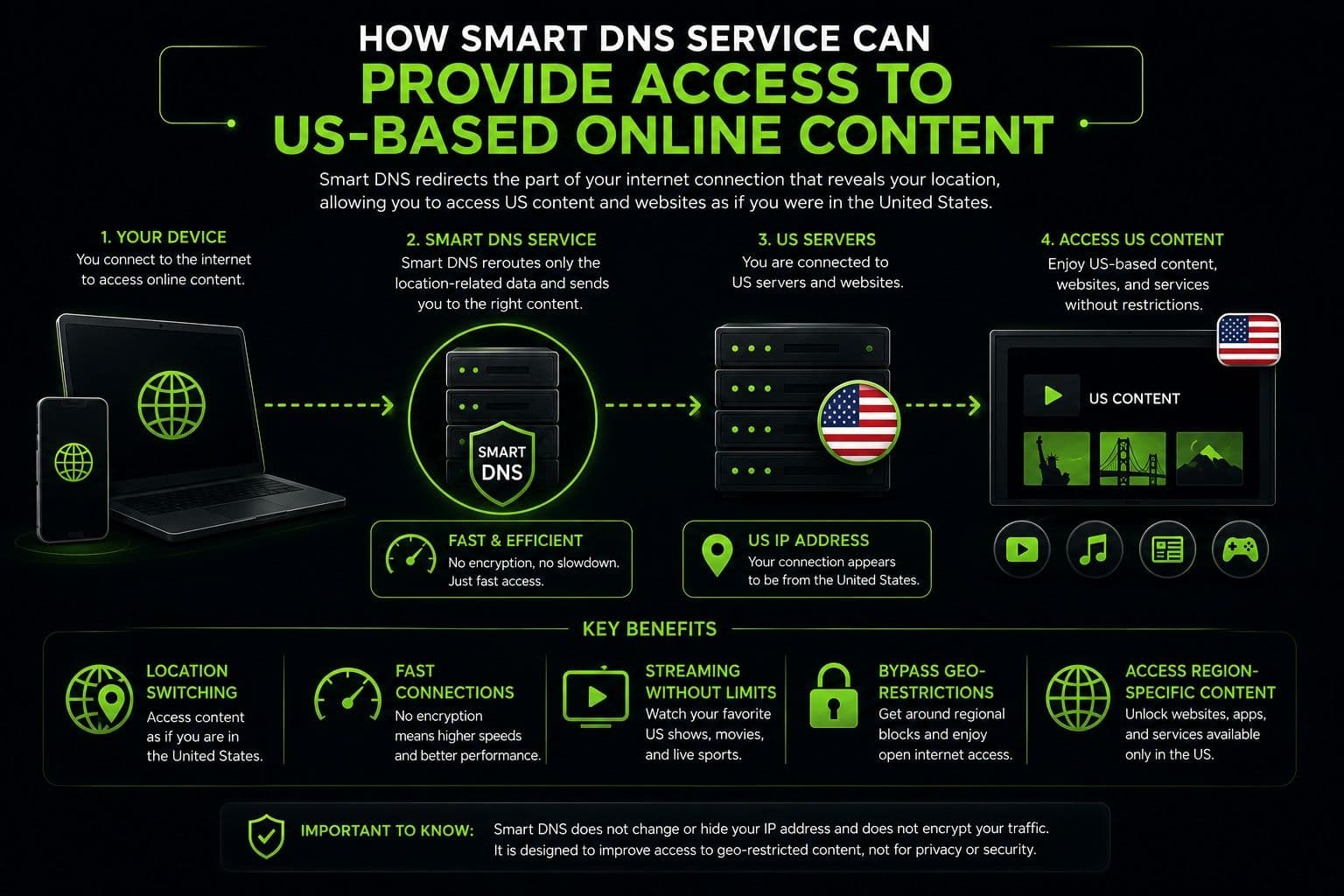
Use a Smart DNS Service
Smart DNS is another option for accessing location-specific online services. Instead of routing all of your internet traffic through another server, a Smart DNS service changes how certain DNS requests are handled. This can make some services recognize your connection as coming from a supported region.
The main advantage is performance. Because Smart DNS doesn't normally encrypt and route all traffic through a remote server, it can have less impact on connection speed than a VPN.
Smart DNS is particularly useful for devices such as smart TVs or media players where changing VPN settings may be more complicated. It can also be useful when the primary goal is accessing location-specific content rather than protecting personal information.
The main limitation is security. Smart DNS doesn't provide the full traffic encryption of a VPN, so it shouldn't be treated as a replacement for a privacy-focused VPN. It also doesn't necessarily change your public IP address for every website or application.
Use a Remote Desktop or Cloud Server
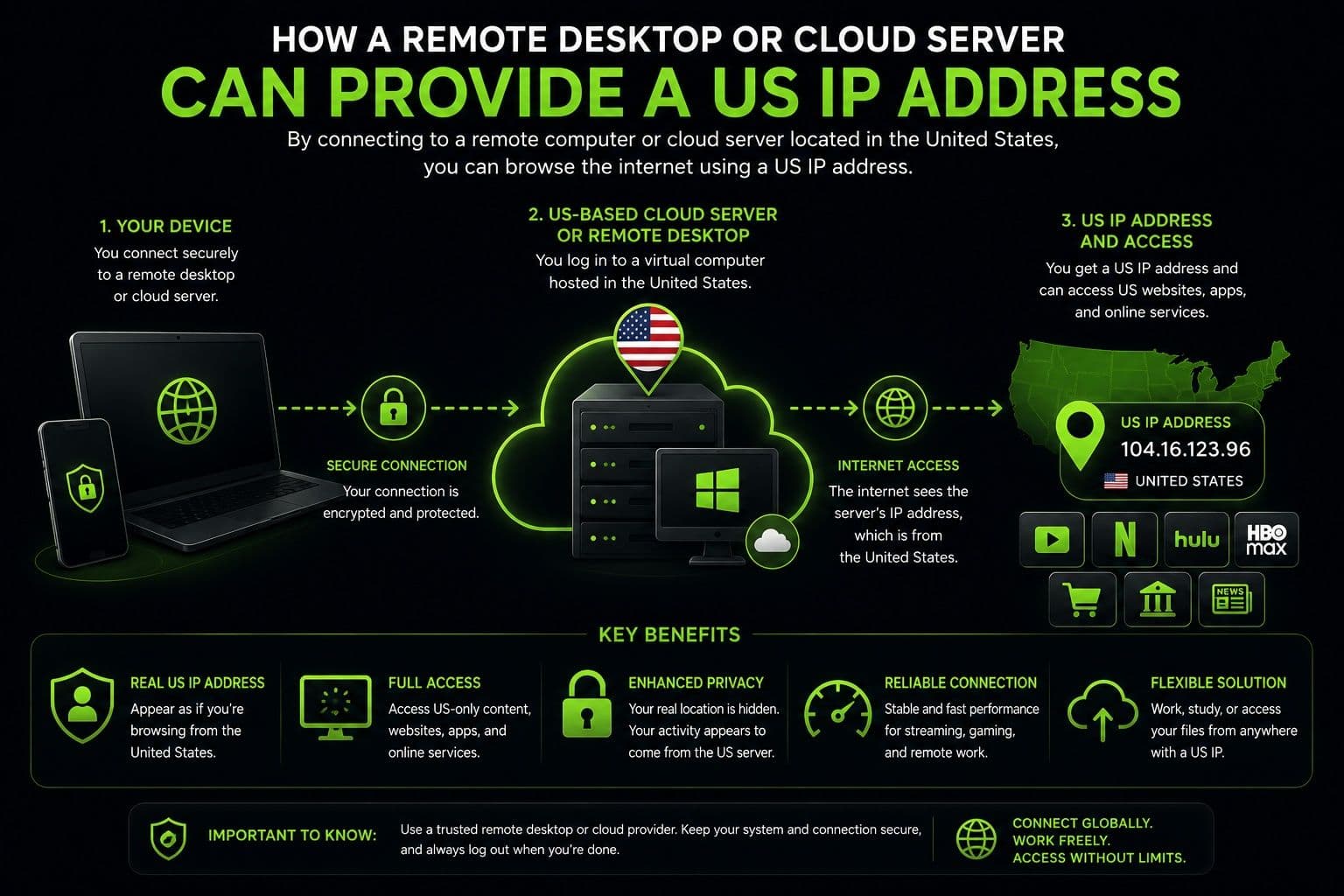
A remote desktop or cloud server located in the United States can provide another way to access the internet from a US-based connection. When you connect to a remote computer hosted in the US and browse from that environment, websites can see the remote server's US IP address.
This approach can be useful for businesses, developers, and IT professionals who need a persistent US-based environment for testing applications, managing infrastructure, or accessing work systems.
However, it is considerably more complicated than using a VPN. You'll need to rent or configure a cloud server, establish remote access, maintain the system, and manage its security. The cost and technical requirements can also be higher.
For everyday users who simply want a US IP address, a VPN is usually much more practical. It provides a simpler combination of location flexibility, encryption, and privacy without requiring users to maintain a remote server.
How to Get a US IP Address on Different Devices
The basic process is similar across modern devices, but the way VPN applications integrate with each operating system can vary. In most cases, you don't need to manually configure network settings because the VPN application handles the connection automatically.
Windows
On Windows, install your preferred VPN application and sign in. Open the server list, select a US location, and click the connect button. Windows will establish the VPN connection and route compatible internet traffic through the selected server.
You can usually change US locations directly from the application without modifying Windows network settings. If the connection doesn't work, check whether Windows Firewall or another security application is interfering with the VPN.
macOS
On macOS, the process is similarly straightforward. Install the VPN application, log in, select a US server, and connect. macOS may request permission to add a VPN configuration during the first setup. Approve the request if you trust the application and provider.
The main difference is that macOS manages VPN configurations through its own system networking framework, so permission prompts may appear during installation or the first connection.
iPhone
On iPhone, install the VPN application from the official App Store and sign in. When you connect for the first time, iOS may ask permission to add a VPN configuration to the device. Once approved, select a US server and establish the connection.
You can use the VPN over both Wi-Fi and cellular data. If you switch between networks, the VPN application can normally reconnect automatically, depending on its settings.
Android
Android users can install a VPN application from Google Play, sign in, and select a US server. During the first connection, Android typically asks for permission to create a VPN connection. Accept the request to allow the application to route traffic through the selected server.
Android also includes battery optimization features that can sometimes interfere with background VPN connections. If the VPN repeatedly disconnects, check the application's battery or background activity permissions.
Across all four platforms, the main difference is how each operating system handles permissions and background networking. The core process remains the same: install the VPN, choose a US server, connect, and verify your new public IP. This makes a VPN one of the most convenient ways to maintain a US-based connection regardless of which device you use.
VPN vs. Proxy vs. Smart DNS
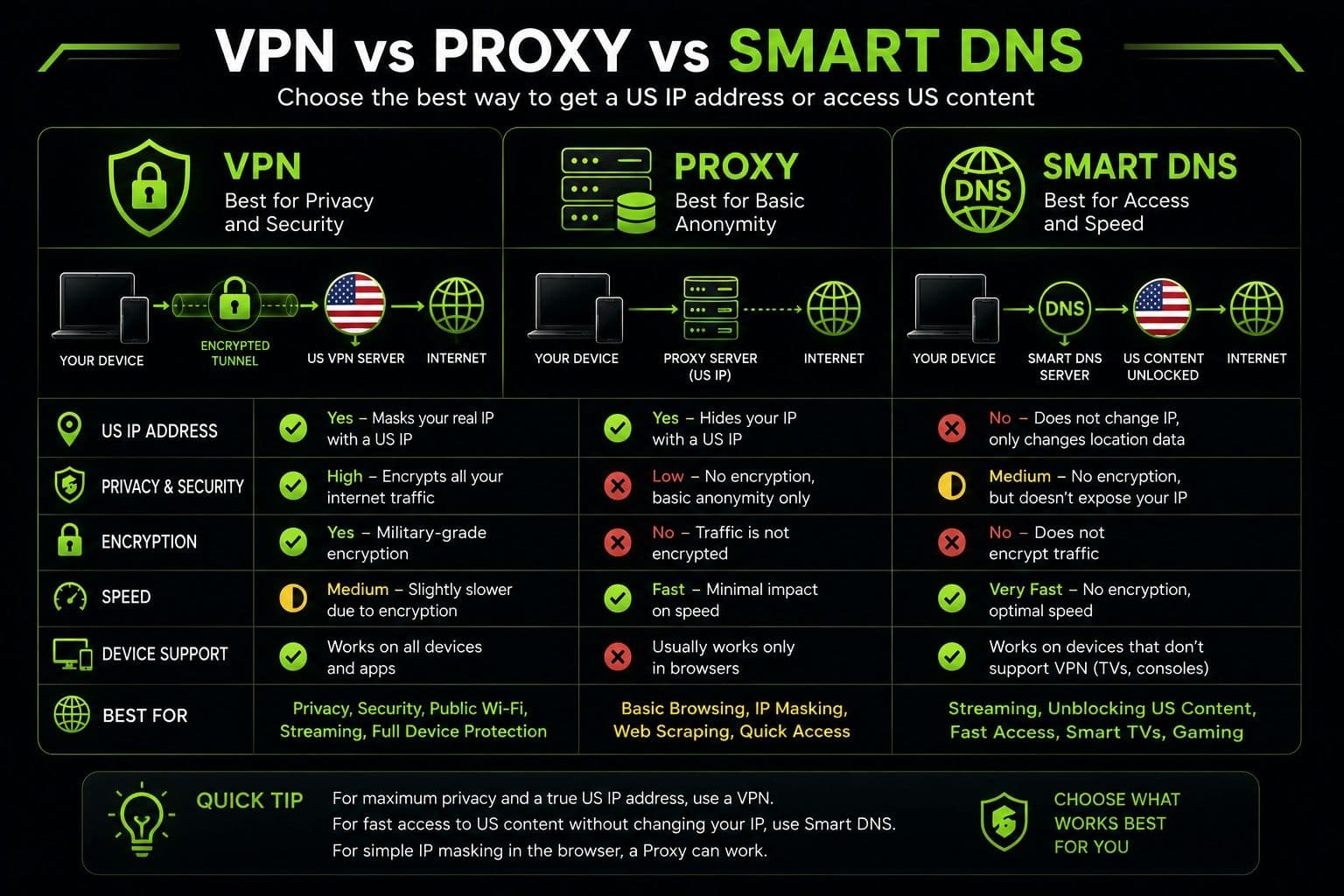
If your main goal is to get a US IP address, a VPN isn't the only available option. Proxy servers and Smart DNS services can also help with location-based access, but they work differently and provide different levels of protection.
| Feature | VPN | Proxy | Smart DNS |
|---|---|---|---|
Security | High — encrypts internet traffic | Low to moderate | Low — typically no encryption |
Privacy | High | Moderate | Low |
Speed | Fast with quality servers | Usually fast | Often very fast |
Ease of setup | Very easy | Easy to moderate | Moderate |
Streaming compatibility | Generally strong | Varies by service | Often good for supported services |
Best use cases | Privacy, security, streaming, browsing | Basic IP changes and specific apps | Location-based content access |
A VPN offers the most complete solution because it combines several functions in one service. It can assign you a US IP address while encrypting your internet traffic and protecting your connection across multiple applications.
A proxy generally changes the IP address visible to a particular application, but it doesn't necessarily protect everything else happening on your device. Smart DNS can be useful for location-based services and may have minimal impact on speed, but it doesn't provide the same encryption or privacy protection as a VPN.
The right choice therefore depends on your priorities. If you only need to route a specific application through another location, a proxy may be sufficient. If you primarily want fast access to supported regional content, Smart DNS may be appropriate. For users who want a US IP address together with privacy and security, a VPN is usually the most versatile option.
Why Choose Guru VPN
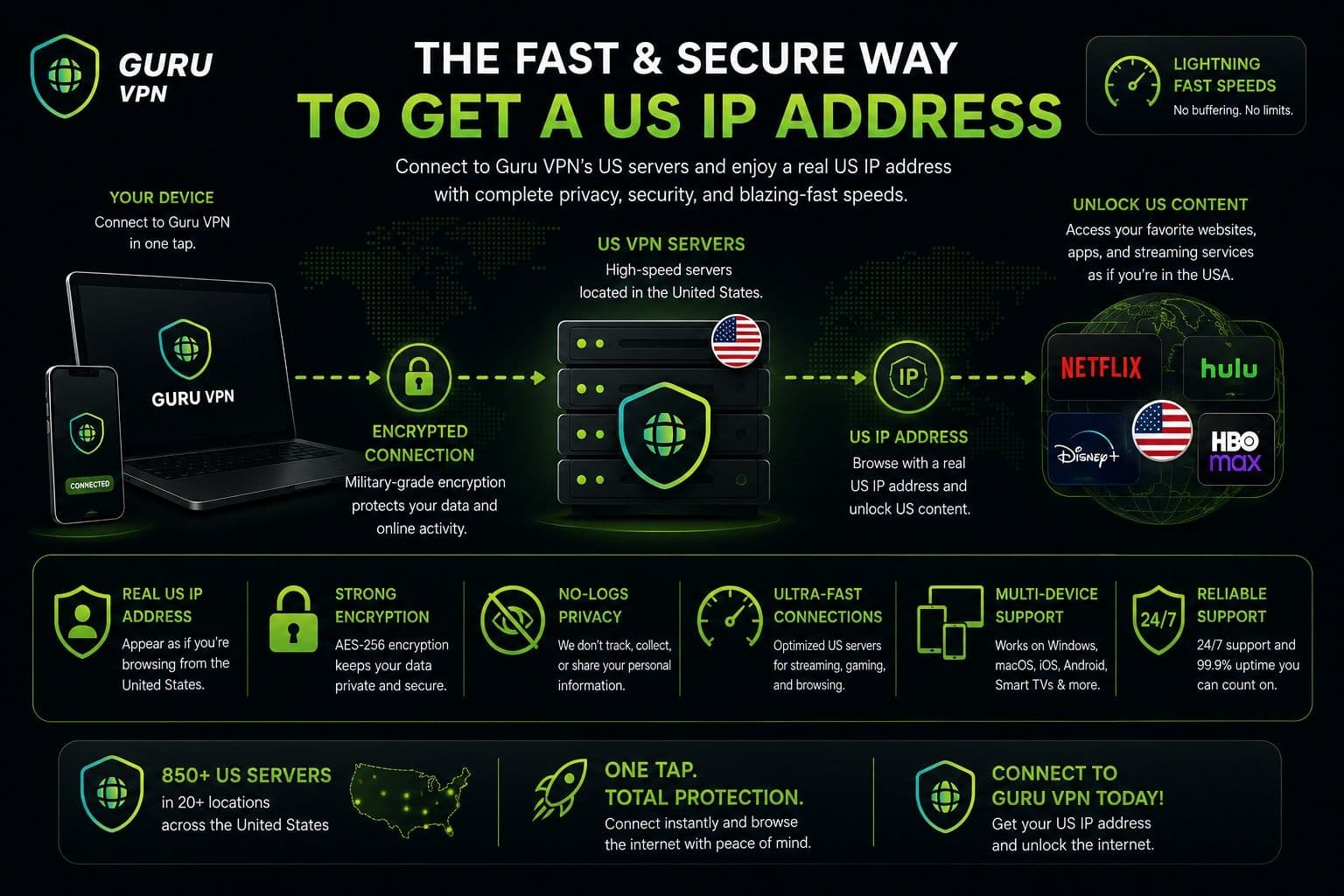
For users who want a simple way to get a US IP address without configuring complicated network settings, Guru VPN combines location flexibility with security features designed for everyday browsing.
Key Features
| Feature | Benefit |
|---|---|
One-tap US IP connection | Connect to a US server in seconds |
Fast US servers | Supports smooth browsing, streaming, and downloads |
Military-grade encryption | Helps protect internet traffic from unauthorized access |
Strict no-logs policy | Supports greater privacy for online activity |
Kill Switch and leak protection | Helps prevent accidental exposure of your connection |
Cross-platform support | Available across desktop and mobile devices |
Unlimited bandwidth | Browse and stream without data limits |
Servers in 49+ countries | Provides multiple locations for greater connection flexibility |
How Guru VPN Makes Getting a US IP Easy
The process is designed to be straightforward even if you've never used a VPN before. After installing the application, you can select a US server and establish a connection with minimal configuration. Once connected, websites see the selected VPN server's IP address instead of your regular public IP.
Instant server switching is useful when a particular location becomes busy or you need to test another US connection. A reliable US server network can also help maintain consistent performance for browsing, streaming, video calls, and other everyday activities.
Security remains an important part of the experience. Encryption helps protect your internet traffic, while the Kill Switch and leak protection features provide additional safeguards if the VPN connection is interrupted.
The service also supports multiple platforms, allowing you to use the same approach across computers and mobile devices. For users who need help during setup or troubleshooting, 24/7 customer support is available.
With a combination of simple controls, global server coverage, and security-focused features, Guru VPN provides a practical way to get a US IP address while maintaining a more protected internet connection.
Best Practices When Using a US IP Address
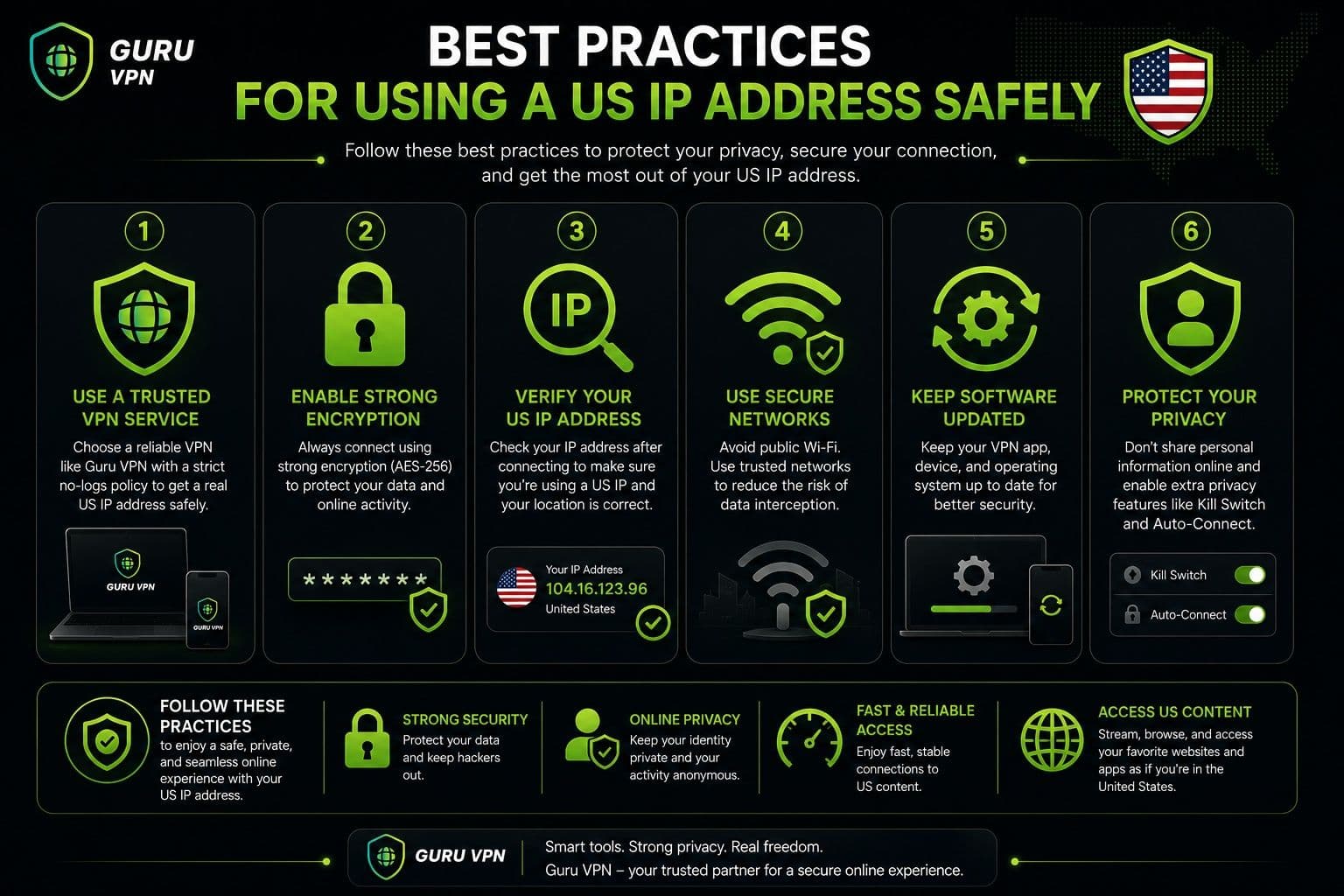
Using a US IP address is straightforward, but a few good practices can help you maintain privacy and get better connection performance.
Privacy Tips
Start by choosing a trusted VPN provider with a clear privacy policy, strong encryption, and a transparent approach to handling user data. Not every service offers the same level of protection, so it's worth checking what security and privacy features are included before connecting.
When privacy matters, keep your VPN enabled for the entire browsing session rather than connecting only when accessing a particular website. This helps prevent your regular IP address from being exposed when you switch between services or applications.
It's also useful to verify your IP location after connecting. An IP-checking service can confirm that websites are seeing a US-based address rather than your regular public IP. If the location appears incorrect, try reconnecting or selecting another US server.
Performance Tips
For better speeds, choose a US server that is geographically closer to your actual location. A shorter distance generally means lower latency and can improve browsing, video calls, streaming, and downloads.
If performance drops, switch to another US server. Server load can vary throughout the day, and another location may provide a faster or more stable connection.
Finally, keep your VPN application updated. Updates can improve compatibility, fix connection issues, strengthen security, and optimize performance. Keeping your operating system up to date is also recommended for a smoother and safer VPN experience.
Frequently Asked Questions
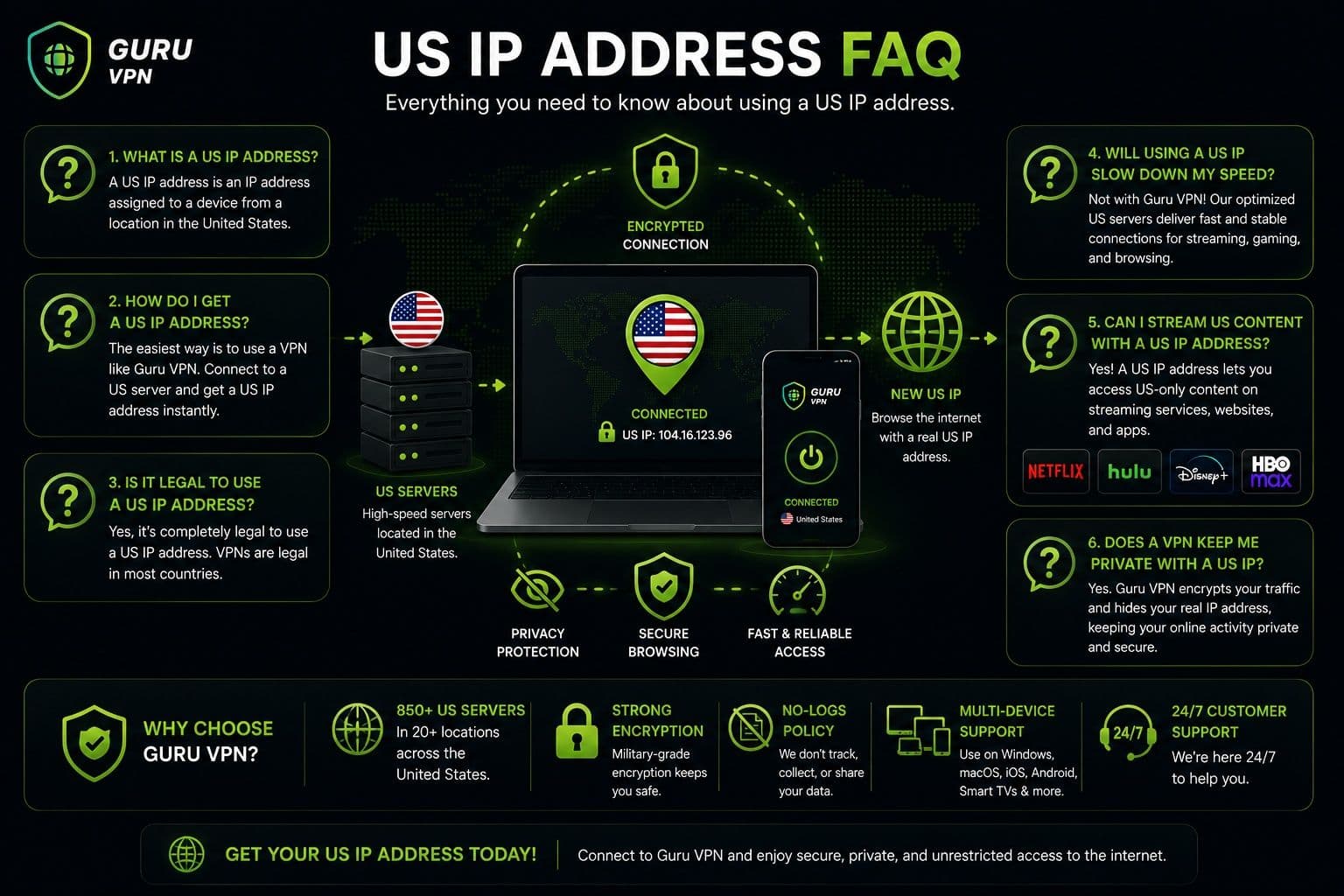
In many countries, using a VPN or another legitimate service to obtain a US IP address is legal. However, laws can differ depending on your location, and using a US IP does not exempt you from the rules that apply to the websites and services you access. Always use the connection responsibly and follow applicable laws and service terms.
Yes, there are free options, including some proxy services, free VPNs, and public networks. However, free services may have fewer US locations, slower speeds, data limits, or less transparent privacy practices. If security and consistent performance are important, a reputable paid VPN for US IP address is generally a more reliable choice.
A US IP address by itself doesn't automatically improve privacy. It simply changes the public IP that websites see. When the US IP comes from a VPN, however, the connection can also benefit from encrypted traffic and IP masking. This provides substantially more privacy than simply switching to another network.
A US IP address can be useful for accessing content or services that are specifically available to users in the United States. However, streaming platforms can use additional methods to determine a user's location and may restrict VPN or proxy connections. Availability can therefore vary by service, server, and location.
It can, although the impact depends on your connection, server location, server load, and VPN technology. Connecting to a nearby US server will generally provide better performance than choosing a distant or heavily congested location. If speeds decrease noticeably, switching to another server can often help.
Yes. Guru VPN allows you to select a US server and establish a connection within a few moments. Once connected, websites generally see the VPN server's US IP instead of your regular public IP. You can also switch between available server locations if you need a different connection or better performance.
Get a US IP Address Safely and Easily
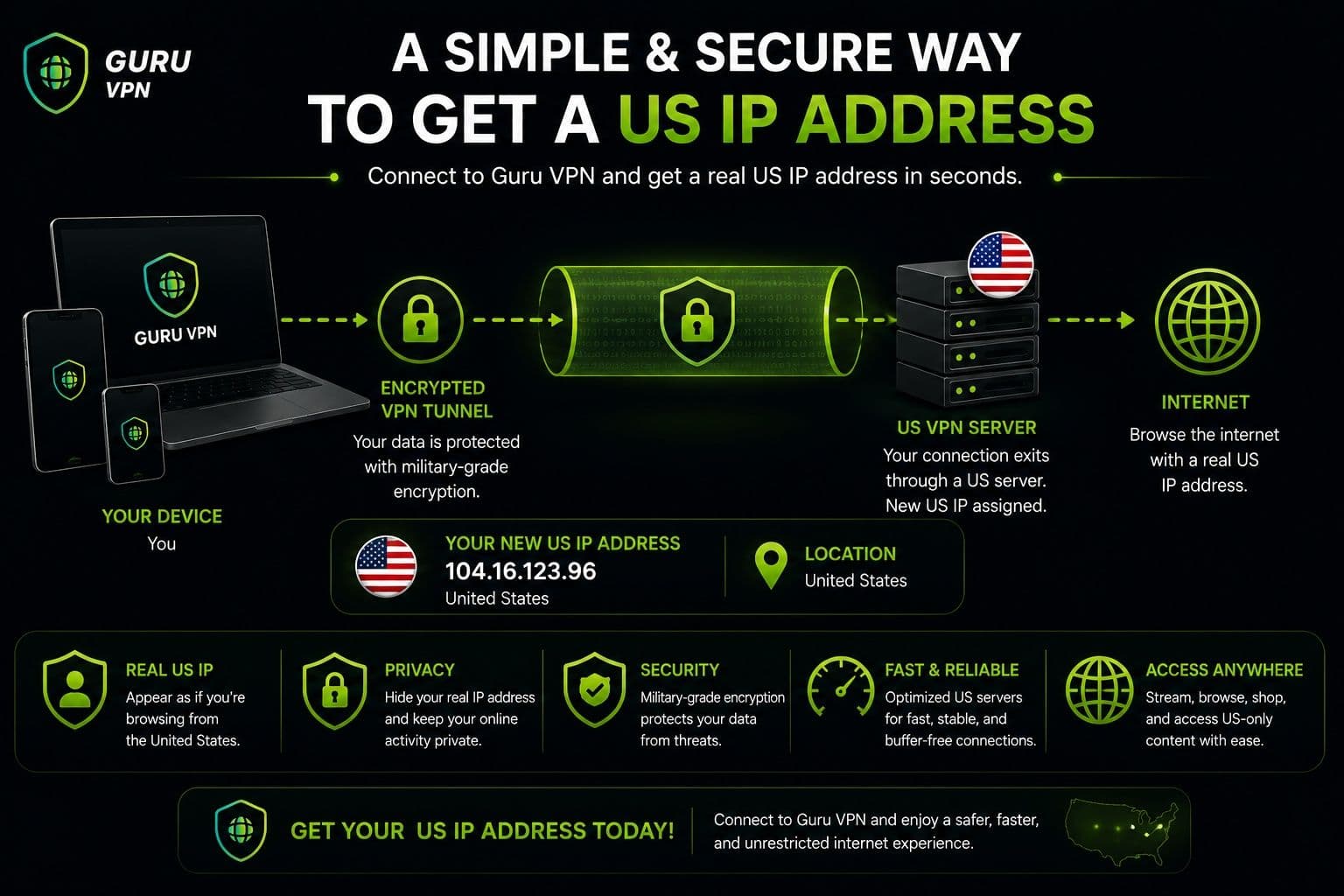
There are several ways to get US IP address, but each method offers a different combination of convenience, privacy, and security. Restarting your router or switching from Wi-Fi to mobile data may provide a different IP, although the result isn't guaranteed. A proxy can also route selected traffic through a US server, but it usually doesn't encrypt your entire internet connection. Smart DNS can be useful for certain location-based services, while remote desktop solutions are better suited to technical or business use cases.
For most everyday users, a VPN for US IP address is the easiest and safest option. It lets you select a US server, obtain a US-based IP address, and encrypt your internet traffic without requiring complicated network configuration.
Guru VPN makes this process particularly straightforward. After installing the app, you can select a US server and establish a secure connection in just a few taps. If you need another location or experience reduced performance, switching servers is equally simple.
If you want a convenient way to use a US IP address while adding protection to your online connection, installing a reputable VPN is a practical first step.
Conclusion: Browse with a Secure US IP Address
A US IP address can be useful for travelers, remote workers, developers, and anyone who needs their internet connection to appear as though it originates in the United States. It can help with location-specific services, website testing, and maintaining greater flexibility while browsing.
Although proxies, Smart DNS services, and network changes can provide alternative ways to obtain a US IP, a VPN offers a more complete solution. It combines IP address masking with encrypted internet traffic, helping protect your connection rather than simply changing the address websites see.
Guru VPN makes getting a US IP address fast and straightforward. Its intuitive interface and global server network allow beginners to connect to a suitable US location without dealing with complicated network settings.
The key takeaway is simple: if you want a US IP address with added privacy and security, choose a trusted VPN and keep your connection protected whenever you go online.