 EN
EN BR
BR DE
DE ES
ES FR
FR RU
RU ID
ID TR
TR IT
IT JP
JP SA
SA VN
VN TH
TH KR
KR
Public Wi-Fi Explained: What's Risky and How to Stay Safe

 Key takeaways
- Learn the most common reasons why a VPN won't connect.
- Follow 10 practical troubleshooting steps that resolve most connection issues.
- Discover platform-specific solutions for Windows, macOS, Android, and iPhone.
- Find out how to prevent future VPN connection problems with a few simple best practices.
- See how Guru VPN delivers fast, secure, and reliable VPN connections for everyday browsing.
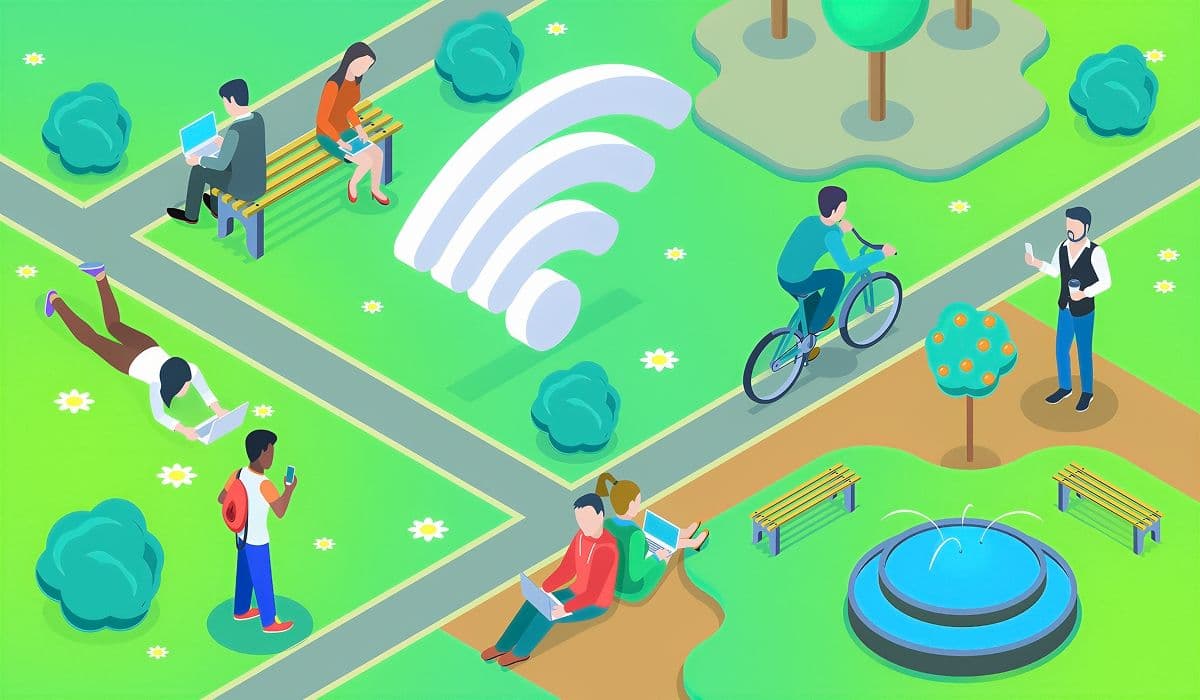
Wi-Fi's all over now - cafes, airports, hotels, you see it. It's useful, often free, and easy to use. That ease can be a problem if you're not careful.
Unlike your home or work Wi-Fi, public Wi-Fi is about quick access, not security. Anyone nearby can connect, so there's not much control over who's on or how data is shared. This makes public Wi-Fi perfect for those looking to make trouble.
Most attacks on public networks aren't hard-core hacking. They use how open these nets are and how much our stuff trusts them. If you get the risks (and how to stay safe), you can up your security.
Man-in-the-Middle (MitM) Attacks
A man-in-the-middle attack is basically when someone sneaks in between you and the website you're talking to. Instead of your info going straight there, it goes through the attacker's computer first.
This means they can peek at what you're sending, mess with it, or even send you somewhere else entirely. It usually happens on less secure networks.
How does it work?
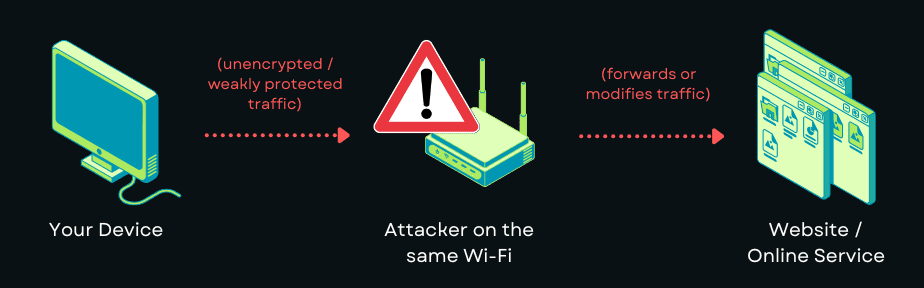
Well, think about when you're using public Wi-Fi. Attackers can jump on weak spots in the network or use sneaky tricks like ARP spoofing to grab your data without you even realizing it.
Your device believes it is talking directly to the website, but traffic is silently routed through an attacker, who can observe or manipulate it.
How to Stay Safe
The best way to stay safe is to use end-to-end encryption. A VPN encrypts everything leaving your device before it hits the network. Also, try not to use websites that aren't HTTPS and turn off automatic Wi-Fi connections.
Fake Wi-Fi Hotspots (Evil Twin Attacks)
Fake hotspots copy real public Wi-Fi networks. They often use names such as Airport Free Wi-Fi or Cafe Guest to fool people into joining.
Once you are on, all data goes through the attacker's device.
How This Happens
Setting up a fake access point doesn't require much gear and can be done fast in busy places. Because public Wi-Fi rarely needs a password, users can't easily check the network.
You connect to a network that looks legitimate, but all traffic is actually going straight to the attacker’s device.
How to Stay Safe
When you can, check the network name with staff. Don't join open networks with unclear names. Using a VPN right after joining lessens the risk, even if the network is not safe.
Packet Sniffing and Traffic Capture
When you're on open networks, sneaky people can grab the data moving between your gadgets and the internet spot. This is called packet sniffing.
If your data is encrypted, it's safe. But if it isn't, anyone can read it.
How it Works
Usually, public Wi-Fi lets gadgets see all the data floating around. Attackers just watch and collect info; they don't even need to mess with your device.
Traffic is broadcast over the local network, allowing attackers to passively capture packets without interacting with your device.
How to Stay Safe
Don't send personal info on public Wi-Fi unless you're using encryption. A VPN keeps all your data safe, even what your apps do in the background. That way, if someone grabs your data, it's just gibberish.
Session Hijacking
Session hijacking happens when someone steals your session info, like tokens or cookies. This lets them get into your accounts without your password, even after you've logged in.
How it Happens
If you're on a network that's not secure, someone could grab your session data. Poorly secured websites can also be a cause.
Instead of stealing your password, the attacker steals your active session and reuses it to impersonate you.
How to Stay Safe
When you're using public Wi-Fi, log out of your important accounts. Turn on two-factor authentication when you can. A VPN can secure your data by encrypting it as it leaves your device.
Malware Injection and Network-Based Attacks
Certain attacks try to send harmful code right through the network. Examples include distributing fake software updates, redirecting you to harmful sites, or trying to take advantage of weaknesses in your software.
How it Works
Attackers change network traffic to insert bad content or send users to harmful servers.
Network traffic is altered in transit, redirecting you to malicious resources or injecting harmful code into responses.
How to Stay Safe
Make sure your operating system and apps are current. Turn off file sharing when you're on public Wi-Fi. Only download files when you're using a VPN to protect your connection.
How a VPN Changes the Picture
Using public Wi-Fi means trusting the network more than your own stuff, and you might not know it. When you link to a public hotspot, you're trusting it to work right and not watch or change your data. You can't know who runs the network or who else is on it.
A VPN locks your data before it uses the local network. This keeps your data safe, even if the Wi-Fi isn't. Attackers can see activity, but they can't read or change it. This stops normal public Wi-Fi attacks like packet sniffing and session hijacking.
Most important, a VPN locks everything, not just what you do in your browser. App connections, software updates, and cloud syncing can send data without you knowing. A VPN locks these connections, so you don't share private info.
More Protection on Public Wi-Fi
For users who use public networks a lot, a VPN works best as part of a wider setup:
- Always-on VPN. Keep the VPN on for a safe network and prevent data problems.
- DNS lock. VPNs that send DNS queries through the locked tunnel stop DNS tracking and changes.
- Kill switch. A kill switch blocks traffic if the VPN goes down, stopping data loose.
- Up-to-date setups. Setups made for shaky networks keep the lock even when Wi-Fi is weak, which happens a lot in public spots.
These things don’t make public Wi-Fi totally safe, but they lower what an attacker can see or use.
Public Wi-Fi Is Useful, Security Should Be There
Today, you can find public Wi-Fi almost anywhere. We count on it when we're traveling, working away from the office, or just hanging out at coffee shops, hotels, and airports. It's hard to stay away from these networks, but using them without taking care is not a good idea.
Understanding how bad actors go after these open networks can help you be proactive instead of scared. Most Wi-Fi dangers involve seeing, grabbing, or messing with data that isn't protected. You can really change things by using good security, not doing too much on these networks, and making sure your link is secure.
A VPN is super important for staying safe. Guru VPN keeps your data encrypted and doesn't just trust the local network. It helps protect your info whether you're reading emails at a coffee shop, working from a hotel room, or just browsing the web at the airport.
Using public Wi-Fi doesn't have to be scary. If you use the right methods and a VPN, it can be a useful tool instead of a security problem.
| Risk Type | What Attackers Can Do | Why It Happens on Public Wi‑Fi | How a VPN Protects You |
|---|---|---|---|
 Man‑in‑the‑Middle (MitM) | Intercept, read, or modify your traffic | Weak or no encryption; traffic is easy to reroute | Encrypts all traffic so attackers only see unreadable data |
Fake Hotspots (Evil Twin) | Capture all data passing through their fake network | Open networks with no authentication; easy to impersonate | Encrypts data even on malicious hotspots |
Packet Sniffing | Passively capture unencrypted data | Public Wi‑Fi broadcasts traffic openly | Creates an encrypted tunnel attackers can’t read |
Session Hijacking | Steal cookies/tokens and access your accounts | Sessions sent in plain text or weakly protected | Encrypts session data so it can’t be intercepted |
Malware Injection | Inject malicious code or redirect you to fake sites | Attackers can alter traffic on unsecured networks | Prevents tampering by securing traffic end‑to‑end |
DNS Manipulation | Redirect you to fake or harmful websites | Public Wi‑Fi often uses unsecured DNS | Sends DNS queries through encrypted VPN tunnel |
Frequently asked questions
Public Wi‑Fi is convenient but not secure. Anyone nearby can join the same network, making it easy for attackers to intercept, monitor, or manipulate your traffic if it’s not encrypted.
A man‑in‑the‑middle attack happens when someone secretly places their device between you and the website or service you’re trying to reach. They can read, alter, or redirect your data without you noticing.
Yes. On open networks, attackers can capture unencrypted traffic, steal session cookies, view browsing activity, or redirect you to fake websites. Encryption is the only reliable protection.
A VPN encrypts all data leaving your device, making it unreadable to anyone on the same network. Even if an attacker intercepts your traffic, they only see encrypted gibberish.
Use a VPN, avoid logging into sensitive accounts, disable automatic Wi‑Fi connections, and stick to HTTPS websites. Keeping your apps and system updated also reduces risk.