
 EN
 BR
 DE
 ES
 FR
 RU
 ID
 TR
 IT
 JP
 SA
 VN
 TH
 KR


Thanks
During a drive across the Prairies I used Guru VPN whenever I stopped at motels with open Wi‑Fi, and the app connected quickly each time and kept my email access private.
PlayStation consoles have no VPN app support, and Guru VPN doesn't support routers or hotspot sharing yet. What it does protect: PS Remote Play, the PlayStation App and PlayStation games on your PC.





Playing your PS5 from a phone or laptop at a café or hotel? Guru VPN encrypts that device's side of the session.

Your PSN account holds trophies, games and saved cards. Sign in through the PlayStation App on shared Wi-Fi with the connection encrypted.

Playing PlayStation games on Windows? Other players and voice chat see a Guru VPN IP instead of yours.

With your real IP hidden on your gaming PC, attacks aimed at you hit our server instead of your home connection.

If your provider throttles large downloads in the evening, encrypted traffic is harder to single out.

Shared event networks are easy to snoop on. Encrypt your phone and laptop before you sign in to PSN.
The console itself can't use a VPN — protect the devices you play and sign in from.
Get the app for Windows, macOS, iOS or Android and pick a plan.

A server in your own country, close to you, keeps Remote Play responsive.

Start PS Remote Play, the PlayStation App or your PlayStation game on PC.

What works for PS5, PS4 and PS3 with Guru VPN today — and what doesn't.
| Method | With Guru VPN | What to know |
|---|---|---|
PlayStation App and PlayStation games on PC | Works | Install Guru VPN on the phone or PC you use. |
PS Remote Play on PC, Mac, iPhone or Android |  Partly | Guru VPN encrypts that device's connection; the console's own traffic isn't covered. |
VPN app on the PlayStation |  Not supported | PS5, PS4 and PS3 can't install VPN apps. |
Sharing a VPN from a PC or phone hotspot | Not supported | Guru VPN can't share its connection through a hotspot yet, so a console on that hotspot would bypass the VPN. |
VPN on your router | Not supported | Guru VPN doesn't provide router firmware or manual configs. |
Smart DNS | Not supported | Guru VPN doesn't offer Smart DNS — and Smart DNS doesn't encrypt traffic anyway. |
PS Portal | Not supported | PS Portal can't run VPN apps. |
 Guru VPN has apps for Windows, macOS, iOS and Android. It can't run on consoles or share its connection through a hotspot yet — we'll update this page if that changes.
Sony's console line, from the PS3 to the PS5 Pro.
Sony released the PlayStation 3 in 2006, the PS4 in 2013, the PS5 in November 2020 and the PS5 Pro in November 2024. Online play, the PlayStation Store and PlayStation Plus run on the PlayStation Network (PSN). A PSN account is tied to the country you choose when you create it, and that determines its store and prices.
PSN accounts and the PlayStation Store follow the country of your account, not your IP address.
| Where | What applies |
|---|---|
Russia | Sony suspended hardware, software and PlayStation Store sales on 9 March 2022 |
PSN account country | Set when you create the account and can't be switched later |
PlayStation Store prices | Follow your account's country and currency |
PS Plus cloud streaming | Offered only in markets where Sony runs PS Plus Premium |
A VPN doesn't change national bans, sanctions or a platform's own region rules — check local law and the platform's terms before you use one.
Guru VPN protects the phones and computers you use for PlayStation. The PS5 or PS4's own connection stays outside the VPN.

 Encrypt Remote Play on your phone or PCProtect PSN sign-ins on shared and public Wi-FiHide your IP in PlayStation games you play on PCMake throttling of PC downloads harder

 Run on the PS5 or PS4 itselfShare its connection with your console through a hotspotChange your PSN account's country or storeGuarantee lower ping in every match
Pick a server close to you for the lowest latency, or close to friends you play with in another region.
No data caps on big game downloads, patches or long streaming sessions.
Modern encryption plus DNS and IP leak protection keep your real IP inside the tunnel.
We don't store your traffic or a browsing history tied to you. Our VPN servers run in RAM only.
Kill Switch is available on Android and in supported versions of the iOS and macOS apps. Split tunneling depends on the VPN configuration on iOS and has limited support on Windows. One subscription covers up to 10 devices.
Built on transparent privacy standards, designed to keep your PlayStation sessions private.
 No traffic logs
We don't store your traffic, the pages and full URLs you open, or a browsing history tied to you.
 Minimal data collection
We keep only what's needed to run the service — your account, subscription and device details. Our connection records don't include your real IP address.
 Strong encryption
Anyone sharing your network — from your provider to a stranger on café Wi-Fi — sees encrypted traffic, not your PlayStation session.
 Account safety on PSN
Turn on 2-step verification for your PSN account and ignore offers of free PS Plus or PSN codes — phishing pages built around them are the usual way accounts get stolen.

Remote Play has to reach your PS5 or PS4 at home. Use a Guru VPN server in your own country; on your home network, play without the VPN.
Remote Play sends video both ways, so distance matters. Connect to the Guru VPN server closest to you, or to one near your home if you play from abroad.
Disconnect Guru VPN, sign in, then reconnect. If it keeps failing, switch to another server in your own country.
Free VPNs have to make money somehow — for gamers, that usually means data caps, crowded servers or your data.
| Feature | Guru VPN | Most free VPNs |
|---|---|---|
Bandwidth for downloads and streaming | Unlimited, up to 10 Gbps | Data caps, slow at peak hours |
Server countries | 49+ | Usually 5–10 |
Crowded servers | Capacity built for heavy traffic | Often overloaded, higher ping |
Logging | No traffic logs | Often sell browsing data |
Leak protection | DNS and IP leak protection | Often missing |
Devices | Up to 10 | Usually 1 |
Support | 24/7 | Typically none |
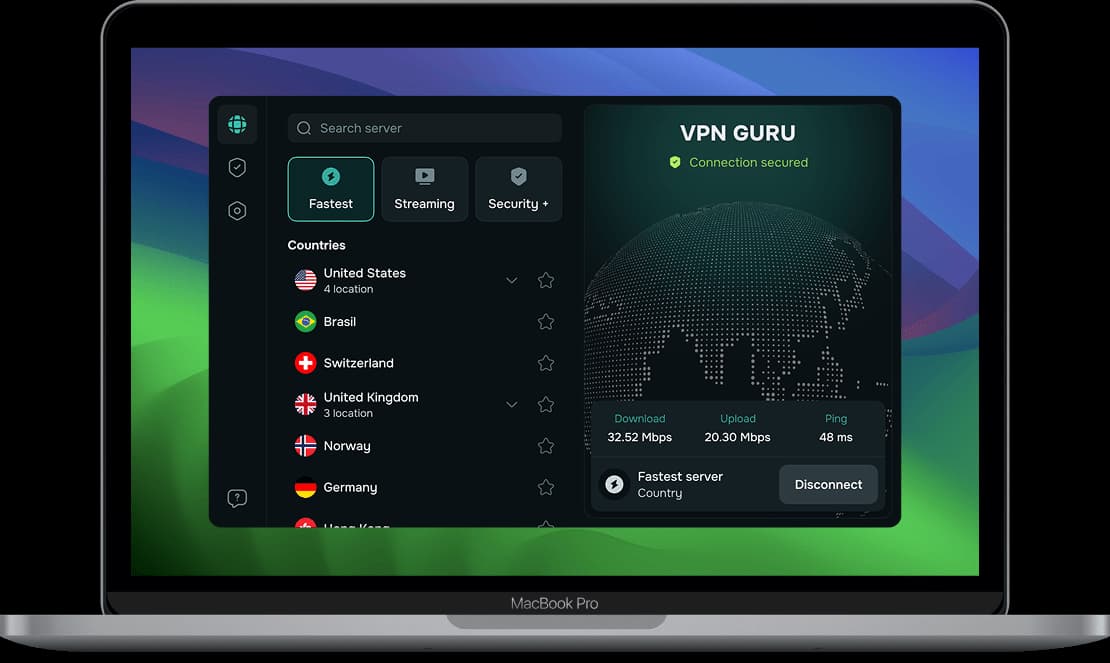
Guru VPN runs on Windows, macOS, iOS and Android — every device that runs PS Remote Play or the PlayStation App. Up to 10 devices on one subscription.
Download Guru VPN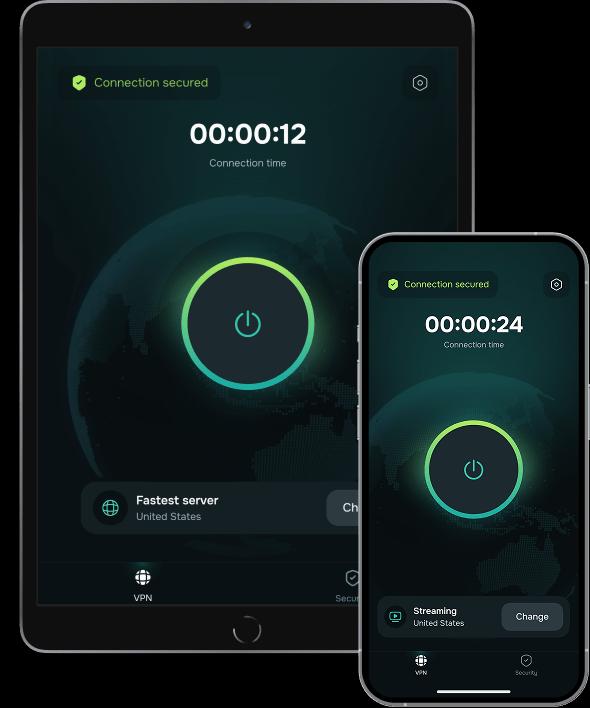
| Feature | Guru VPN | Other VPNs |
|---|---|---|
ChaCha20 encryption |  | Often not supported |
Strict no-logs policy, RAM-only servers | | Varies |
Unlimited bandwidth | | Sometimes limited |
Servers in 49+ countries | | Varies |
DNS and IP leak protection | | Varies |
Up to 10 devices | | Often 1–5 devices |
24/7 support | | Not always available |
Choose the plan that fits your needs. All Guru VPN plans include unlimited bandwidth, access to all servers, apps for all devices, strong encryption, a strict no‑logs policy, and 24/7 customer support.
$0.99 for the first 7 days, then $6.99/week
Ideal for short‑term use or trying Guru VPN with minimal cost.
Plan includes:
Perfect for long‑term protection with the biggest savings.
Plan includes:
$11.99 billed monthly
Flexible, commitment‑free protection.
Plan includes:

During a drive across the Prairies I used Guru VPN whenever I stopped at motels with open Wi‑Fi, and the app connected quickly each time and kept my email access private.
lectures from a university portal that blocks some regions, and since switching to a suggested server the streams load quickly and stay smooth.
After noticing my kids often connect to random Wi‑Fi at malls, I added Guru VPN to their phones and showed them the single connect button, and now they enable it before watching videos or using social apps in public places.
auto-connect on certain networks, so once configured, I don't have to think about it. It provides constant, silent protection in the background. I've never seen that feature before.
I use this app daily for streaming, and it never buffers. It's super fast, super secure, and I love that it doesn’t log anything. One tap and I’m fully protected! Couldn’t ask for more!
layer of security when accessing corporate dashboards from home, and it now connects automatically before I log in to any work system or cloud service.
The way this VPN works, I'd say it is perfect for everyday use! Whether I’m shopping online or watching geo-restricted media, Guru VPN keeps me anonymous and connected. Simple, trustworthy, and effective.
On my daily train cọmmute I open Guru VPN, hit the single button, and read emails over the train Wi‑Fi knowing my connection is encrypted the entire ride.
every millisecond counts. This VPN's optimized servers actually improved my ping. I connect to a location closer to the game host, and my latency drops noticeably.
As someone who works remotely, I rely on VPNGuru every day to secure my connection. It’s fast, stable, and I’ve never had an issue with dropped connections.
Encrypted connection, servers in 49+ countries, no traffic logs and a 30-day money-back guarantee on website purchases.
30-day money-back guarantee