 EN
EN BR
BR DE
DE ES
ES FR
FR RU
RU ID
ID TR
TR IT
IT JP
JP SA
SA VN
VN TH
TH KR
KR
Unblocking Websites With a VPN: YouTube, Netflix, ChatGPT, and School Networks

 Key takeaways
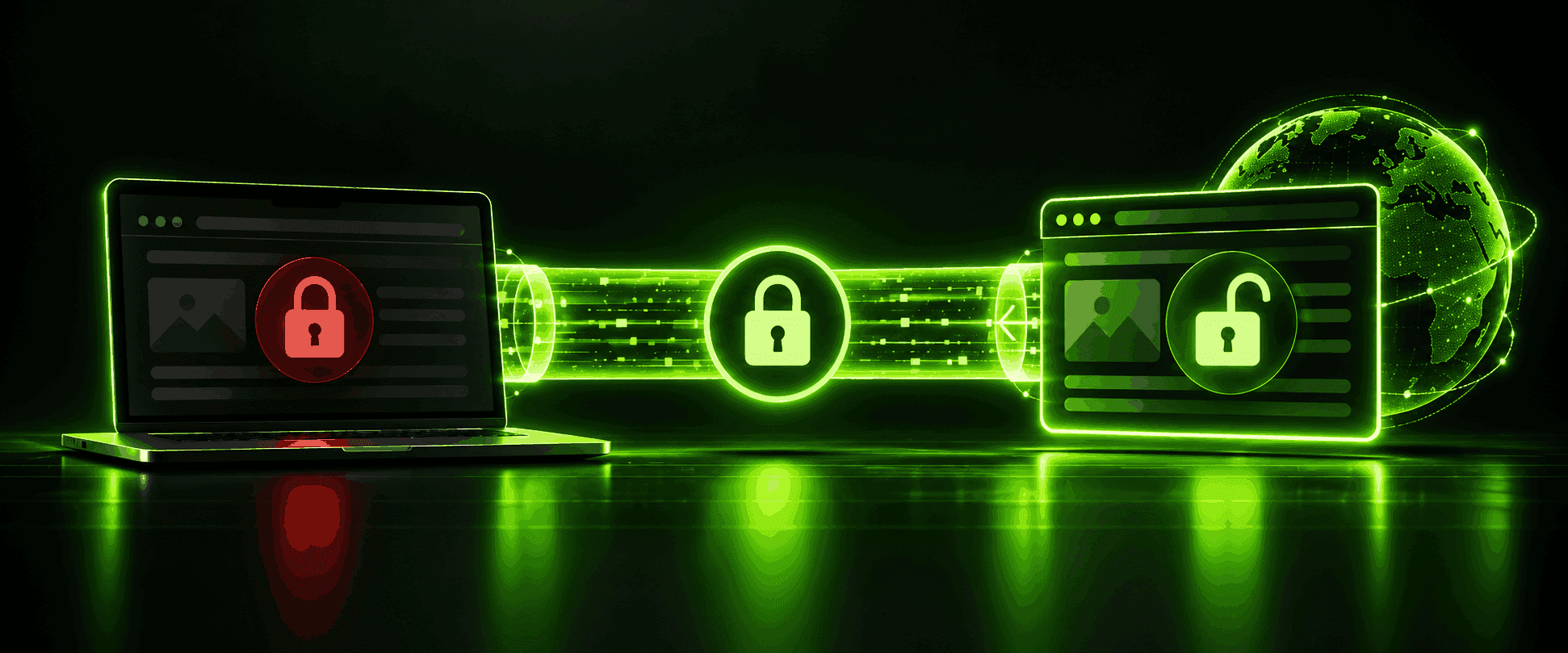
- A VPN unblocks content by replacing your visible IP address with the VPN server's and encrypting your traffic, which defeats IP-based blocking, geographic restrictions, and most network-level filtering at once.
- Blocking itself happens at several different technical layers — DNS filtering, IP blocking, and deeper traffic inspection — and which layer is doing the blocking determines whether a VPN alone is enough to get past it.
- School and work networks are a genuinely different case from geo-blocking: device-management software and browser policies on an institution-owned computer can still apply even with a VPN active.
- Specific platforms — YouTube, Facebook, Netflix, ChatGPT — get blocked for different reasons (bandwidth policy, licensing, government restriction), and unblocking each works the same way even though the reason differs.
- VPN unblocking isn't foolproof: some services actively detect and block known VPN server IP ranges, and using a VPN to bypass a streaming service's regional licensing can violate that platform's terms of service even though it isn't illegal.
Search data on VPN-related queries shows something striking: YouTube alone accounts for roughly 82% of all "unblock" searches, with Facebook, Google, and Instagram making up most of the rest. Whatever's actually blocked in your case — a streaming library, a school network, a platform restricted in your country — a vpn unblock approach works on the same underlying principle every time. This guide covers how to unblock vpn access actually functions technically (not just "it just works"), walks through unblocking specific platforms like YouTube, Facebook, Netflix, and ChatGPT, covers the genuinely different case of an unblock vpn for school or work networks, and is honest about the situations where VPN unblocking doesn't work as cleanly as marketing suggests.
How VPN Unblocking Actually Works
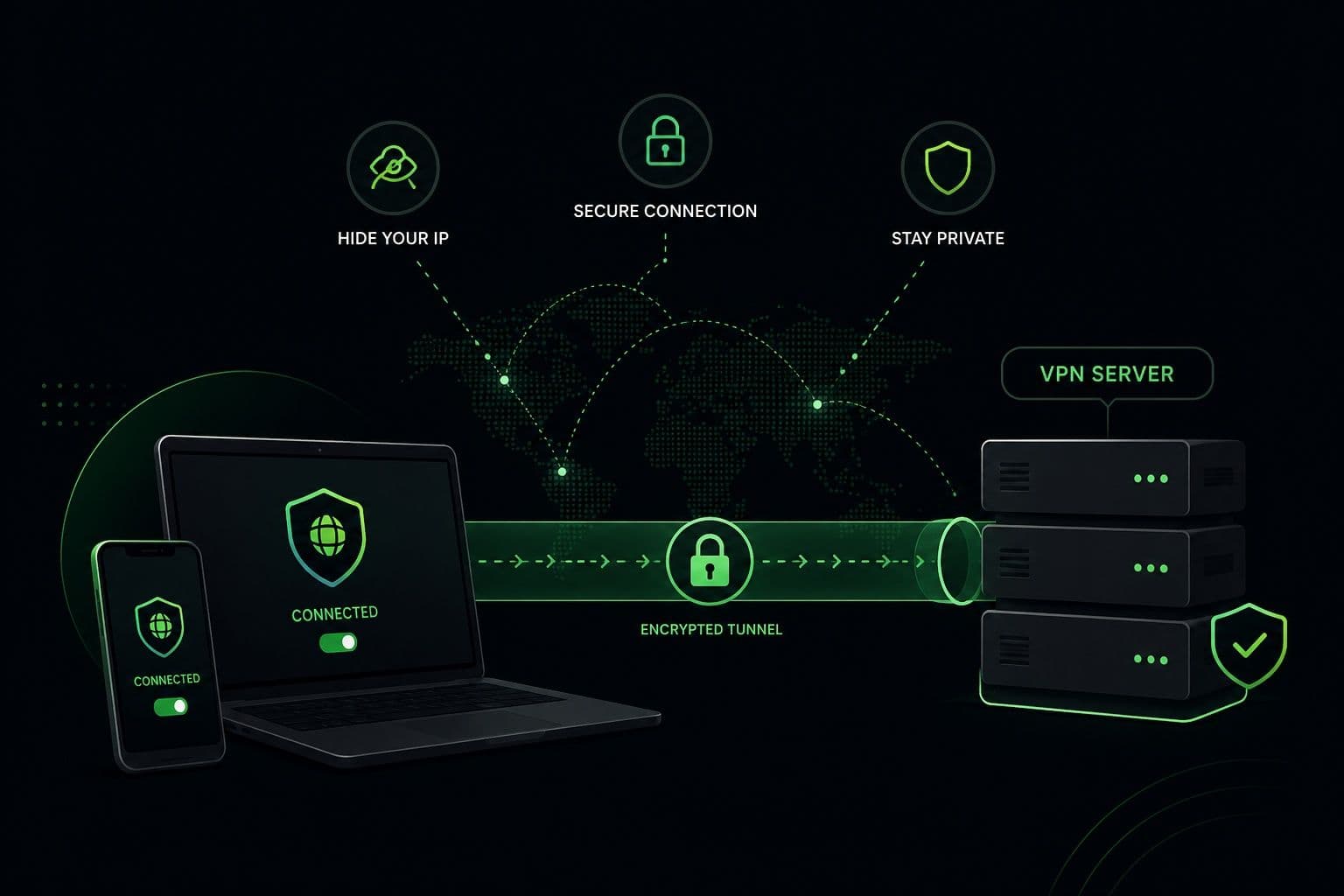
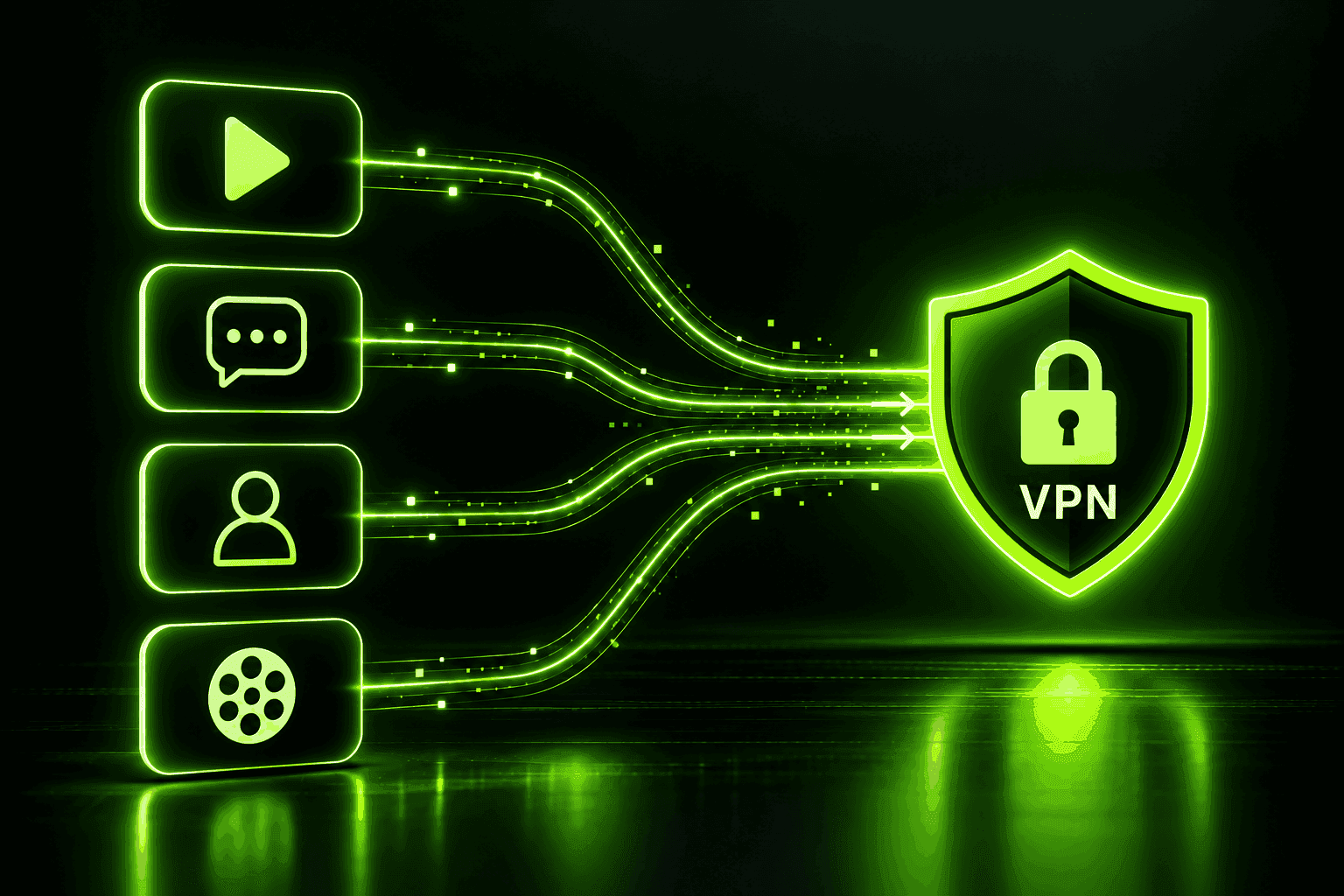
At its core, a vpn unblock works through two combined mechanisms: your device's traffic gets encrypted so nobody along the way can inspect or filter it based on content, and your visible IP address gets replaced with the VPN server's, so any block keyed to your real IP address, region, or network simply doesn't apply anymore — the request now looks like it's coming from somewhere else entirely. An ip unblock vpn approach specifically addresses restrictions that are enforced by checking where a connection is coming from, which covers the large majority of geographic and region-based blocks in practice.
Where Blocking Actually Happens
Not all blocking works the same way, and understanding the differences explains why a VPN handles some restrictions effortlessly and struggles with others.
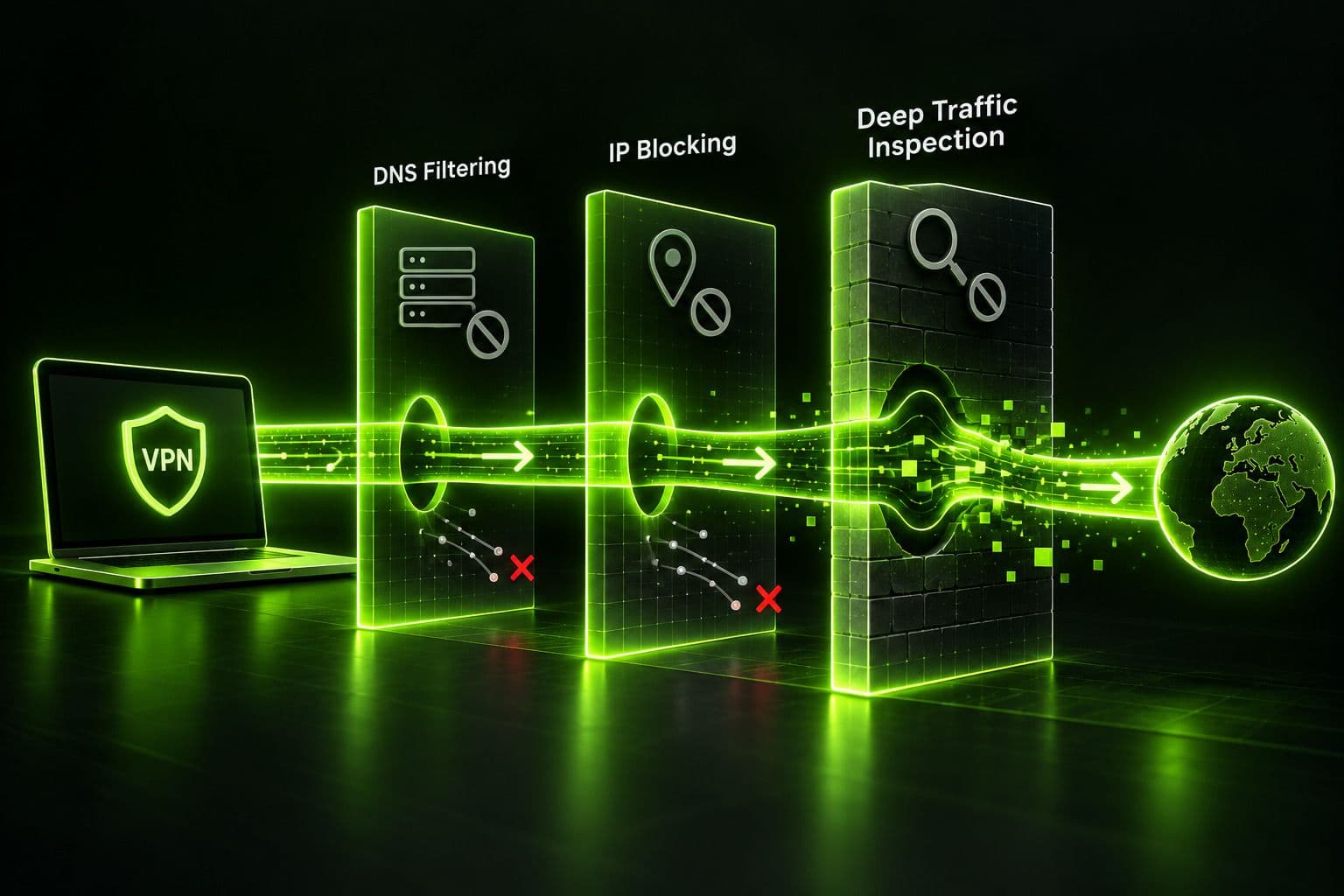
DNS filtering blocks a site at the lookup stage — when your device asks "what's the address for this website," a filtered DNS server simply returns nothing, an error, or a redirect to a block page instead of the real answer. This is a common method for school, work, and ISP-level blocking.
IP blocking works further down the chain: the network or the destination site itself refuses traffic addressed to a specific IP address or range. This is how most geographic content restrictions work, and it's also how some services detect and block known VPN server IP ranges once they've identified them.
Deeper traffic inspection goes further still, examining the pattern of a connection rather than just its destination — the way a TLS handshake looks, which server name is being requested during that handshake, or the timing and size of packets. This is the layer that sophisticated national censorship systems and some corporate firewalls operate at, and it's also why VPN providers build dedicated obfuscation or "stealth" modes that disguise VPN traffic to look like ordinary encrypted web browsing.
A regular VPN connection defeats DNS filtering and IP blocking on its own, since it changes both what your traffic looks like and where it appears to originate. Deeper inspection is a tougher problem — no disguise works against every possible detection method indefinitely, which is worth knowing honestly rather than assuming a VPN is unbeatable in every circumstance.
VPN vs. Proxy: Which One Actually Unblocks Websites?
It's worth comparing the two options directly, since a vpn unblock proxy comparison comes up constantly once people start researching this. A plain proxy reroutes a single connection through a different address without encrypting anything, which works fine as a quick unblock site vpn alternative when the block is simple, but it does nothing against DNS filtering or anyone inspecting your traffic's actual contents. An unblock vpn proxy setup — meaning a VPN used the way people expect a standalone proxy to work — does the same address-rerouting job while also encrypting everything end to end, which is why a vpn proxy unblock comparison almost always favors the VPN once DNS filtering or deeper traffic inspection is involved rather than a simple IP-based restriction.
The singular-versus-plural wording matters less than the search volume suggests: an unblock website vpn approach and an unblock websites vpn approach work identically, since the same server connection either gets you past one restricted page or several, depending on what's actually blocked upstream — not on anything different about how the VPN itself behaves. The same logic applies to vpn unblock sites versus vpn unblock site, and to unblock sites vpn versus vpn to unblock site: these all describe the same underlying action in slightly different word order, and none of the phrasing changes what's actually happening on the connection.
Vpn to unblock websites usage has also grown alongside browser-based tools marketed as unblock websites online vpn services — often lightweight browser extensions rather than full VPN apps. The same test applies to any of them regardless of branding: does the tool actually encrypt your traffic end to end, or does it just change your apparent IP address the way a plain proxy would, leaving the rest of your connection exactly as exposed as before? Guru VPN, for what it's worth, is a full encrypted VPN rather than a bare address-swapping proxy, which is the distinction that actually matters here.
Why Websites and Networks Get Blocked in the First Place
The reason something is blocked changes what "unblocking" it actually means. Licensing and regional restrictions are why a streaming show available in one country isn't available in another — the platform has legally agreed to show it only in specific regions, not because of any security concern. Government-level censorship blocks entire platforms or categories of content nationally, for reasons ranging from information control to local law. School and workplace filtering exists for different reasons entirely — bandwidth management, productivity, and blocking categories like social media, gaming, or adult content — and is usually enforced at the network or device level rather than by the destination site itself.
What People Actually Unblock With a VPN
Search data gives a clear picture of what this looks like in practice: YouTube alone makes up the large majority of unblock-related searches, with Facebook, Google, and Instagram accounting for most of what's left. Video content dominates for a simple reason — it's bandwidth-heavy, which makes it a frequent target for school and workplace network policies, and it's also one of the most commonly geo-restricted or nationally censored categories of content worldwide.
Unblock YouTube VPN
An unblock youtube vpn setup is usually the simplest case: connect to a server, and if YouTube was blocked at the network or DNS level (common on school and work Wi-Fi), it loads normally afterward. Some networks specifically watch for and block streaming-video traffic patterns, which is where a protocol switch or obfuscated server setting helps if a straightforward connection doesn't work. People searching unblock youtube proxy vpn options are often looking for exactly this — a way past a school or office network's video restriction rather than a country-level block.
Unblock Facebook VPN
An unblock facebook vpn scenario usually comes from one of two situations: a workplace or school blocking social media specifically for productivity reasons, or a government restricting the platform nationally. Both resolve the same way — connecting to a server outside the restricted network or region routes around the block.
VPN Unblock Netflix
A vpn unblock netflix case is different in kind from the other two: Netflix's content library is genuinely licensed differently by region, so connecting to a server in a different country changes which titles are available to you, not just whether the site loads at all. It's worth being upfront that Netflix actively works to detect and block known VPN server IPs, and using a VPN this way is a terms-of-service matter rather than an illegal one — more on that below.
Unblock ChatGPT With VPN
Unblock chatgpt with vpn searches have grown as more schools, workplaces, and even entire countries have restricted access to AI chat tools — schools and employers for the same productivity and academic-integrity reasons they block other distracting or unauthorized software, and some countries for the same platform-availability reasons that apply to other US-based services. The same connection principle applies: a VPN server in a location where the service is available and not institutionally blocked routes around both kinds of restriction.
Unblock VPN for School and Other Managed Networks
An unblock vpn for school situation deserves its own honest section, because it works differently than geo-unblocking in one important way: on a school- or work-owned device, the restriction may not be network-based at all. Managed devices often run monitoring software, enforced browser policies, or installed device-management profiles that operate independently of your network connection — a VPN encrypts and reroutes your traffic, but it doesn't disable software that's already installed and running on the device itself. If the device is genuinely yours and the restriction is purely network-level (the school's Wi-Fi blocking certain sites via DNS or IP filtering), a VPN generally works as expected. If the device itself is managed by the school or employer, the practical answer often has less to do with which VPN you pick and more to do with whether you're using a personal device on that network instead.
It's also worth knowing that federally funded schools and libraries in the US are legally required to filter certain content, and getting around that filtering on purpose — no matter which tool does it — can still get you in trouble with the institution even though the VPN app itself isn't the thing breaking any law.
How to Unblock a Website With a VPN: Step by Step
The full how to unblock vpn walkthrough is short in practice, even though the reasoning behind each step matters:
- Install a VPN app on the device you're using, and make sure you're signed in and up to date.
- Connect to the right server. For a geo-restricted case, pick a server in the region where the content is available. For a network-level block (school, work, public Wi-Fi), any server outside that specific network usually works.
- Clear your browser cache and cookies, or try a private/incognito window, since some sites remember your previous location or blocked status independent of your current IP address.
- If the site still doesn't load, try a different server or protocol. Switching to a TCP-based or obfuscated/stealth connection option, if your app offers one, helps against more aggressive filtering that a standard connection didn't get past.
- Confirm it worked by checking that your visible IP address and location match the server you connected to, using any IP-lookup page.
When VPN Unblocking Doesn't Work
Being honest about limitations matters here, since a lot of VPN marketing implies unblocking always works effortlessly. Some services actively detect and block known VPN server IP ranges — this is a real, ongoing back-and-forth between VPN providers and platforms, particularly streaming services, and it means a specific server occasionally stops working until the provider rotates in new IP addresses. Heavily censored networks are a harder problem than typical geo-blocking or school filtering — in countries running sophisticated national-level traffic inspection, whatever gets you through today could stop working with little warning, so it's worth testing your VPN's obfuscated or stealth options ahead of time rather than assuming they'll hold up once you actually need them in a strict-censorship environment. A managed device's own software limitations, as covered above, aren't something any VPN can override, since they operate independently of your network connection entirely.
Is It Legal to Unblock a Website With a VPN?
Using a VPN itself is legal for personal use in most countries, though it's worth being specific rather than treating this as a blanket yes. Using a VPN to bypass a streaming service's regional licensing generally isn't illegal, but it can violate that platform's terms of service, and providers have been known to suspend accounts for it. Using a VPN to access or redistribute copyrighted content without authorization is a separate legal risk that has nothing to do with the VPN itself and everything to do with what you're actually doing once connected. A small number of countries restrict or ban VPN use outright, so it's worth checking local law if you're traveling somewhere with strict internet controls. And as covered above, circumventing school or library filtering required by law carries its own institutional consequences distinct from the legality of the VPN itself.
Why Choose Guru VPN
Guru VPN handles the core mechanism behind all of this — IP masking and encryption — consistently across servers, so getting past a geo-restriction or a network-level block is usually a matter of picking the right location and connecting.
Checking the available server locations is worth doing before you need a specific region, and comparing what each tier includes on the pricing page helps match a plan to how often you'll actually use it.
Frequently Asked Questions
Yes, for the large majority of geographic and network-level blocks, since a VPN changes both your visible IP address and hides the contents of your traffic from anything trying to filter it. It's less reliable against sophisticated national censorship systems and can't override software already installed on a managed device.
A plain proxy reroutes your traffic without encrypting it, which defeats simple IP-based blocks but does nothing against DNS filtering or anyone inspecting the actual contents of your traffic. A VPN does both at once, which is why a vpn proxy unblock comparison usually comes down firmly in the VPN's favor for anything beyond the most basic block.
Some can. Services that actively maintain lists of known VPN server IP ranges can detect and block them, which is why switching servers occasionally resolves an unblocking issue that suddenly stopped working.
Browser-based or "online" unblocking tools vary widely — some are genuine lightweight VPN extensions, others are unencrypted proxies with a VPN-sounding name. Checking whether a tool actually encrypts your traffic, not just changes your visible IP, is the real test.
Generally yes, if the block is enforced by the school's network rather than software installed on your own device — since a personal laptop isn't running the same device-management restrictions a school-owned computer would have.
Conclusion
Unblock vpn websites scenarios all trace back to the same two mechanisms — a masked IP address and encrypted traffic — even though the reason something is blocked varies enormously, from regional licensing to school Wi-Fi policy to national censorship. Knowing which kind of block you're actually dealing with is what determines whether a straightforward connection is enough or whether you need to reach for an obfuscated server, and knowing the honest limits — VPN detection, managed-device restrictions, streaming ToS terms — keeps expectations realistic instead of relying on marketing promises that unblocking always works everywhere, every time.