
 BR
BR DE
DE ES
ES FR
FR RU
RU
Articles
Fake and Scam Websites: How to Spot Them and Stay Safe Online

Guru VPN experts
20.01.2026
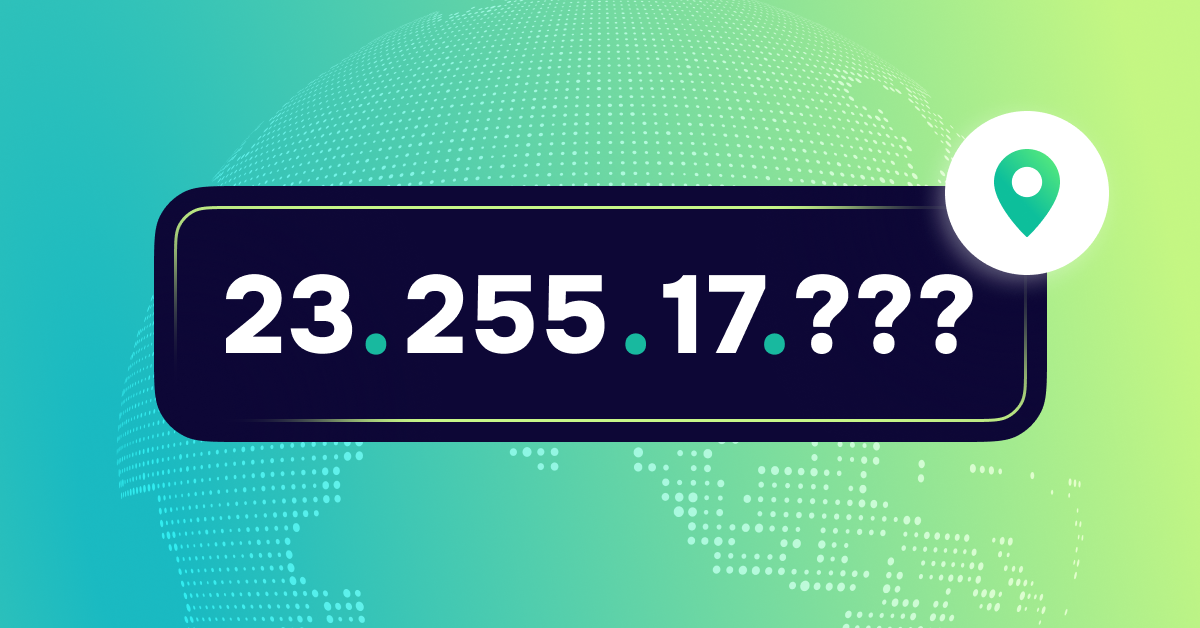
Ever asked yourself, “What's my IP?” or “Where's my IP?” It's more than just a bunch of numbers. Think of it as your online ID, showing the internet who you are and where you're logging in from. Everything from sending emails to surfing the web depends on it.
Knowing your IP and where it's located can be useful. It can help fix network problems, get to content made for certain areas, and keep your data private. But remember, your IP can show more about you than you think.
We're going to break down what an IP address is, why it matters to regular people who use the internet, what could happen if your IP is out in the open, and how a VPN like GuruVPN can keep your IP (and what you do online) safe and sound.
Ever wondered how your computer chats with the internet? It all starts with something called an IP address (or Internet Protocol address) – think of it as your device's personal online address. It's a special code that lets websites and apps know where to send all the stuff you ask for. Without it, getting online would be like trying to mail a letter with no address.
We've all probably asked "What's my IP?" at some point, but it's easy to not realize how vital it is to everything we do online. Every time you click a link, watch a video, or send a text, your IP address is working to get that info where it needs to go.
IP addresses come in several types:
Additionally, IP addresses can be:
Understanding what my IP is can help you distinguish between these types and how your device interacts with the internet.
Your IP address isn't a random string of numbers. Your internet provider or network person gives it to you, and it follows certain rules.
Think of IPv4 addresses like this: four numbers, each somewhere between 0 and 255, with dots separating them. Each of these numbers is known as an octet.
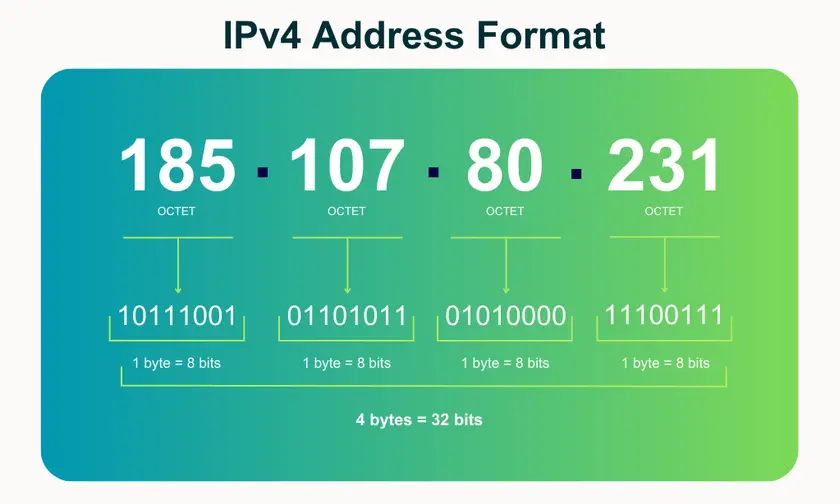
IPv6 addresses, on the other hand, use hexadecimal and colons. This setup allows gazillions of unique addresses.
The number mix points to your network, spot, and now and then even your internet provider.
Asking “What's my IP?” is like asking what network assignment your device is using. This can change (a dynamic IP) or stay the same (a static IP), depending on how your internet is set up.
For everyday users, figuring out your IP address would be a useful knowledge and this is why:
If you know a little bit about IPs, you're starting to get a grip on what you do online and keeping your info safe.
When you check “what is my IP” or “where is my IP”, you’ll often see a map or city name next to your result. That’s because your IP address reveals your approximate geographic location.
Typically, you’ll see several types of information:
Don’t be afraid, this location isn’t exact, but it provides enough detail for websites and services to understand where you are connecting from. This is why some platforms automatically adjust language, currency, or content availability.
Your IP gives away some info, like who your internet company is. When you search "what's my IP", you'll usually see your internet provider's name right there.
Websites use this info to:
It's also a quick way to check what kind of network we're on - like home Wi-Fi, phone data, or that coffee shop hotspot. Besides, your IP can reveal technical information about your network setup. This may include:
When you search “where I right now IP”, you’re essentially checking which network your device is using at the moment. This can help diagnose issues like slow speeds, blocked websites, or accidental connections to the wrong Wi-Fi.
Even if your IP address doesn't shout out your name, it still helps paint a picture of you online. Think of it as pieces of a puzzle. Advertisers, websites, and data companies use your IP to see:
This gets way easier for them if they're also using things like cookies or even when you log into your accounts.
Your IP address influences what you can access online because many platforms rely on it to determine your location. This affects several parts of your digital experience:
Sometimes, your IP address can show more about you than you want. For example, people might be able to guess where you are. Also, attackers could flood your network with junk traffic. Plus, apps might keep track of your IP to build a picture of what you do online.
That's why it's a good idea to know your IP address and how it's being used to protect your online privacy.
Knowing your IP address gives you more control over your online identity. Plus, it helps you understand why some sites or services act differently depending on where you are. When people Google “what is my IP” or “what’s my IP right now?”, they usually want to know for practical reasons or because they're worried about privacy and security. Both of those things depend a lot on the IP you're currently using.
🌐 Checking connections and network settings.
Your IP address helps you confirm whether you’re connected to the correct network, whether your ISP is routing your traffic properly, and whether your current online location matches what you expect. If websites suddenly switch languages or services assume you’re in another city, checking “where is my IP?” immediately provides clarity.
🌐 Diagnosing internet issues.
When certain sites refuse to load, speeds drop unexpectedly, or platforms block access, your IP can reveal whether the issue comes from your provider, a router misconfiguration, or a change in your connection type. Many troubleshooting steps begin with the question: “What’s my IP now?” because it helps determine whether the problem is local or network-related.
⚠️ Tracking by websites and advertisers.
Even though your IP address doesn’t directly contain personal data, it can still be used to link browsing sessions together and build a behavioral profile. Advertising networks frequently rely on IP-based tracking to follow user activity across different sites.
⚠️ Exposure to hackers if your IP is public.
A publicly visible IP can become a target for malicious actors. It may be used to attempt direct attacks on your network, scan open ports, or send unwanted traffic to overload your connection. This is especially relevant for users with poorly secured routers or outdated network configurations.
⚠️ Location leaks leading to privacy risks.
Your IP reveals your approximate city, region, and country. While it’s not precise enough to pinpoint your home address, this information can still be used for aggressive targeting, deanonymization, or determining your physical location. This is why many users eventually start asking “what’s my IP and how do I hide it?” as they become more aware of their digital footprint.
Your IP address might seem like just a bunch of numbers, but when websites, advertisers, or bad guys see it, they can learn a lot about you. Knowing what can happen when people can see your IP address is key to keeping your info safe and controlling what you do online.
Websites, ad companies, and services that track website traffic often use your IP address to figure out who you are. Even if you don't sign in or give them your name, your IP address lets them link what you do online, guess where you live, and watch where you go on the internet. They put this info together to make a picture of you, including what you like, what you do regularly, and how you use the web. They can then share, sell, or use this to show you ads that are meant just for you.
Having your IP address out in the open can make you a target. Bad guys can scan your network to find weaknesses, look for vulnerabilities in your devices, or flood your connection with traffic in DDoS attacks. Not everyone will get hacked, but exposed IPs make it much more likely you'll experience unwanted scans or automated attacks, especially if your router has old security settings.
ISPs and government agencies might keep an eye on what you do online, and it depends on where you live and what the local rules are. Your IP address can be used to track your online activity. ISPs can keep records of the websites you go to, when you connect to the internet, and the general patterns of your traffic. Some places have data laws that make ISPs save this info and give it to the authorities if they ask for it. Even if you're not doing anything wrong, a lot of people who care about privacy don't like the idea of being watched all the time.
In recent years, quite a few platforms have had data leaks, exposing user IP addresses. These leaks can show a user's rough location at certain times, which services they used, and how often they used them. Also, there are IP-based restrictions like geo-blocking or price differences that streaming, banking or gaming services put in place. These restrictions can limit what you see or do online. If you’re suddenly blocked or notice changes, you might wonder why. Often, it's because of your IP address location.
A VPN, short for Virtual Private Network, hides your IP address and keeps your online activity private. It scrambles the data moving between your device and the internet. When you use a VPN server, it's like surfing the web from a different place. This really helps keep your personal information safe, mostly useful if you want to control how visible you are online.
Using a VPN offers several important benefits. It enables access to content that may be restricted in your region by making it look as though you’re browsing from another city or country, which helps bypass geo-blocks on streaming platforms and websites. It also prevents your internet provider from monitoring your browsing habits by encrypting all your traffic, meaning they can’t see the sites you visit or slow down your connection based on your activity. Additionally, a VPN protects you from IP-based attacks by hiding your real address, reducing the risk of targeted hacking attempts, DDoS attacks, and other forms of unauthorized access.
GuruVPN makes all of this easy to do. Our service protects your IP and keeps you safe online without making you deal with complicated steps or confusing options.
You get a fast, safe, and dependable way to check where is my IP safely, watch shows from other countries, or keep your internet connection secure when you're working away from the office or using public Wi-Fi.
Using a VPN gives you control over what's my IP, keeps your stuff private, and helps you stay safe when you're online.
Want to see where your internet connection appears to be? Here’s a simple guide:
1. Visit an IP Info Website
Open a browser and go to sites like whatismyipaddress.com or iplocation.net
2. Use Built-in OS Tools (Optional)
These methods show your IP, but not as detailed as websites.
3. Hide or Change Your IP with VPN
Your IP address represents your digital presence and can reveal details about your location, your device, and even how you browse the web. Understanding what your IP shows and why it matters helps you protect yourself from unnecessary exposure. Without safeguards in place, advertisers, data collectors, and malicious actors can track your online activity and potentially exploit your connection.
A VPN plays a key role in strengthening your privacy and security. By masking your real IP and encrypting your traffic, it prevents third parties from monitoring what you do online and gives you freedom from geo-based restrictions and targeted surveillance. With the right protection, you stay in control of your digital identity rather than letting others shape it for you.
Take the next step toward safer browsing: protect your IP and maintain your privacy with GuruVPN. Secure your connection, keep your information confidential, and explore the internet with confidence no matter where you are.